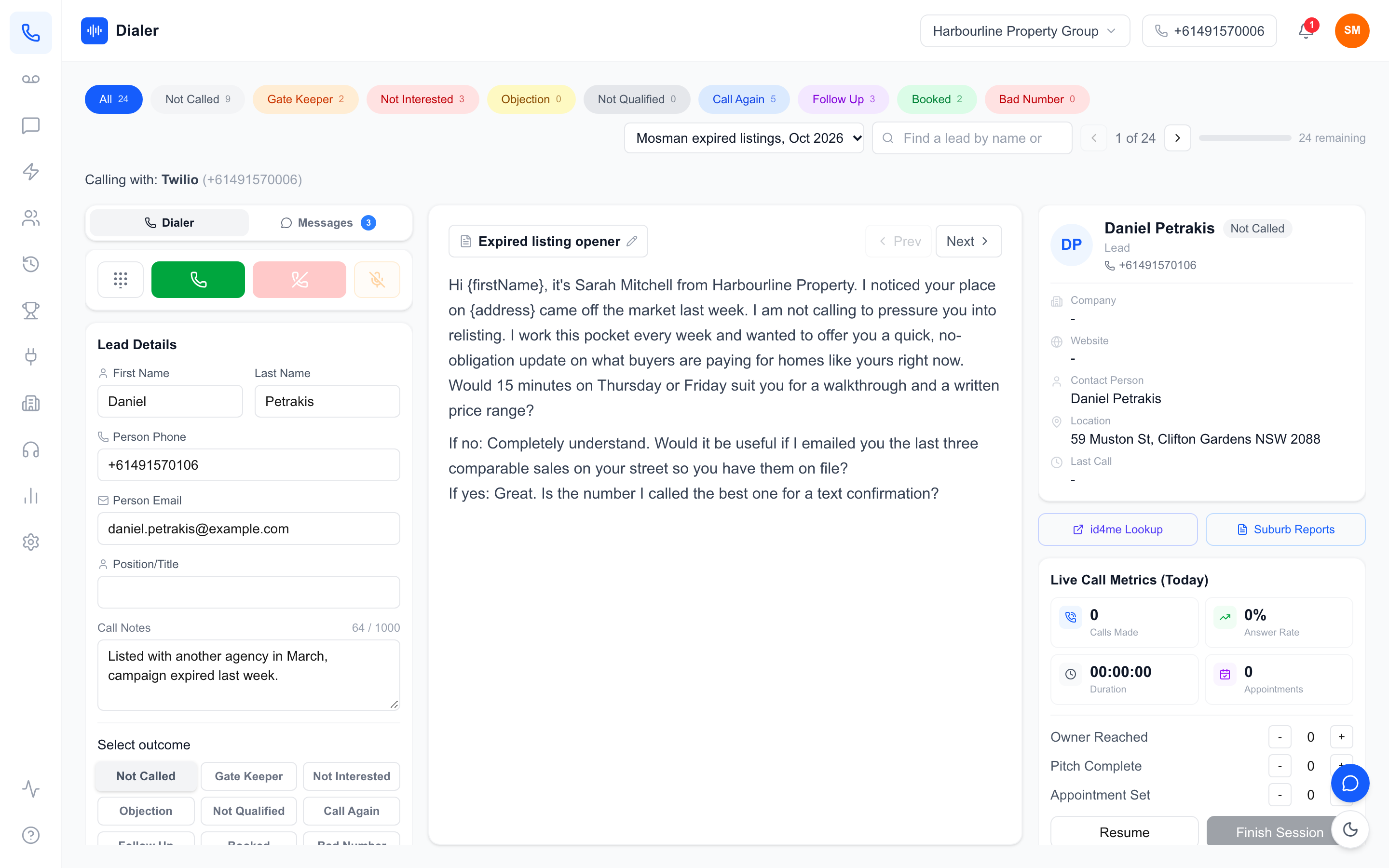
Buying a power dialer sounds simple: pick a tool, load your leads, start calling. In Australia, it rarely works out that way. Most dialer software is built for the US market, priced per seat in ways that punish growing teams, and silent on the two things that matter most here: Australian numbers and Do Not Call Register (DNCR) compliance.
Get the choice wrong and you'll feel it fast. Your reps call out on overseas or unrecognised numbers that prospects won't answer. Your bill doubles the month you hire two more salespeople. Or worse, your team calls a number on the DNCR and your business wears the complaint.
This guide walks through the nine checks we'd run before buying any power dialer in Australia, including the pricing maths most vendors hope you won't do.
1. Are Australian numbers included, or do you bring your own telco?
A dialer is only as good as the number your prospect sees. If your team is calling Australian homeowners and your caller ID shows an international number, a Sydney landline for a Perth business, or a rotating pool of strangers' numbers, answer rates fall off a cliff.
Ask two questions. First: does every rep get their own dedicated Australian number, a local geographic number or a +614 mobile? A dedicated mobile number per rep looks like a real person calling, because it is. Second: who manages it? Plenty of platforms make you open your own account with a telephony provider, buy numbers yourself, and sort out the configuration. That's a weekend of setup and an ongoing admin task you didn't budget for.
The simpler model is a managed one: the provider provisions the numbers, your reps just log in and dial. If a vendor can't tell you exactly what number your customers will see on day one, keep looking.
2. Per-seat or per-team pricing? Do the maths for five reps
This is where power dialer Australia price comparisons usually fall apart. Most dialers charge per user, per month, and the headline price is often the annual-billing rate, with a minimum number of licences buried in the fine print. A plan that looks like $49 a month can mean $49 × 5 reps × 12 months, paid upfront, before you've made a single call.
Do this exercise with every quote: price a five-rep team, on monthly billing, including the cost of numbers and any setup fees. Then price the same team at ten reps, because that's where per-seat pricing really bites.
For contrast, here's how per-organisation pricing changes the maths. Veyce charges per team, not per seat: Solo is $49/month for one seat, Team is $179/month for four seats, and extra seats are $29 each. A five-rep team runs $208/month ($179 plus one extra seat) and a ten-rep team fits inside the Growth plan at $449/month flat. No per-user multiplication, no licence minimums, $0 setup. When every vendor's pricing is on the table in the same format, the comparison gets honest very quickly. You can see the full breakdown on our pricing page.
3. What DNCR compliance tooling is actually in the product?
In Australia, calling a number on the Do Not Call Register when you don't have consent or an existing relationship is a genuine legal risk for your business, and "the software let me" is not a defence. So ask vendors specifically what their product does about it.
Start with where the wash itself happens. In Australia you wash a list against the register yourself, through a washing account and subscription with the register (see the washing process overview), and a washed list is only reliable for 30 days. So ask each vendor what their product does with the result of your wash: does it keep the numbers your wash marked as registered out of your lists, can a rep see a flag on a lead, and how quickly can you clear flagged numbers when a list ages and you re-wash it? Ask too where calls are logged, so you can show when a number was called.
Veyce works with your wash rather than replacing it: numbers the wash marks as registered are left out when you import a PriceFinder export, the Delete DNCR Numbers button clears flagged leads from a list in one click, and every call is logged with its time and outcome. Veyce does not check numbers against the register itself.
Be wary of any vendor who waves this away with "our customers handle compliance themselves". The platform you choose should make the compliant path the easy path.
4. Are calling hours built around the recipient's time zone?
ACMA rules set telemarketing hours as Monday to Friday 9am–8pm and Saturday 9am–5pm, in the recipient's local time, not yours. Australia makes this tricky: a rep in Sydney calling Perth at 7:30pm their time is calling at 4:30pm Perth time (fine), but an Adelaide team calling Sydney at 8:30am is calling at 9:00am Sydney time, only just inside the window, and in daylight saving transitions these offsets shift.
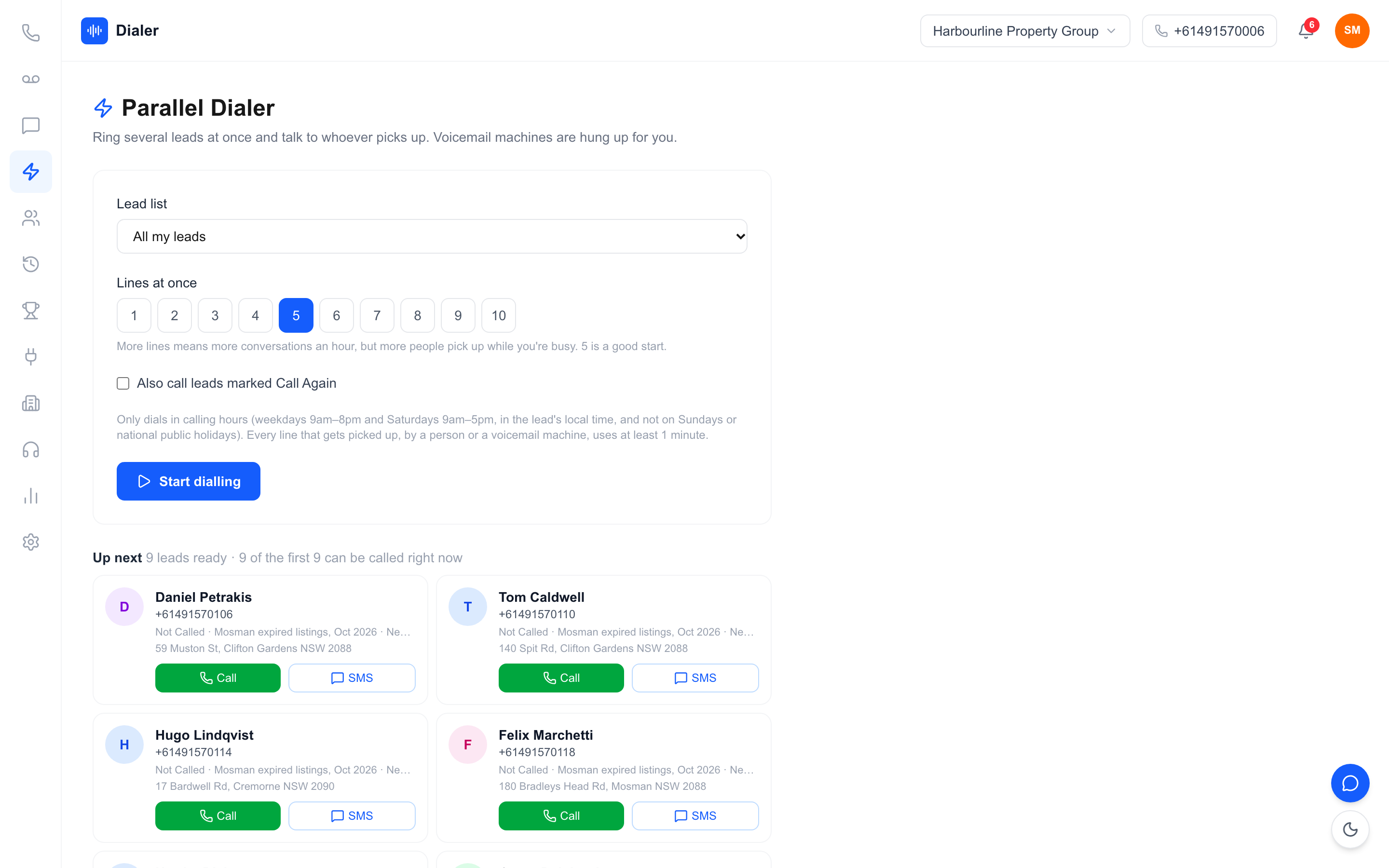
Your dialer should help your team work to recipient time, not headquarters time. That means leads organised so reps can see where a prospect is and what time it is there, and a workflow that makes it natural to call within the legal window for each state. If the platform treats Australia as one time zone, your team will eventually make an out-of-hours call by accident. Build the habit, and choose tools that support it, from day one.
5. Can you review calls without listening to every recording?
Call recording is table stakes; the question is what happens after the call. If your only review option is playing back full recordings, coaching won't happen, because nobody has time. What you actually want is recording paired with AI transcription and summaries, so a manager can search a call, skim what was said, and jump to the moment that matters.
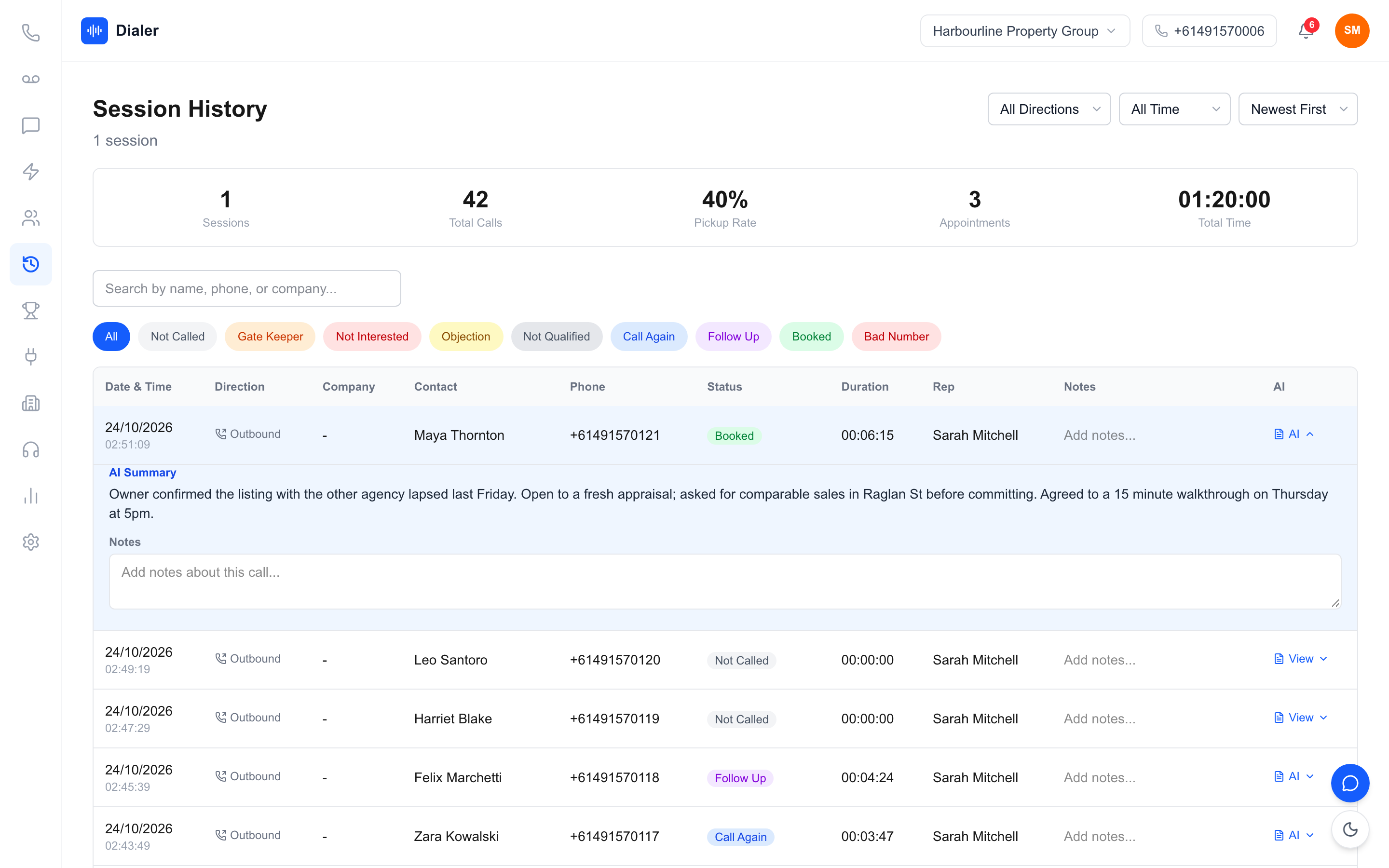
Transcripts change how teams improve. A rep can re-read their own pitch straight after a call. A manager can spot why one rep books appointments and another doesn't, using the actual words from both calls. When you're comparing dialers, ask to see a real call record: recording, transcript and summary on one screen. If it's three different places, it won't get used.
6. How fast can you go from a messy list to the first call?
Every sales team has leads in the wrong format: a spreadsheet from a data provider, a PDF from an expo, a photo of a handwritten list from a field day. The gap between "we bought the dialer" and "we made our first call" is mostly lead import pain: reformatting columns, cleaning duplicates, fixing phone numbers by hand.
Ask what formats the import accepts and how much manual cleanup is involved. Veyce's smart lead import takes CSV and XLSX spreadsheets, DOCX and PDF documents, and even images, so a photo of a paper list comes out the other side as structured, callable leads. Whatever platform you choose, run this test during the trial: import your ugliest real list and time how long it takes to get a rep dialling from it. That number tells you more than any feature page.
7. Can prospects text back the number they saw?
Outbound calling doesn't end at the call. Prospects miss calls and text back an hour later; deals move forward over SMS. If your dialer calls from a pool of shared numbers, that reply goes nowhere useful, or to a generic inbox where the rep who made the call never sees it.
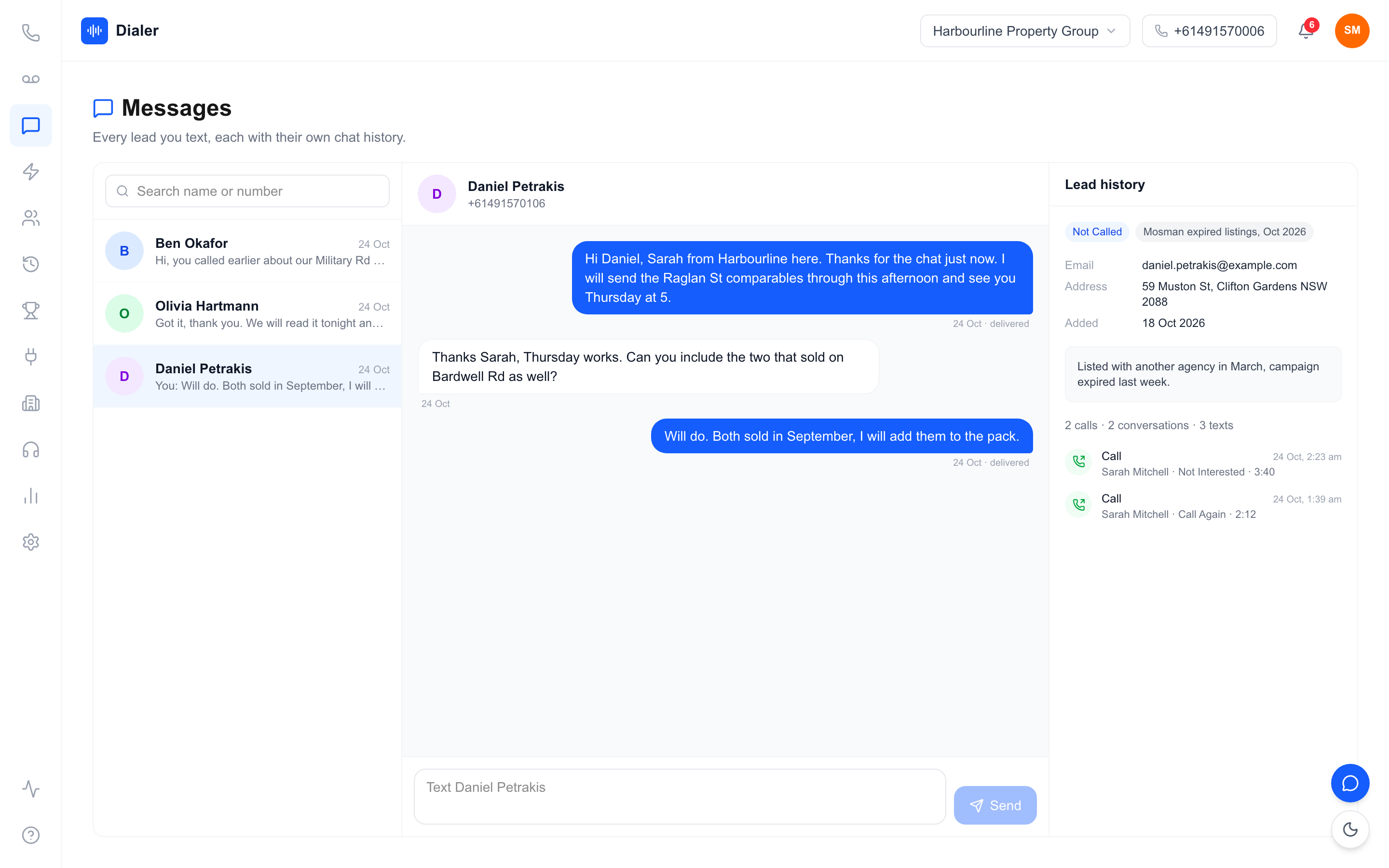
Check whether each rep has their own SMS inbox tied to their own number. When a prospect replies to the exact number that called them, and it lands in front of the rep who called, the conversation continues in context. It sounds like a small thing. In practice, it's where a lot of callbacks and appointments are won or lost.
8. What can managers actually see while the team is calling?
If you're managing a team, you need live visibility, not a report tomorrow. During a calling session you should be able to see who's dialling, how many calls they've made, talk time, and outcomes as they happen. After the session, those numbers should feed something motivating: a team leaderboard turns the daily grind of outbound calling into a visible competition, and reps genuinely respond to it.
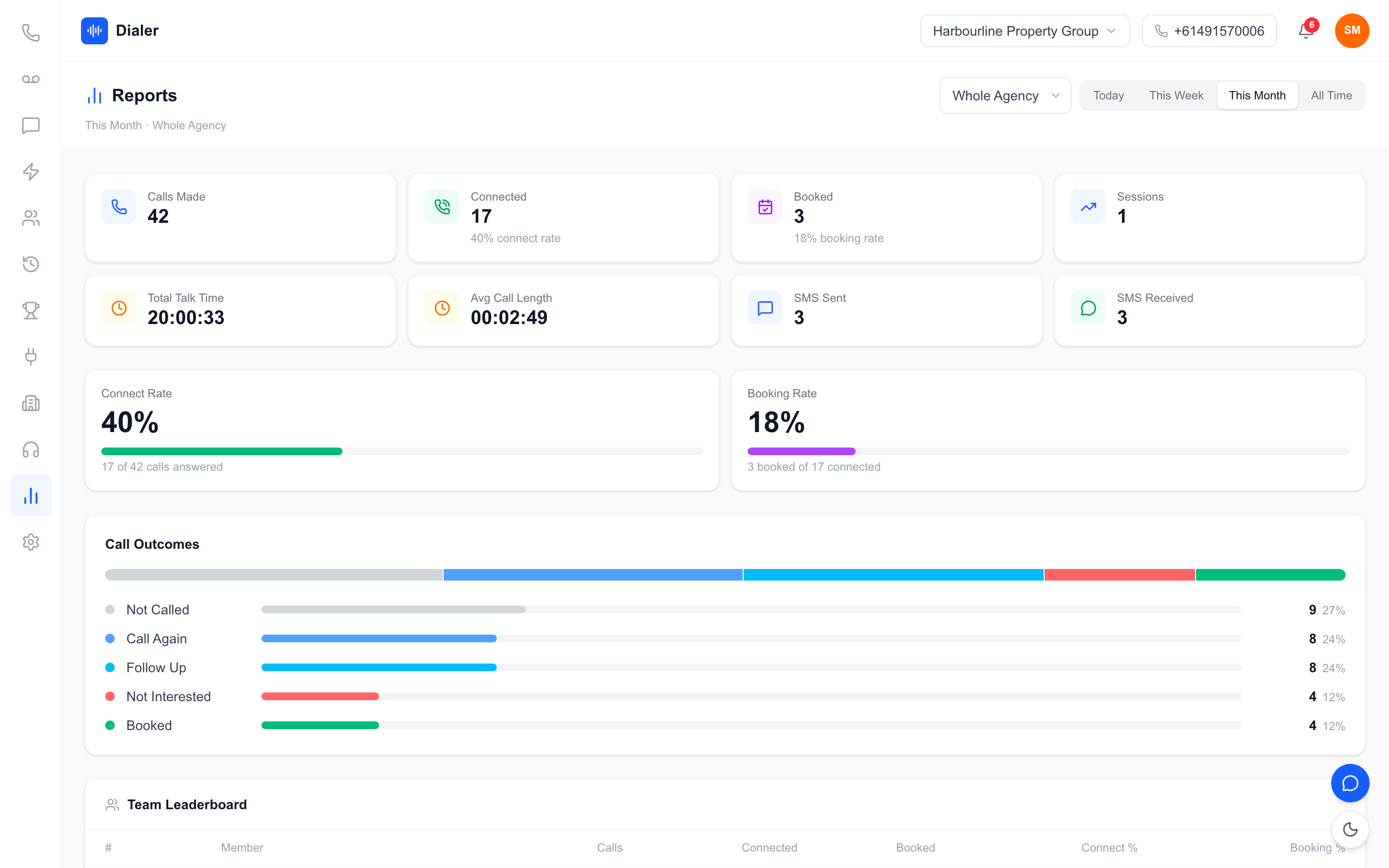
When you trial a dialer, sit in the manager's seat for ten minutes. If you can't tell at a glance who's having a good day and who needs help, the tool will not help you coach anyone. It'll just be a phone system with a subscription fee. This matters even more for distributed teams, like real estate agencies with several offices, where the manager can't walk the floor.
9. Who does the setup, and what happens when something breaks?
The last check is the one nobody prices in: setup burden. DIY platforms hand you a powerful tool and a documentation library, and your team loses a week to configuration: numbers, call routing, CRM connections, user permissions. Managed services do the provisioning for you, so the gap between signing up and calling is measured in hours, not weeks.
Neither model is automatically right. A large business with IT staff may prefer full control. A five-person solar or real estate team usually doesn't have a spare week. Be honest about which one you are, ask exactly what onboarding includes, and ask who you call, and how fast they respond, when a rep can't dial on a Tuesday morning. At Veyce, setup is $0 and the numbers, accounts and configuration are managed for you; the free trial exists so you can judge the reality rather than the promise.
Power dialer pricing at a glance
| Veyce plan | Price/month (AUD) | Seats included | Call minutes |
|---|---|---|---|
| Solo | $49 | 1 | 100 |
| Team | $179 | 4 | 400 |
| Growth | $449 | 10 | 1,000 |
| Agency | $1,099 | 25 | 2,500 |
Extra seats are $29/month and setup is $0. When you compare any dialer, convert every quote to this same table (total monthly cost for your actual team size) before you decide anything.
Run the nine checks yourself
The fastest way to choose a power dialer in Australia isn't another comparison page. It's a few days of actually calling. Start the free 3-day trial on the Solo plan (counted from your first call, with 100 calling minutes and no credit card needed), import the list you've been meaning to call, and test the dialler, lead import, scripts and session flow against this guide with your own prospects on the line. Call recording with AI transcripts and summaries (check 5) comes on the Team, Growth and Agency plans. If it earns its place, scale into a team plan. If it doesn't, you'll know exactly why, and you'll have a sharper list of questions for the next vendor.
Frequently asked questions
How much does a power dialer cost in Australia?
Expect anything from under $50/month for a single rep to several hundred for a team plan. Veyce starts at $49/month for Solo (1 seat, 100 minutes), with Team at $179/month for four seats and extra seats at $29. Per-seat dialers often look similar at one rep but cost far more at five or ten: always price your real team size, on monthly billing, with the tax treatment stated.
What's the difference between a power dialer and a predictive dialer?
A power dialer dials one call at a time, as the rep is ready, so the rep is always there when the prospect answers. Predictive dialers ring several numbers at once to maximise connections, which can leave prospects hearing silence when no rep is free. Veyce is a power dialler: in Power Dialler mode it's one call at a time, with a person on the line every time.
Do I need my own phone numbers or a telco account?
With Veyce, no. Your team gets a dedicated Australian number provisioned and managed for you, so there's no separate telephony account to open or configure, and each rep can have their own number on request. Some other platforms do require you to bring your own provider, so check before you buy.
How does DNCR checking work?
Veyce works with your Do Not Call Register wash rather than replacing it. Numbers the wash marks as registered are left out when you import a PriceFinder export, and the Delete DNCR Numbers button clears flagged leads from a list in one click. A wash is reliable for 30 days, so re-wash lists you keep calling. You remain responsible for your own compliance: the tooling just makes it practical to keep flagged numbers out of the dialler every time, not once a year.
Can I try it before paying?
Yes. Veyce offers a free 3-day trial on the Solo plan, counted from your first call, with 100 calling minutes and no credit card required. Each trial call ends after 7 minutes. Load a real list and test the dialler, lead import, scripts and session flow against the checks above on the live product. Call recording with AI transcripts and summaries comes on the Team, Growth and Agency plans.