Looking for a mortgage broker outbound dialler? Australia has no shortage of cold calling tools, but most brokers do not need a cold calling machine. Their best calls are to people who already know them: past clients coming up to a fixed-rate expiry, enquiries that went quiet, and referral partners who send business when they are reminded to. The challenge is not finding people to call. It is making the time to call them, consistently, between appointments and lodgements.
This guide looks at outbound calling the way a broking business actually uses it. It covers where calling fits, how to set up lists, scripts and sessions, how to follow up, and what to check about your own obligations. It finishes with how Veyce, an Australian power dialler, supports that routine. It is written for solo brokers and small broking teams with a client database in a CRM or spreadsheet and not enough hours in the week.
Where outbound calling fits in a mortgage broking business
Most brokers already know who they should be calling. The value of a dialler is turning that list into calls that actually happen.
Client reviews and fixed-rate expiries
A client whose fixed rate ends in the next few months is likely to be thinking about their loan, and a call from their broker before the rollover is timely rather than intrusive. Many brokers also run regular loan reviews with their whole book. Both are list-driven: sort clients by expiry month or last review date, and work through them in order.
Old enquiries that went quiet
Every broker has a list of people who enquired, had a first conversation and then went silent: they found a house later than planned, their circumstances changed, or they simply got busy. A short, friendly check-in call months later often finds them ready to talk again.
Referral partner calls
Real estate agents, accountants, financial planners and builders refer clients to brokers they think of first. A regular call to each partner, to share an update or ask how their pipeline looks, keeps you front of mind. These calls are short, frequent and easy to forget, which makes them ideal for a calling list.
Running a mortgage broker outbound dialler: Australia checklist
Setting up well takes an hour or two in any mortgage broker outbound dialler. Australia-wide, the brokers who stick with calling tend to follow the same few steps, and they keep the dialler from turning into another tool nobody opens.
Build lists from your CRM, not from memory
Export the segment you want to call (expiries in the next three months, enquiries older than six months, referral partners) as a spreadsheet from your CRM, and import it as a separate list. Keep one list per campaign so a session has a clear purpose and the results are easy to read afterwards.
One script per campaign
A rate-expiry call, a check-in with an old enquiry and a referral partner call need different openings and different next steps. Write a short script for each, with the reason for the call in the first two sentences and one clear ask at the end, such as booking a 20-minute review. Our cold calling tips for Australian teams cover openings that work on warm lists as well as cold ones.
Plan sessions around your clients' day
Many clients are easier to reach early in the evening than mid-morning, and referral partners are usually easiest to catch at the start or end of their working day. Book two or three short calling sessions a week in your calendar and treat them like appointments. For the rules on telemarketing calling hours, see the Do Not Call Register industry standards.
Worked example: a rate-expiry campaign
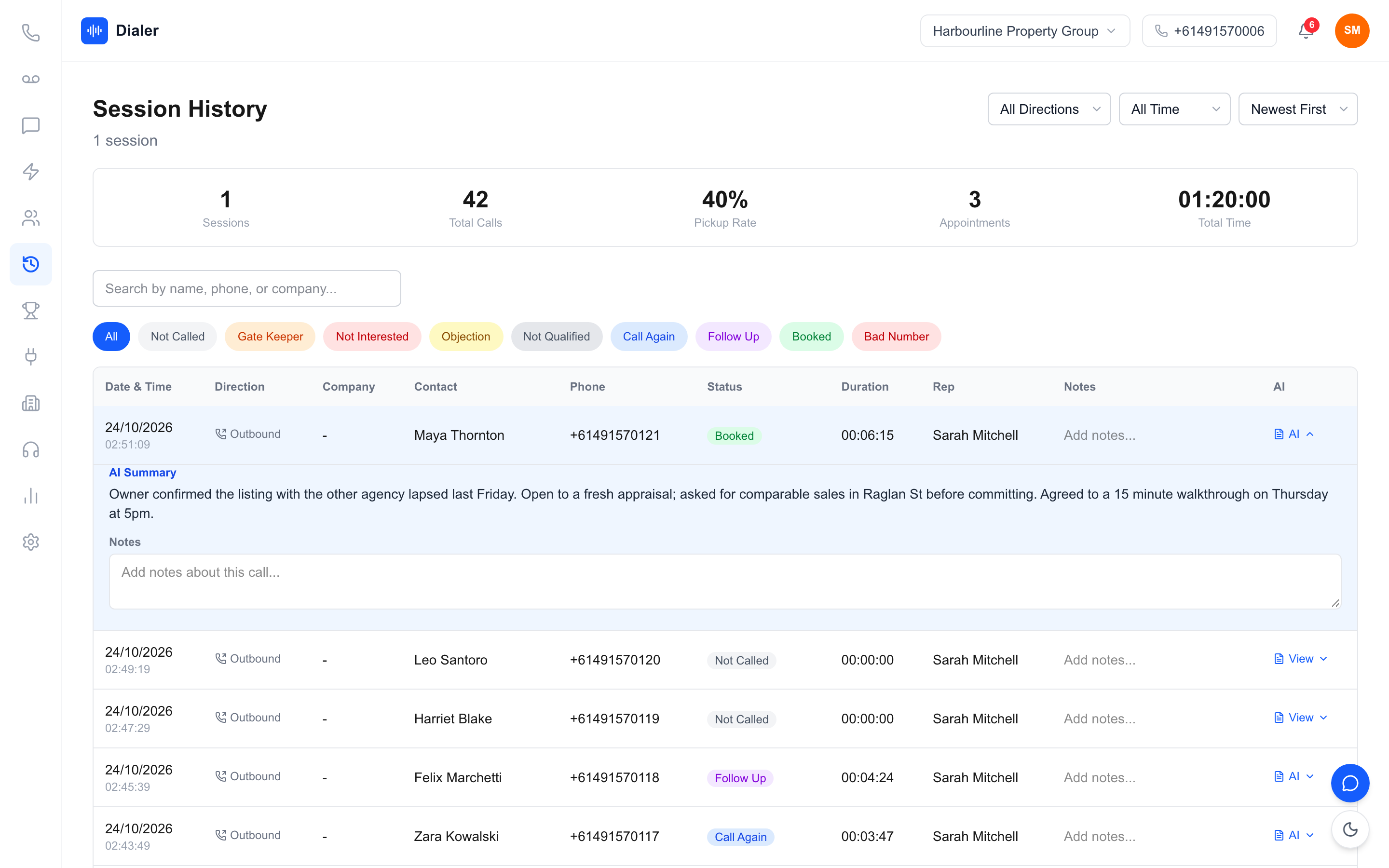
This is an illustration with stated assumptions, not a benchmark. Assume a broker has 300 clients, of whom about 25 a month reach the end of a fixed-rate period. Calling each one two or three months ahead, with up to three attempts each, means roughly 75 dial attempts a month, or about 20 a week. In a power dialler, where the next call starts as soon as you log the last one, that fits comfortably into two short sessions a week. Done by hand from a spreadsheet, the same calls tend to slip whenever the week gets busy. Our comparison of power dialling versus manual calling explains where the time goes.
Follow-up, records and your obligations
What happens after the call often decides whether a review gets booked.
Text the document checklist straight after the call
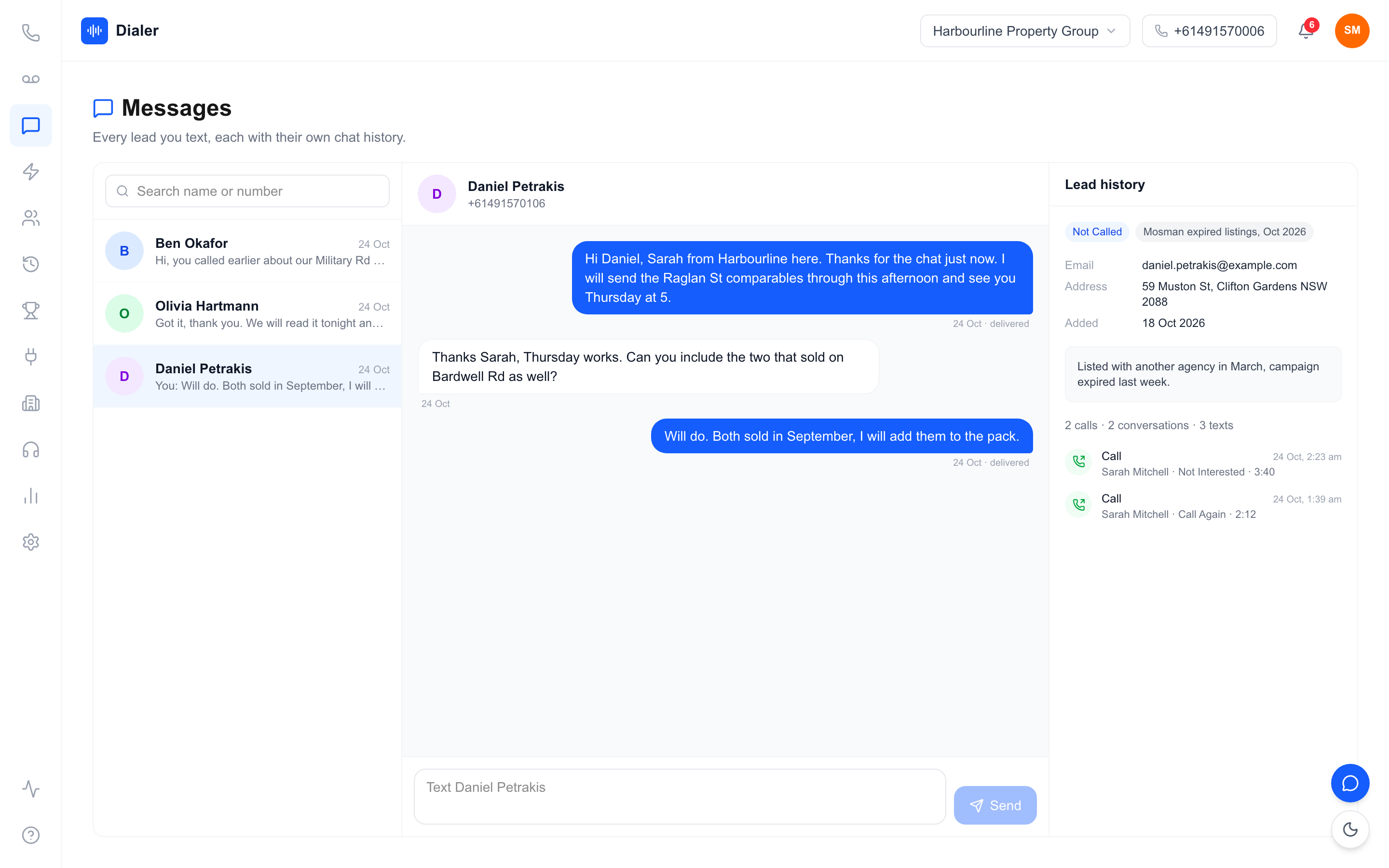
If the client agrees to a review, send a text before you dial the next number: the appointment time and a short list of what to bring, such as recent payslips and the latest loan statement. A text from the same number that just called is easy to recognise, and the client can reply with questions.
Recordings and summaries
A recording and a short written summary of each call help you remember what a client mentioned (a new baby, a planned renovation, a job change) when you call them back. Recording laws differ between states and territories, so tell the person at the start of the call that it is being recorded.
Check your own obligations
This guide is general information, not legal or compliance advice. Before you call or text, check your own obligations with your compliance adviser, including how the Do Not Call Register applies to the people you plan to call, and the consent and unsubscribe rules for marketing texts under the Spam Act 2003. The Do Not Call Register industry FAQs and our DNCR guide for Australian businesses are good starting points.
Veyce: a power dialler for mortgage brokers
Veyce is a power dialler for Australian sales teams, including brokers, with the phone side included. The Veyce page for mortgage brokers shows how it fits a broking business.
Lists, scripts and calling
Import client lists from CSV files and spreadsheets, or from PDFs and photos using OCR with rule-based field mapping, and sync with Google Sheets. Your script sits beside every call, typed in or synced from a Google Doc, and you can keep separate lists for each campaign. In Power Dialler mode, Veyce calls one lead at a time and starts the next call as soon as you log the outcome. Veyce does not wash numbers against the Do Not Call Register; it works with your wash: numbers the wash marks as registered are left out of PriceFinder imports, and the Delete DNCR Numbers button clears flagged leads.
Numbers, texts and pick-a-time links
Your team gets one dedicated Australian number included, and Veyce assigns a broker or assistant their own Australian number on request. Texts go out from the team number, or from that person's own number if assigned, and replies land in the Messages inbox. You can also text a pick-a-time link so a client chooses their own callback slot. Recorded calls get an AI transcript and summary after the call, so the details a client mentioned are there next time.
Plans for solo brokers and small teams
Solo is $49 a month for 1 seat and 100 minutes, which suits a broker calling their own book. Team is $179 a month for 4 seats and 400 minutes, for a broker with assistants or a small office, and extra seats are $29. Growth and Agency cover larger teams; see the Veyce pricing page for every plan.
Make your database calls happen every week
A mortgage broker's best leads are usually already in the database. The job of a dialler is to turn that list into calls that happen on schedule, with the right script, a quick follow-up text and a record of what each client said.
Pick one campaign, such as next quarter's rate expiries, build the list, write the script and book two sessions this week. You can run that first campaign on a free Veyce trial: 3 days from your first call, with 100 calling minutes and no card. The Australian power dialler overview shows the full app.
Frequently asked questions
Do mortgage brokers need an outbound dialler?
Not every broker does, but most have more people to call than time to call them: past clients near a fixed-rate expiry, enquiries that went quiet and referral partners. A power dialler removes the dialling and note-typing between calls, so two short sessions a week can cover a list that would otherwise slip. If you only make a handful of calls a week, a phone and a spreadsheet may be enough.
Can I call my existing clients with a dialler?
A dialler is simply the tool you place the calls with; the rules depend on who you are calling and why. Whether the Do Not Call Register applies, and what consent you need for follow-up texts, depends on your relationship with each person and the purpose of the call. Check your own obligations with your compliance adviser, and read the Do Not Call Register industry FAQs on donotcall.gov.au.
Can a solo broker use Veyce?
Yes. The Solo plan is $49 a month for one seat with 100 calling minutes, and it includes the power dialler and lead import. Solo does not include call recording; recording with AI transcripts and summaries comes on Team ($179 a month), Growth ($449) and Agency ($1,099). Your Australian number is included. If you later add an assistant or a second broker, the Team plan covers four seats with 400 minutes for $179 a month, and extra seats are $29.
Should I record my calls with clients?
Many brokers find recordings and written summaries useful for remembering what a client said, especially between reviews. Recording laws differ between Australian states and territories, so tell the person at the start of the call that it is being recorded, and check your own obligations before you turn recording on. In Veyce, recorded calls get an AI transcript and summary after the call ends; calls that are not recorded do not.
What should a follow-up text to a mortgage client include?
Keep it short and specific: who you are, the appointment time you agreed, and a brief list of what to bring or send, such as recent payslips and the latest loan statement. Send it from the same number you called from so the client recognises it, and make sure marketing texts follow the Spam Act rules on consent, identifying the sender and offering an unsubscribe. Reply quickly when the client texts back.