A managed power dialler is a calling tool that arrives with the phone side already built in: the Australian number, the calling minutes, call recording and the setup all come in one plan, so your team can start dialling without opening a telco account, configuring a SIP trunk or buying hardware. The power dialler part does the dialling for each rep, calling the next lead on the list the moment the rep is ready, so nobody wastes the afternoon typing numbers and waiting for dial tones.
This guide explains how a managed power dialler works from the first login to the last call of the day, where it actually saves time for Australian sales teams, and what to check before you choose one. It is written for team leaders and business owners who run outbound calling in real estate, solar, finance, insurance and similar fields, and it is useful whether or not you end up using Veyce.
What a managed power dialler is
Managed means the phone side is included
Most calling software needs a phone service underneath it. With a "bring your own carrier" tool, someone on your team signs up with a voice provider, buys or ports numbers, connects them to the software and then watches two bills: the software licence and the call charges. A managed power dialler removes that layer. The vendor provides the number and the minutes as part of the subscription, sets up recording, and keeps the connection running, so the dialler works the day you sign up.
"Managed" describes the technology, not the people. Your own reps still make every call. A managed dialler is software your team uses, not an outsourced calling service or a call centre that phones leads for you.
Power dialling in one paragraph
A power dialler calls the next lead on a list as soon as the rep finishes the previous call and is ready. The rep does not dial manually, hunt for the next row in a spreadsheet or switch between apps. In the power dialler style used by most sales teams, the software rings one lead for one rep, so when someone answers they hear a person straight away rather than silence. If you want the longer comparison with other dialler types, our guide to power diallers versus auto diallers covers it.
What it does not include
A managed power dialler is not a contact centre platform for handling queues of inbound calls, and it does not replace your list washing or your judgement about who to call and when. It also does not come with desk phones or SIM cards: reps use a browser and a headset they already own. Knowing these limits up front stops you comparing it against tools built for a different job.
How a managed power dialler works, step by step
Setup and your Australian number
On a managed plan, setup is mostly an account form. The vendor provisions an Australian number for your team, so every outbound call shows a local number that leads can ring back. There is no carrier contract to sign and no regulatory paperwork to lodge for the number yourself. An admin invites the reps, sets up a calling script, decides whether calls are recorded, and the team is ready to dial.
Loading your leads
Next you bring in the list. A good managed dialler accepts the formats teams actually have: CSV and Excel exports, Google Sheets, PDFs from a data provider, even a photo of a printed list. The import maps columns such as name, phone, suburb and notes to contact fields so reps see a clean lead card rather than a raw spreadsheet row. Before anything is imported, wash the list against the Do Not Call Register; the ACMA washing process explains how that works for businesses.
The dialling session
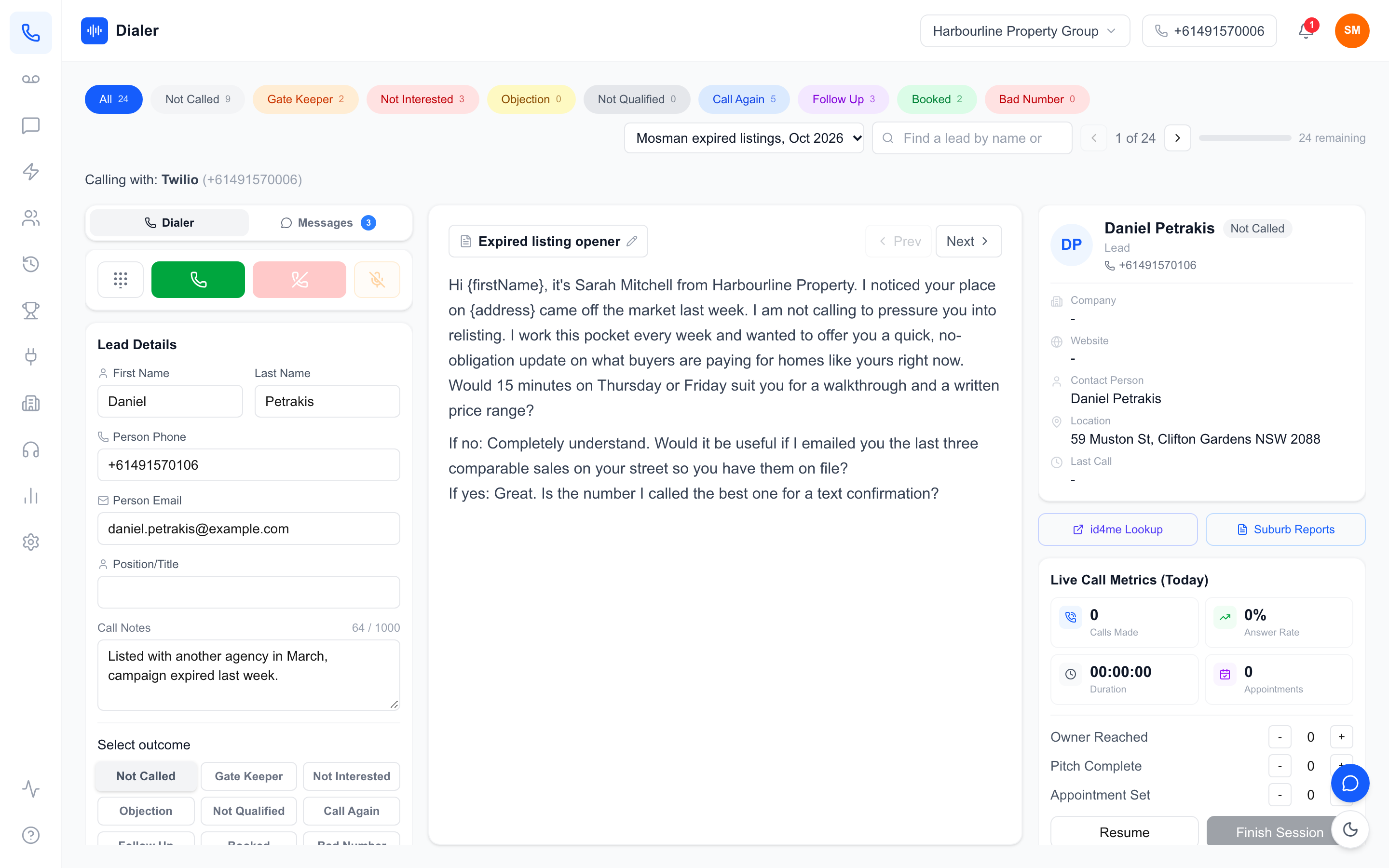
A rep starts a session, and the dialler places the first call. While it rings, the lead card shows contact details, past notes and the script. When the call ends, the rep picks an outcome (no answer, not interested, callback, appointment set and so on), adds a note if needed, and the dialler moves straight to the next lead. A session that once involved dozens of small manual steps becomes a steady rhythm of talk, log, next.
After the call: recording, summary and outcomes
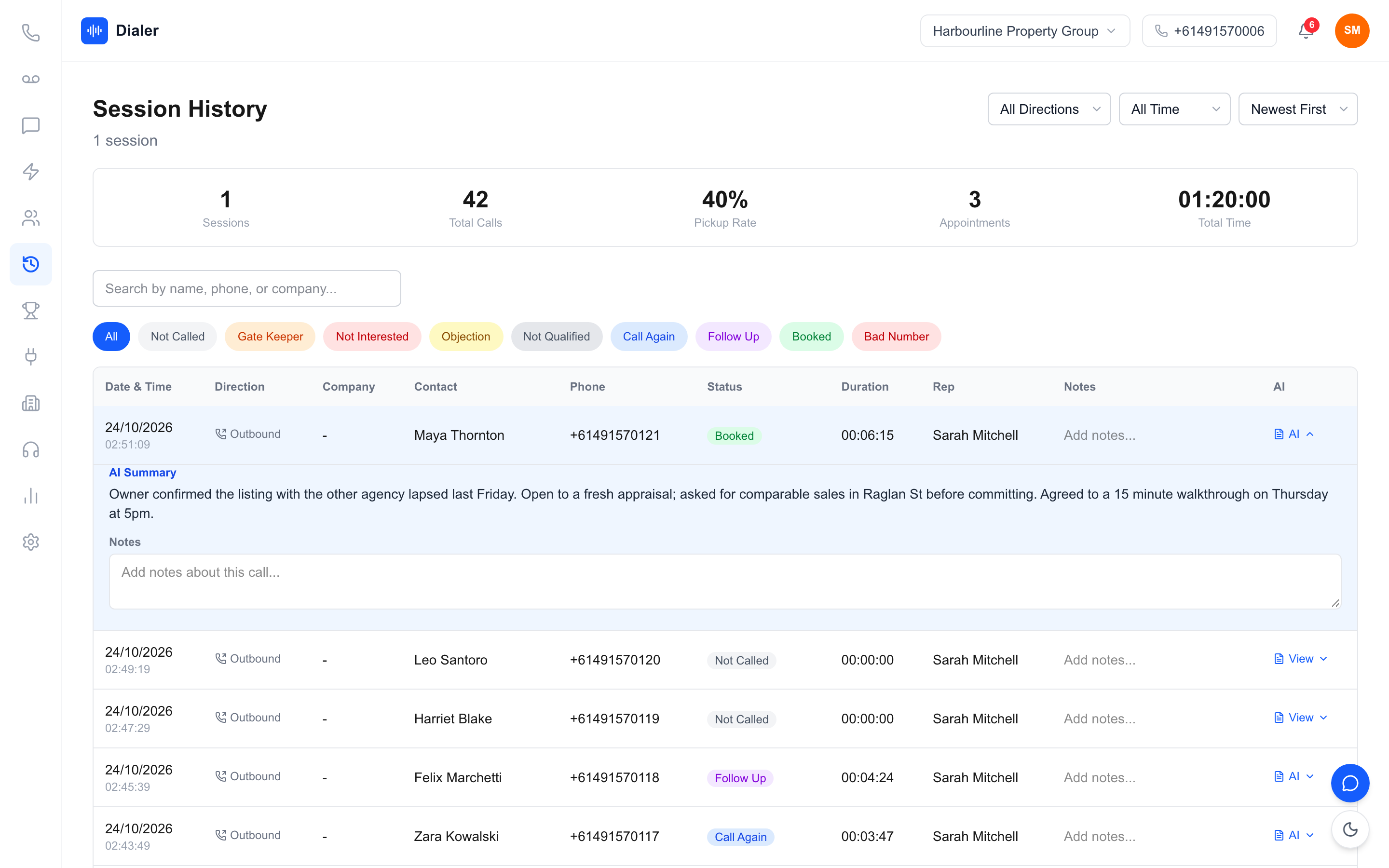
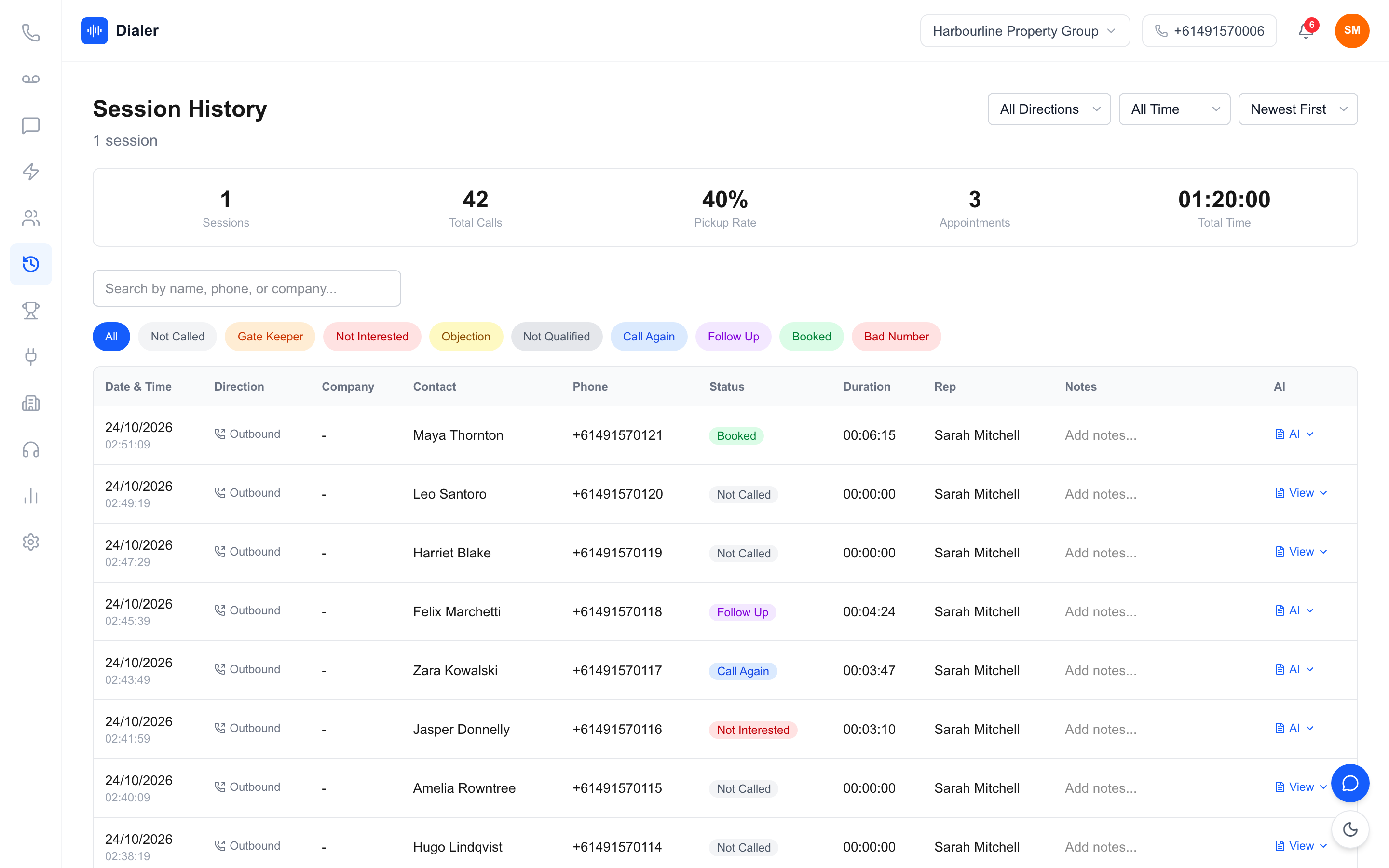
When recording is on, the managed dialler stores each call and attaches the recording to the call log. Many tools now add a transcript and a written summary after the call, so a manager can see what was said without listening to the whole recording, and a rep picking up a callback next week can read the context in seconds. Outcomes roll up into session metrics such as calls made, answer rate and appointments set.
Where a managed power dialler saves sales time
Days saved before the first call
The first saving happens before anyone dials. With a bring-your-own-carrier setup, getting live can mean choosing a voice provider, verifying the business, buying numbers, connecting them, testing call quality and sorting out recording storage. That is often a job for whoever in the office is "good with tech", and it competes with their real work. A managed power dialler collapses those steps into signing up and importing a list, so the team can be calling the same day.
Less dead time between calls
The biggest daily saving is the gap between conversations. Dialling by hand means finding the number, typing it, waiting, then updating a spreadsheet or CRM before moving on. As an illustration only: if those manual steps take 30 seconds a call and a rep makes 120 calls in a session, that is an hour of typing and clicking. A power dialler removes most of it, because the next call starts as soon as the rep logs the outcome. Track your own numbers for a week before and after; the gap is easy to measure.
Less admin after each call
Notes are the other time sink. Reps either write long notes and slow down, or skip them and lose the detail. Recording plus a summary after the call shifts that work to the software. Reps log a quick outcome and keep going, and the detail is there when someone needs it. Managers save time too: they can review a handful of summaries instead of sitting in on calls or chasing reps for updates.
One plan instead of several vendors
Finally, a managed plan saves the hours that disappear into admin around the tool: reconciling a software invoice against call charges, chasing a carrier when numbers stop working, or working out why recordings were not saved. One plan with the number, minutes and recording included means one bill and one place to ask for help. Compare the full monthly cost, not just the headline price, using our checklist for choosing a power dialler.
Veyce: a managed power dialler for Australian sales teams
What every plan includes
Veyce is a managed power dialler built for Australian outbound teams. Your team gets a dedicated Australian number included, and Veyce can assign a rep their own Australian number on request, so that rep's calls and texts go out from it and callbacks ring them first. Calling minutes are included on every plan as a shared pool: Solo is $49 a month for 1 seat and 100 minutes, Team is $179 for 4 seats and 400 minutes, Growth is $449 for 10 seats and 1,000 minutes, and Agency is $1,099 for 25 seats and 2,500 minutes. Extra seats are $29 each and minute top-ups are available. All prices are listed on the Veyce pricing page, with no Twilio account, carrier contract or telco setup required.
How a Veyce session runs
In Power Dialler mode, Veyce rings one lead at a time for each rep and moves to the next as soon as the rep logs an outcome. Reps see the lead card, their notes and the script panel, which can sync from Google Docs. Leads come in from CSV, Excel, Google Sheets, PDFs and photos, using OCR and rule-based mapping to fill the contact fields. Recorded calls get a transcript and an AI summary after the call, and live session metrics and a team leaderboard show how the day is going. Reps can also text leads through the SMS inbox. On the shared team number, everyone using it sees the replies.
Growth and Agency teams can add the Parallel Dialer for $99 a seat, which rings up to 5 leads at once on Growth and up to 10 on Agency for one rep. It only places calls weekdays 9am–8pm and Saturdays 9am–5pm, in the lead's local time, with no Sundays or national public holidays.
Your list, your wash
Veyce works with your wash: numbers the wash marks as registered are left out of PriceFinder imports, and the Delete DNCR Numbers button clears flagged leads. Your business remains responsible for washing lists and following the industry standards on calling times and conduct, so build the wash into your weekly routine.
Trying it
Every new workspace gets a free 3-day trial, counted from your first call, with 100 calling minutes and no credit card, which is enough to run a real session with your own list. You can read more about the product on the Veyce power dialler page.
Conclusion: is a managed power dialler right for your team?
When managed is the better fit
A managed power dialler suits teams that want to spend their time on conversations rather than phone infrastructure: small and mid-sized sales teams, agencies, and businesses without an IT person to run a voice provider. If you want an Australian number, recording and minutes working on day one, managed is the shorter path.
When you might want something else
If you need a full phone system with inbound queues and call routing for a support team, or you already run a carrier contract you are happy with, a different kind of tool may suit you better. That is fine: the point is to match the tool to the job.
Your next step
Pick one list, one rep and one afternoon. Run a session on a managed power dialler, count the calls and conversations, and compare it with a normal day of manual dialling. If the numbers move, roll it out to the team. You can start a Veyce free trial with 100 calling minutes over 3 days from your first call and see the difference with your own leads.
Frequently asked questions
What is a managed power dialler?
A managed power dialler is calling software that comes with the phone side included. The vendor supplies the Australian number, the calling minutes, call recording and the setup in one plan, so your team needs no telco account, SIP trunk or hardware. The power dialler then calls the next lead as soon as a rep is ready. Your own reps still make every call; it is a tool your team uses, not an outsourced calling service.
How does a managed power dialler save sales time?
It saves time in three places. Setup is faster because there is no voice provider to choose, connect and test. Dialling is faster because the software starts the next call as soon as a rep logs an outcome, which removes most of the typing and clicking between conversations. Admin is lighter because recordings and summaries after each call replace long manual notes, and one plan replaces separate software and call charges.
Do I need my own phone provider or Twilio account?
Not with a managed power dialler. The number and minutes come with the subscription, so there is no carrier contract or separate Twilio account to manage. With Veyce, your team gets a dedicated Australian number included, minutes are included on every plan, and Veyce can assign a rep their own Australian number on request. Reps call from a browser with a headset, so no desk phones or SIM cards are needed.
How much does a managed power dialler cost in Australia?
Prices vary by vendor, so compare the full monthly cost: licences, minutes, number fees and recording storage. Veyce plans start at $49 a month for Solo with 1 seat and 100 minutes, and Team is $179 a month for 4 seats and 400 minutes. Growth and Agency cover larger teams, extra seats are $29 each, and every new workspace can start with a free 3-day trial, counted from your first call, with 100 calling minutes and no card.