A sales dialler platform is what you end up wanting after a year of running outbound calls on a patchwork of tools. The leads live in a spreadsheet, calls go out from personal mobiles or a softphone, texts sit on whichever phone sent them, recordings (if any) live somewhere else, and the weekly report is a manager copying numbers into a slide on Friday afternoon. Each tool works on its own. Together they leak time and information.
This guide is about moving from that patchwork to one system. It shows where data typically falls through the gaps, what a sales dialler platform should own and what it should leave to your CRM, and how to audit your current setup and move across in stages without stopping the phones. It is written for owners and sales managers of Australian teams who are tired of stitching tools together, not for anyone shopping for a single feature.
The patchwork problem
Most small sales teams did not choose their calling stack. It grew one tool at a time, each one solving the problem of that month.
A typical stitched-together setup
A common picture looks like this. Leads arrive in a Google Sheet or a CRM export. Reps dial from their own mobiles, or from a softphone on the laptop. Notes go into the sheet, a notebook or nowhere. Follow-up texts go out from personal phones. Recording, where it exists, is a separate app or a phone plan feature. Activity reporting is assembled by hand. None of this is wrong, and plenty of teams sell well this way, but every handover between tools is a place where something gets lost.
Where the data falls through
Walk one lead through that setup and the gaps appear. The prospect calls back the number they saw, and it rings a rep who is on leave. They reply to a text that only one person can see. The next rep calls without knowing what was said last time, because the notes say "spoke, interested". The manager cannot tell whether a quiet week was a bad list or a rep who did not call. Each gap is small; together they cost deals.
The hidden cost is time
The bigger cost is usually time rather than money. Reps copy numbers between screens, update the sheet after every call and chase texts on their own phones. Managers rebuild reports every week. This is a labelled worked example, not a benchmark: if a rep spends 30 seconds of admin per call outside the dialler and makes 80 calls a day, that is 40 minutes a day, or more than three hours over a five-day week, spent moving data rather than talking to prospects. Put in your own per-call admin time and daily calls to see what the patchwork costs your team.
What a sales dialler platform should own
A sales dialler platform does not need to do everything. It needs to own the parts of outbound selling that happen on the phone, and hand the rest to the systems that do them better.
The calling record
Every attempt, outcome, note and callback for every lead should live in one place, visible to the whole team. That is the core of the platform: whoever calls a lead next can see every previous touch before the phone rings, and a manager can see every rep's activity without asking for it.
Texts on the same number
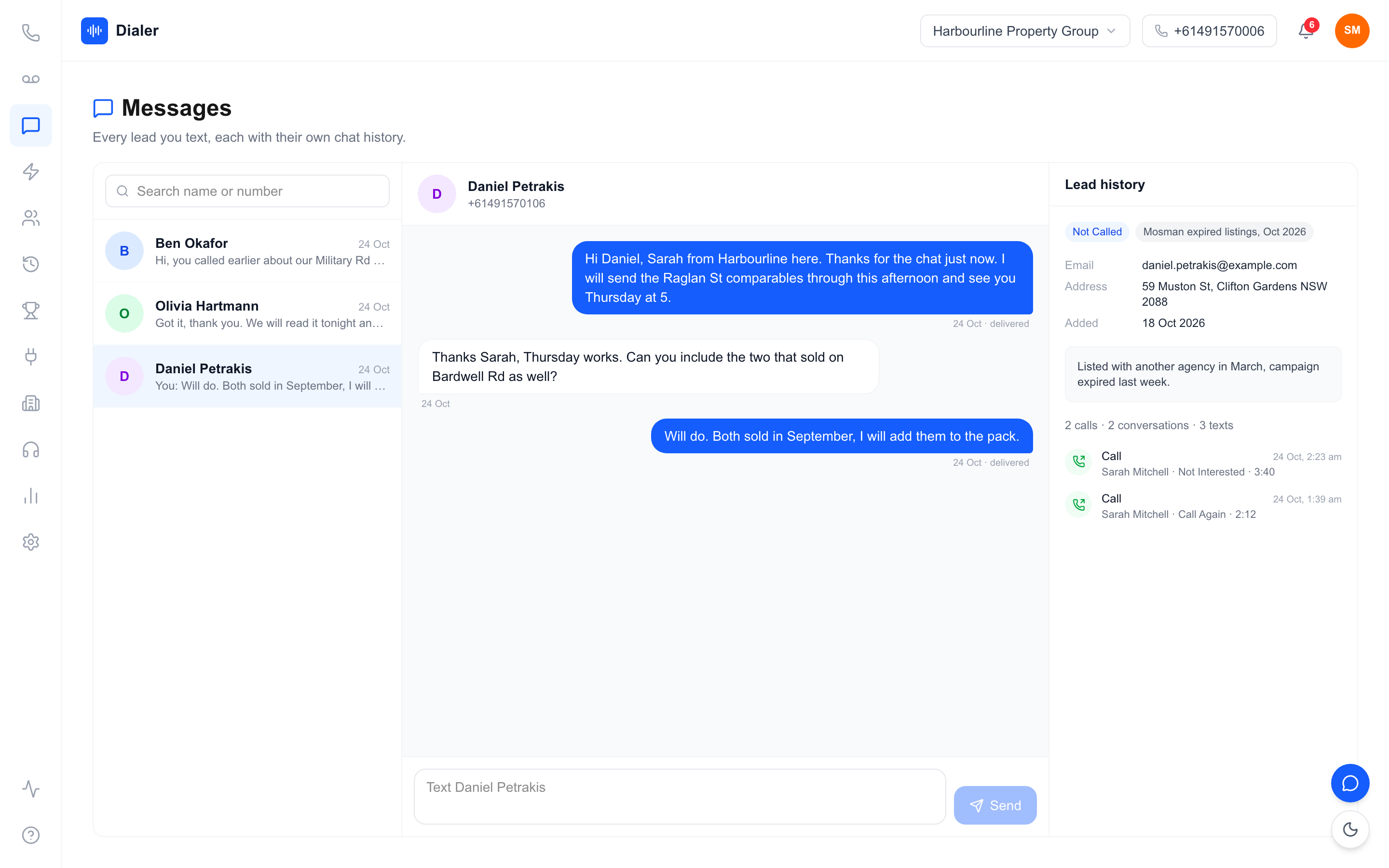
Texts belong next to calls. When a prospect replies to a follow-up, the reply should land in a shared inbox tied to the same number they were called from, so any rep can pick it up and see the call history alongside it.
Recordings and summaries
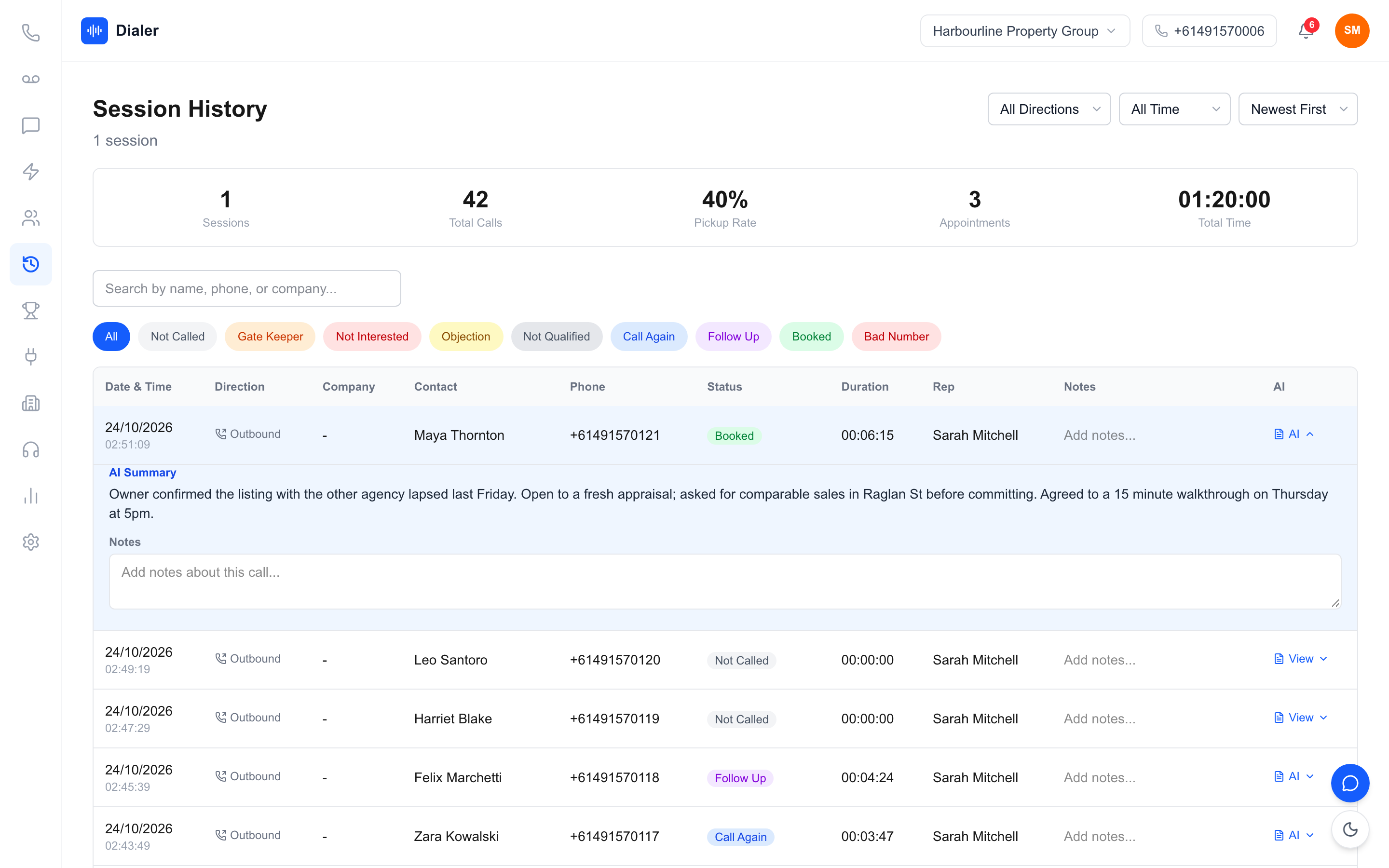
If you record calls, the recordings should sit on the call record, not in a separate app. Written summaries after each recorded call make the record readable: the next rep, or the manager, reads what happened in seconds instead of replaying the audio.
What to leave to your CRM
Your CRM, or the spreadsheet that acts as one, usually owns the customer after the sale: deals, quotes, invoices and long-term account history. The sales dialler platform should sync with it rather than replace it: leads flow in, outcomes and bookings flow back. Decide which system is the source of truth for each field, such as phone number, status and owner, so the two never overwrite each other with stale data. Start a free 7-day Veyce trial with 50 calling minutes included.
Auditing your stack and moving to a platform
Switching tools mid-quarter feels risky. A short audit and a staged move keep the phones ringing while you change what sits behind them.
Map one lead's journey
Take a real lead from last month and trace every step: where it arrived, who called it, from which number, where the notes went, how follow-up happened and how it showed up in reporting. Write down every tool it touched and every manual copy. That one map usually shows the two or three gaps worth fixing first.
Decide the system of record
For each piece of information, choose one home. Call activity and texts: the sales dialler platform. Deals and invoices: the CRM or accounting system. Scripts: wherever your team already writes documents, as long as reps see the current version while calling. Writing this down prevents the most common failure after a switch, which is reps updating two places and then neither.
Move in stages
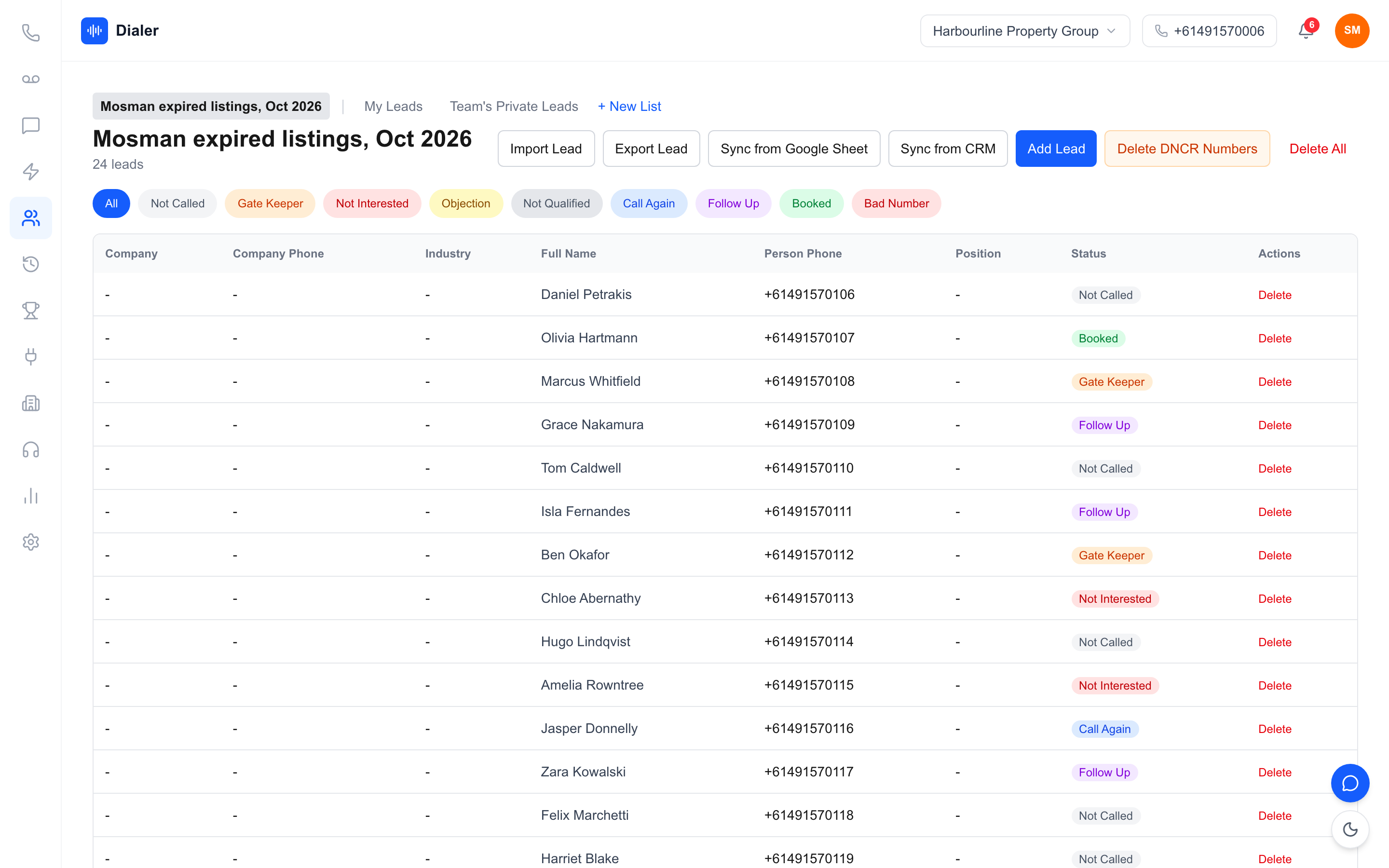
Do not move everything on one Monday. Start with one rep or one list for a week, then the whole team on new leads only, then older lists and callbacks. Keep the old tools available, read-only, for a month so nobody loses history. Before any list goes into the new platform, wash it against the Do Not Call Register through the official washing process if you make telemarketing calls, and keep calling inside the hours set by the telemarketing industry standard.
Veyce: a sales dialler platform for Australian teams
Veyce brings calling, texting, recording, summaries and activity reporting into one place for Australian outbound teams. Call recording and AI summaries come on the Team, Growth and Agency plans. More detail is on the Veyce power dialler for Australian teams page.
Calls and texts on one number
Your team gets one dedicated Australian number included, and Veyce can assign a rep their own Australian number on request. Calls and texts go out from the number, and the SMS inbox keeps text threads next to each lead's call history. In Power Dialler mode, each rep calls one lead at a time and the next lead comes up when a call ends. Veyce runs in the browser, with no telco account, SIP trunk or handset to set up.
Recordings, summaries and reporting
Calls can be recorded, and AI transcription and summaries are produced after each recorded call and attached to it. Live session metrics, leaderboards and reports give managers the weekly numbers without a spreadsheet.
Connections to the rest of your stack
Leads import from spreadsheets, PDFs and photos using OCR and rule-based mapping, and from Google Sheets on demand. Calling scripts load from Google Docs. Veyce works with your own DNCR wash: numbers the wash marks as registered are left out of PriceFinder imports, and the Delete DNCR Numbers button clears flagged leads. Plans and what each includes are on the Veyce pricing page.
Conclusion: fewer handovers, fewer lost leads
Start with the gaps that cost deals
A sales dialler platform earns its place by removing handovers: one record per lead, texts on the same number as calls, recordings and summaries on the call, and reports that build themselves. Map one lead's journey, decide where each piece of data lives and move across in stages. For a broader view of what outbound teams need from calling software, read our guide to sales dialer software in Australia.
Try it alongside your current tools
You do not have to switch everything to find out. Veyce offers a free 3-day trial, counted from your first call, with 100 calling minutes and no card required, so you can run one list through it next to your current setup and compare.
Frequently asked questions
What is a sales dialler platform?
A sales dialler platform is calling software that also holds everything around the call: the lead record, outcomes and notes, callbacks, texts on the same number, recordings and summaries, and activity reports. The difference from a basic dialler is that the team works from one shared record instead of moving information between a spreadsheet, personal phones, a recording app and a hand-built weekly report.
Does a sales dialler platform replace my CRM?
Usually not. A CRM is built to manage deals, quotes and long-term customer history, while a sales dialler platform is built for the outbound phone work that comes before the sale. The two work best side by side: leads flow into the dialler, and outcomes and bookings flow back. Decide which system owns each field, such as phone number, status and owner, so neither overwrites the other.
How do I move my team to a new sales dialler platform?
Move in stages. Start with one rep or one list for a week, then put the whole team on new leads only, then bring across older lists and callbacks. Keep the old tools available read-only for about a month so nobody loses history. Write down which system holds each piece of information before you start, so reps never update two places at once.
What should a sales dialler platform connect to?
At minimum, wherever your leads live and wherever your scripts are written. For many Australian small teams that means a spreadsheet or Google Sheet, a CRM or marketing platform such as LeadConnector (GoHighLevel), and shared documents for scripts. Veyce imports leads from Google Sheets on demand and from spreadsheets, PDFs and photos using OCR and rule-based mapping, and it loads calling scripts from Google Docs. Veyce has no GoHighLevel integration, but a team on GoHighLevel can export its contacts as a CSV and import them.
Is one platform cheaper than several separate tools?
Sometimes, but the bigger saving is usually time. Add up what you pay for numbers, a softphone, recording, texting and reporting, then add the minutes reps and managers spend copying data between them. Price your real team size on each option rather than comparing headline prices. Veyce publishes its plans on its pricing page, and the free trial runs 3 days from your first call, with 100 calling minutes and no card required.