AI call transcription software has become a standard line on sales tool pricing pages, but the products behind that line differ a lot. Some transcribe every call automatically, some only on a higher tier, some sell it as an add-on, and some are separate apps that never touch your dialler. For an Australian sales team, those differences decide whether transcripts get used every day or forgotten after the first week.
This is a buyer's checklist, not a sales pitch. It explains the two main kinds of AI call transcription software, the eight questions worth asking before you sign, and how several dialler vendors list transcription on their own pricing pages. Use it whichever product you end up choosing.
What AI call transcription software does
Standalone tools versus built-in transcription
There are two broad kinds. Standalone transcription tools take audio from somewhere else, such as a meeting app, an uploaded file or a phone system integration, and return text. Built-in transcription lives inside the phone system or dialler your team already calls from, so the recording, the transcript and the call outcome sit on the same record. For a calling team, built-in usually wins on adoption, because nobody has to move files between apps.
After the call, or during it
Some products transcribe while a call is in progress and show text on screen; others transcribe after the call ends, from the recording. After-the-call transcription is simpler and is what most outbound teams use for review, follow-up and training. Be clear about which one a vendor offers, because "transcription" on a pricing page can mean either.
Transcripts, summaries and recordings
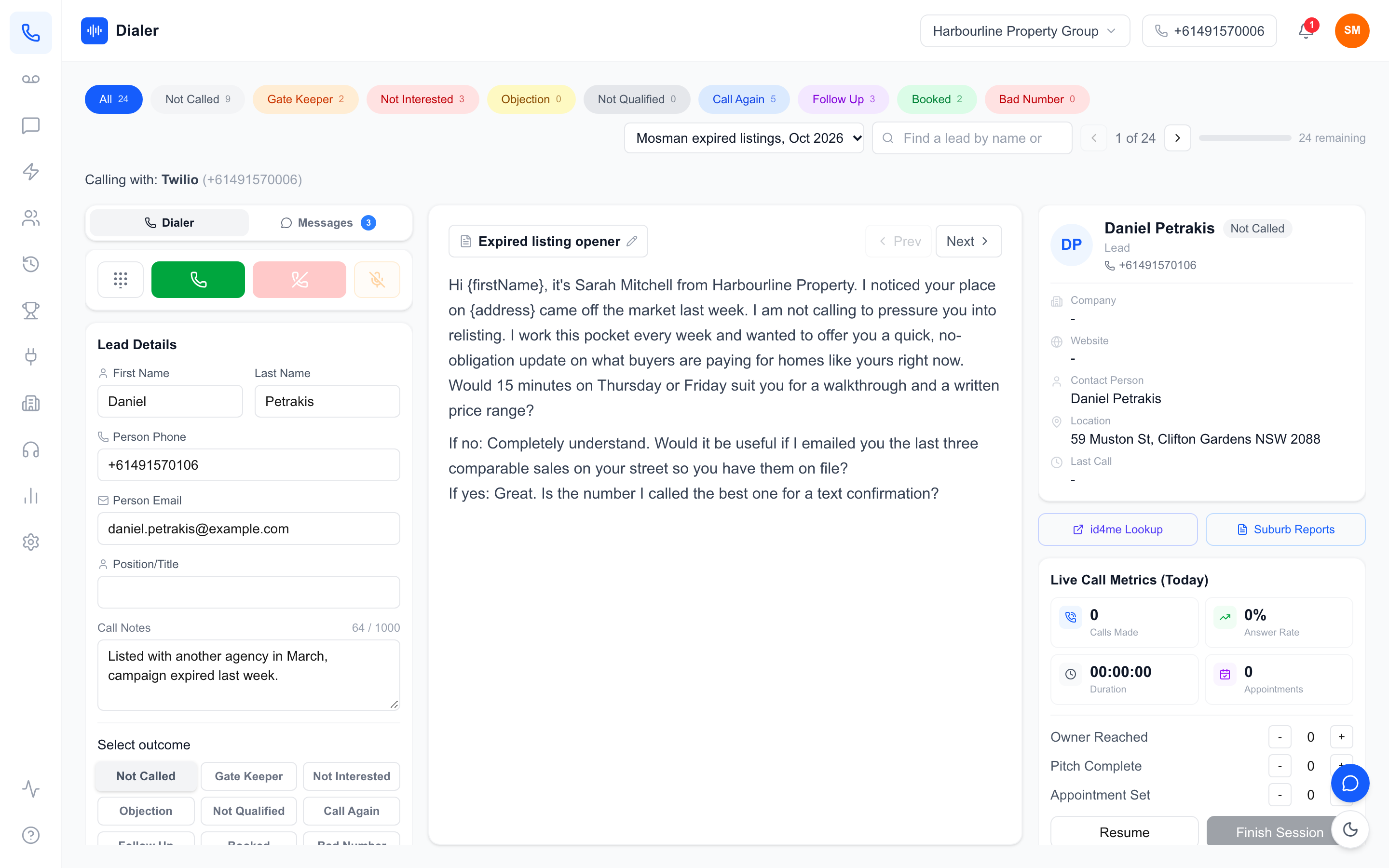
A transcript is the full text. A summary is a few sentences pulled from it: outcome, objection, next step. A recording is the original audio. Good AI call transcription software gives you all three together, because the summary helps you find the call, the transcript helps you find the moment, and the recording is the source of truth when a word is in doubt. Our guide to AI call summaries for sales teams goes deeper on the summary side.
Questions to ask about coverage and accuracy
Which calls get transcribed?
Ask whether every recorded call is transcribed or only some: certain plans, certain users, calls under a length limit, or calls a rep flags. Also ask which calls are recorded in the first place. Calls made outside the system, such as from a rep's personal mobile, are often not recorded, so they will never have a transcript.
How does it handle Australian names, places and accents?
Speech-to-text models are trained mostly on large general datasets, and they mishear unusual surnames, suburb names and figures. Test the software on your own calls, with your own suburbs and product names, rather than trusting a demo. Ask whether the vendor gives the model hints such as your team's names to improve spelling.
Where does the transcript end up?
A transcript stored against the call, inside the tool your reps already use, gets read. A transcript emailed as an attachment or stored in another app mostly does not. Ask to see exactly where the text appears after a call, and how long after the call it shows up.
Does anyone have to press a button?
Manual steps kill adoption. If a rep has to start transcription, upload a file or copy text into the CRM, assume it will happen for a week. Look for AI call transcription software that runs automatically on every recorded call.
Questions to ask about data, cost and consent
Who can access recordings and transcripts?
Recordings and transcripts contain personal information about the people your team calls. Ask who inside your organisation can play recordings, whether access is limited to signed-in members, where the data is stored, and what happens to it when you close your account. If your business is covered by the Privacy Act, the Australian Privacy Principles apply to how you handle it.
Is your data used to train models?
Some vendors use customer content to improve their models; others say in writing that they do not. Ask, and get the answer from the privacy policy or contract rather than a sales call.
What does the whole team pay?
Transcription is often gated by plan or sold per user as an add-on. Price your real team size with transcription switched on, including any per-user add-on and any licence minimum, before comparing headline prices.
Here is a worked example of the arithmetic, with made-up numbers. Imagine a tool at $40 per user a month, a $15 per user transcription add-on and a three-user minimum. A two-rep team still pays for three users: three times $55 is $165 a month, not the $80 the headline suggests. A five-rep team pays $275. Run the same sum for every product on your shortlist, in the same currency and on the same billing period (monthly or annual), and include calling minutes and number fees, because those can move the total as much as the transcription line does.
What do you tell the person on the call?
Transcription depends on recording, and recording a phone call in Australia can be covered by the federal Telecommunications (Interception and Access) Act 1979 and by state and territory surveillance or listening devices laws, which differ. Many businesses tell the other person at the start that the call is recorded. No software decides this for you: get legal advice on what your team should say.
Veyce: AI call transcription software inside the dialler
What Veyce includes
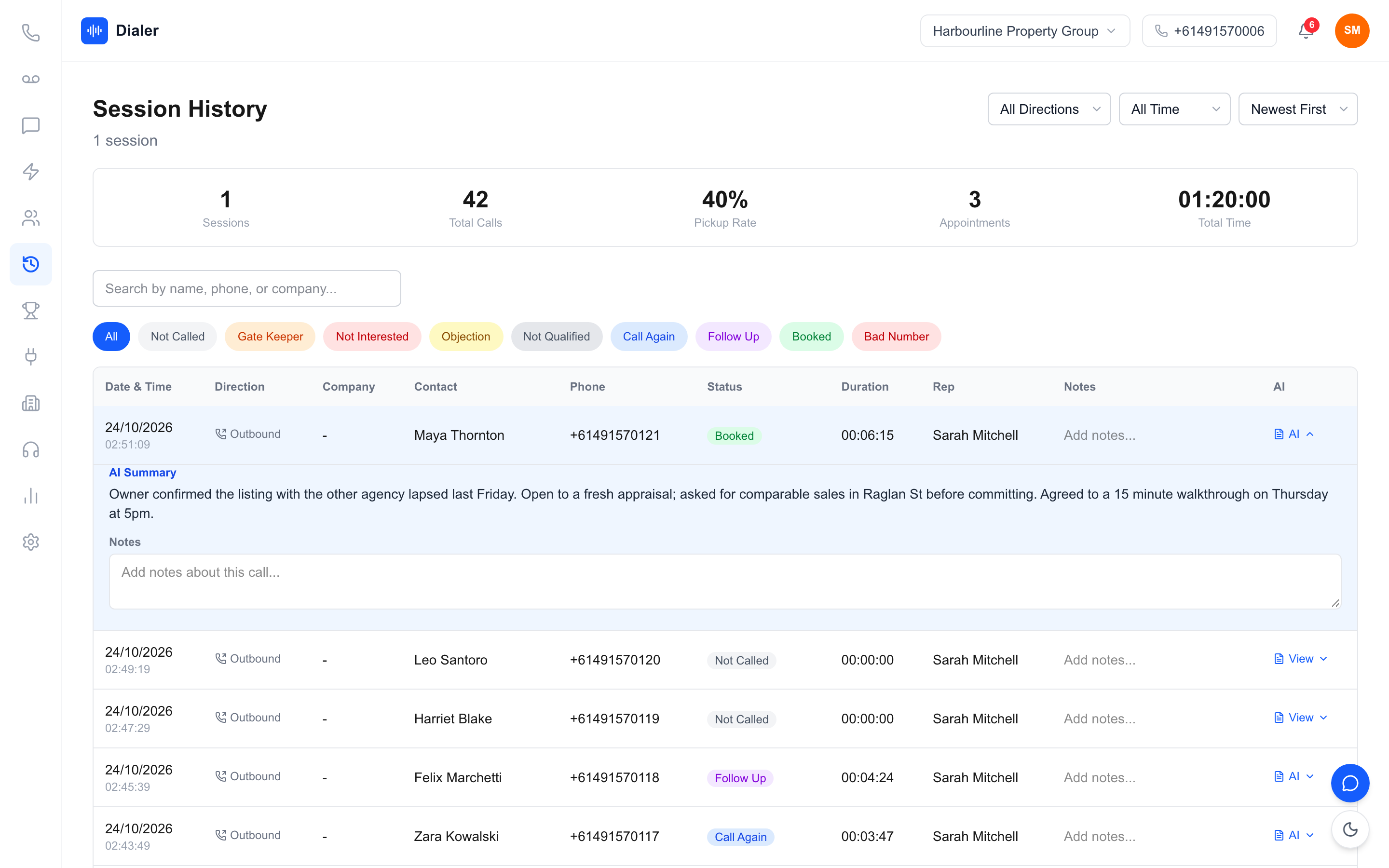
Veyce is a power dialler for Australian sales teams with transcription built in. Recording is switched on in Settings; calls made through your Veyce number while it is on are recorded, and after each call ends the recording is transcribed and a two or three sentence AI summary is attached, usually within a minute or two. Nothing is transcribed during the call, and calls from a rep's own phone are not recorded. Recording, transcripts and summaries are included on Team at $179 a month, Growth at $449 and Agency at $1,099, while Solo does not include call recording; see Veyce plans and minutes. Recordings can only be played by signed-in members of your organisation, and Veyce does not use your recordings or transcripts to train AI models.
How other dialler tools list transcription
The table below repeats what each vendor's own pricing page said when we checked it on 22 October 2026. Plans change, so confirm with the vendor before you buy.
| Tool | What its pricing page says about transcription |
|---|---|
| Aircall | Call transcription on all plans. AI call summaries need the AI Assist add-on on Essentials and are included on Professional. |
| JustCall | Unlimited AI transcription on all plans. AI Review Assist is a US$9 per user add-on on Team and Pro. |
| Dialpad | Real-time transcription and AI call summaries on all plans. |
| Kixie | Conversation Intelligence is a premium add-on. |
| PhoneBurner | Call transcription and AI note-taker on Premium only. |
| Mojo | Not stated on the pricing page. Call recording is a US$25 per month add-on. |
For side-by-side detail, see the Veyce vs Aircall comparison or our roundup of the best power dialer software in Australia.
When another tool may suit you better
If you need text on screen while the call is happening, or a full business phone system with call routing for a support desk, a tool built for that will serve you better than Veyce. Veyce is built for outbound calling teams that want recordings, transcripts and summaries after every recorded call without a separate app.
Choosing AI call transcription software you will actually use
The best AI call transcription software is the one your team reads every day. Check which calls get transcribed, where the text lands, who can see it and what the whole team pays, and test it on real calls with real Australian names before you commit. Sort out your recording consent wording first, because every transcript depends on it.
If built-in transcription inside an Australian power dialler fits how your team works, try Veyce free for 3 days from your first call with 100 calling minutes and no card, and test the dialler, lead import, scripts and session flow on your own list. Call recording with AI transcripts and summaries comes on the Team, Growth and Agency plans.
Frequently asked questions
What is AI call transcription software?
It is software that uses a speech-to-text model to turn phone calls into written text, usually from a recording. Many products also produce a short AI summary of the outcome and next step. Some are standalone apps that take audio from elsewhere; others are built into the phone system or dialler a team already uses, so the recording, transcript and call outcome sit together on one record. For calling teams, the built-in kind tends to get used more.
Is transcription during the call better than after it?
It depends on the job. Text that appears during a call suits teams that want prompts on screen while they talk. Transcription after the call, from the recording, suits review, follow-up, training and settling disputes, which is what most outbound teams use transcripts for. Veyce transcribes after the call ends, and only recorded calls. Ask any vendor which kind they mean, because pricing pages often just say transcription.
How do I test transcription accuracy before buying?
Use your own calls, not a vendor demo. During a trial, make real calls with your usual headsets and lists, then compare a handful of transcripts against the recordings. Pay attention to surnames, suburb names, street numbers and prices, which are the most common errors. Also try a call with background noise or a speakerphone. If the text is good enough to find the right moment in a call quickly, it is doing its job.
Is call transcription included in Veyce's price?
Yes. Call recording with AI transcripts and summaries is included on the Team, Growth and Agency plans: Team at $179 a month for four seats, Growth at $449 for ten seats and Agency at $1,099 for twenty-five seats, each with calling minutes included. Solo, at $49 a month for one seat, does not include call recording. There is no separate transcription add-on. The free 3-day trial, counted from your first call, includes 100 calling minutes and no card, so you can test the dialler, lead import, scripts and session flow on your own list first. Recording and transcripts are not part of the trial.
Does AI call transcription software make call recording legal?
No. Transcription depends on a lawful recording, and software cannot decide that for you. In Australia, recording a phone call can be covered by the federal Telecommunications (Interception and Access) Act 1979 and by state and territory surveillance or listening devices laws, which differ. Many businesses tell the other person at the start of the call that it is recorded. This is general information, so get legal advice for your own situation.