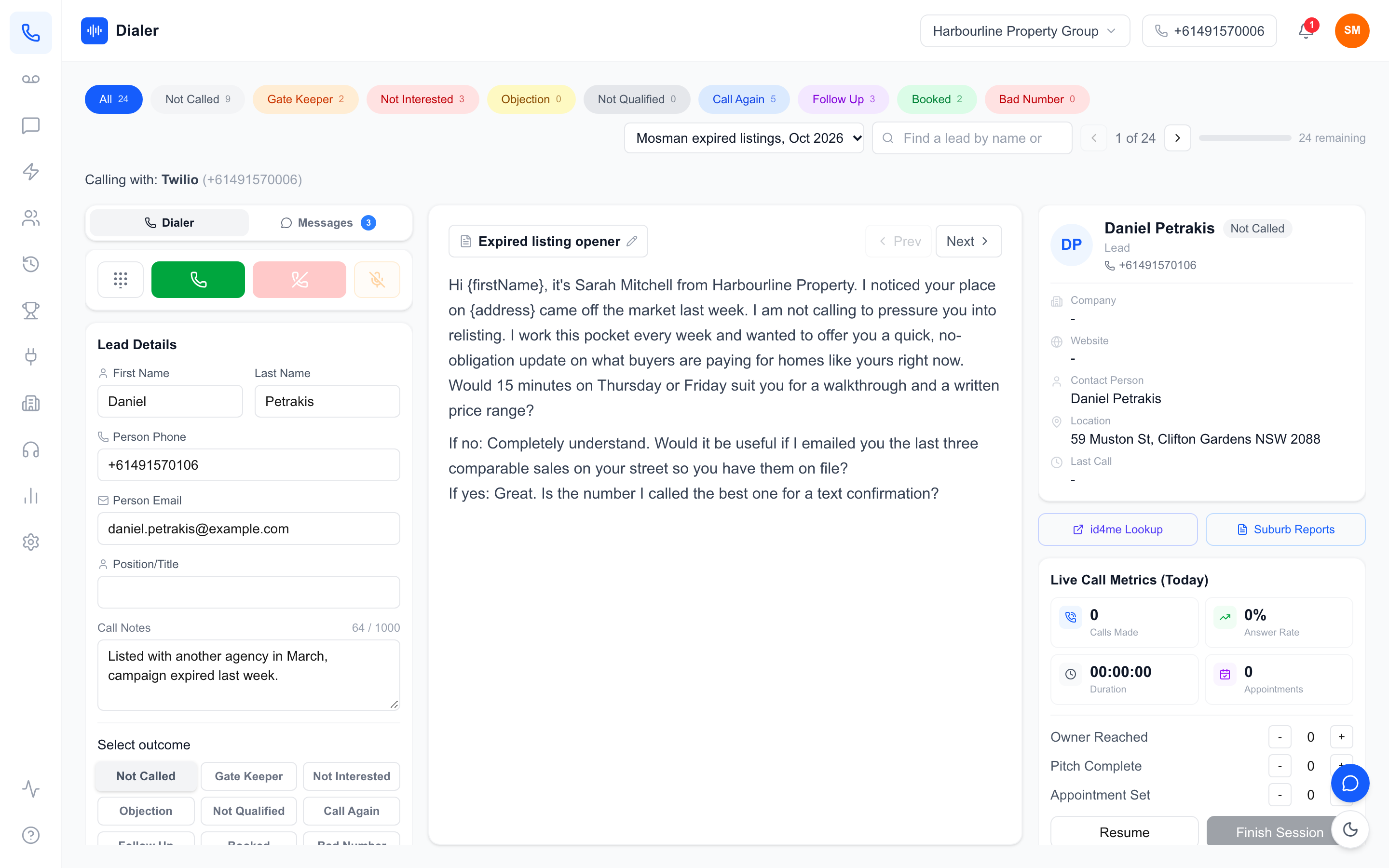
Shortlisting a CRM integrated power dialler Australia sales teams can rely on sounds straightforward until you compare vendors and find that "integrated" means something different on every website. For one tool it means the dialler runs inside your CRM. For another it means a nightly sync. For a third it means you can upload a CSV you exported from your CRM. All three get called integration, and they lead to very different working days for your reps.
This guide gives Australian sales managers a practical way to cut through that. It explains the four levels of CRM integration, the data that should move in each direction, the Australian factors that matter regardless of CRM, and a short test you can run on any trial. It also sets out plainly which integrations Veyce lists, so you can tell whether it fits your stack. The aim is simple: by the end you should be able to read any vendor's integration page and know exactly what you would be getting.
The four levels of a CRM integrated power dialler
Level 1: native, inside the CRM
At the deepest level, the dialler runs inside the CRM itself, often as an embedded panel or browser extension, and every call is logged on the contact record automatically. This suits teams who live in one CRM all day. For example, Kixie lists itself as a fit for US and Canadian teams that live in HubSpot, Salesforce or Pipedrive and want CRM-native calling. The trade-off is that the dialler's design follows the CRM's, and calling plans and number coverage may be built around other markets.
Level 2: direct API sync
Here the dialler is its own app, connected to the CRM through the CRM's API. Leads are pulled in from the CRM, and depending on the tool, outcomes, notes or tags are written back. Reps work in the dialler during calling blocks and the CRM stays the system of record. This is the most common model for dedicated power diallers, and for most buyers comparing a CRM integrated power dialler Australia vendors sell, it is the level worth asking about first.
Level 3: middleware and spreadsheets in between
Some teams connect a dialler and a CRM through a middle layer: an automation tool, or a shared Google Sheet that the CRM writes to and the dialler reads from. It is flexible and often cheap, but every extra hop is one more place for a field to go missing. It works best when one person owns the setup and documents it.
Level 4: file import and export
The simplest level is exporting a filtered list from the CRM to CSV or Excel, importing it into the dialler, and exporting results back. It is not glamorous, but for a weekly campaign list it can be perfectly adequate, provided the dialler's import handles messy files well.
What data should flow between the CRM and the dialler
Into the dialler: leads with context
At a minimum: name, phone number and a lead ID that links back to the CRM record. Better: the lead source, the stage, the last contact date and recent notes, so the rep knows who they are calling and why. If the integration only moves names and numbers, reps end up tabbing back to the CRM mid-call.
Back to the CRM: outcomes and next steps
After a call, the CRM should learn what happened: an outcome such as booked, callback or not interested, any notes, and a follow-up date if one was set. Without this, your CRM automations cannot react, and your pipeline reports go stale.
What should stay in the dialler
Not everything needs to go back. Second-by-second session metrics, dial counts and leaderboard positions are usually better reported in the dialler, where they are live. Pushing every dial into the CRM can bury the contact timeline in noise. A good rule: send the CRM what changes the relationship with the lead, and keep what measures rep activity in the dialler.
Australian factors that matter whatever your CRM
Local numbers and caller ID
Australians are more likely to answer a local number than an unknown or overseas one. Check whether the dialler includes an Australian number, who manages the carrier side, and whether reps can have their own numbers. Many international tools price minutes and numbers around the US market, so compare what Australian mobile calls cost on each plan.
Do Not Call Register washing
If you make telemarketing calls, numbers generally need to be washed against the Do Not Call Register, and the Register's industry FAQs explain the obligations. Ask each vendor exactly what their DNCR feature does: some check numbers, some simply help you manage a wash you have already run. A CRM integration moves data; it does not make the data safe to call.
Privacy and data location
Your CRM data includes personal information, and connecting a dialler copies some of it into another system. Ask where the dialler stores data, who can access it and how a disconnection is handled. The Australian Privacy Principles are a sensible baseline for the questions to ask.
Veyce: a power dialler with the integrations it lists
Which integrations Veyce lists
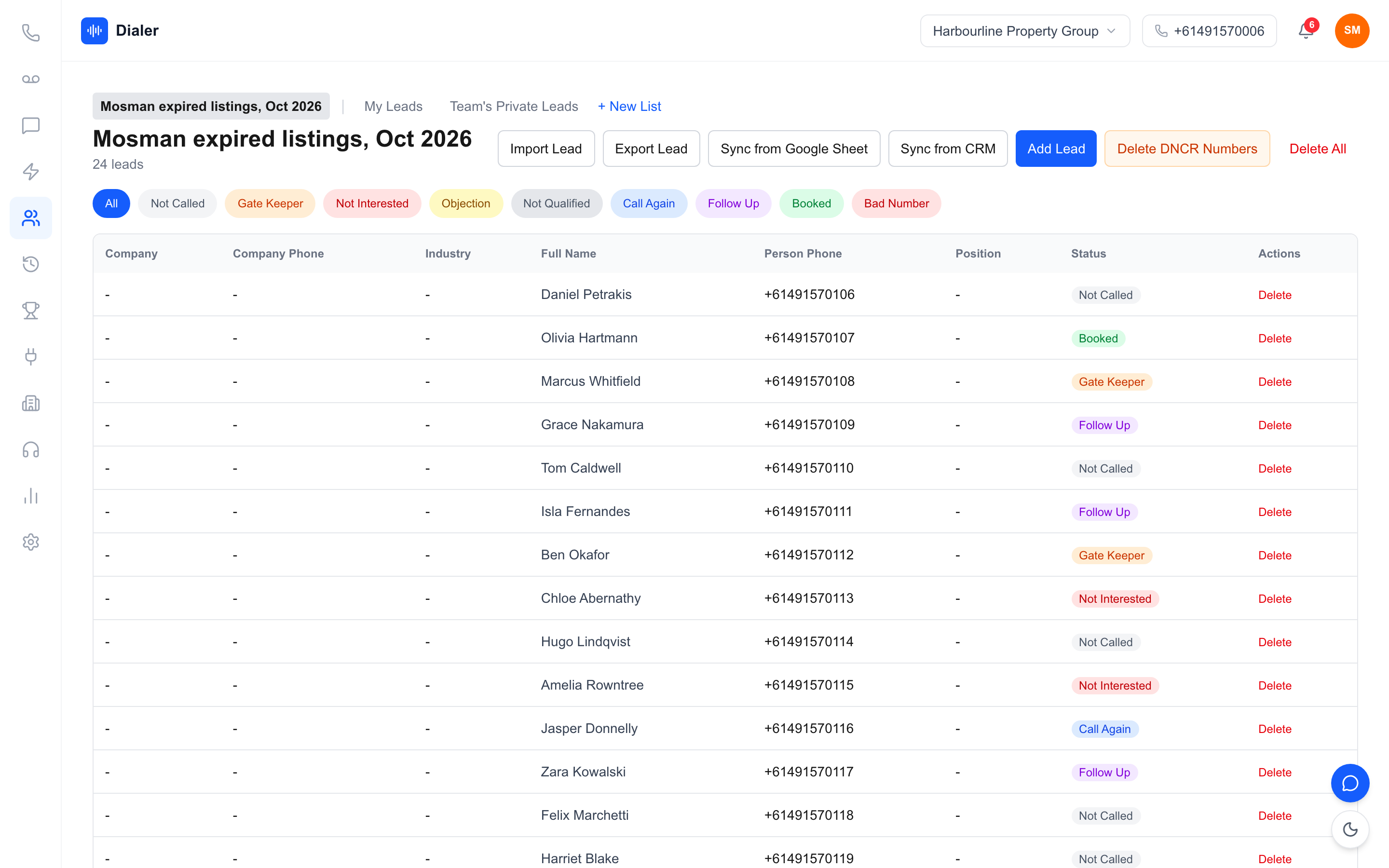
Veyce is a power dialler for Australian sales teams. The integrations it lists on its site are Google Sheets, Google Docs and Google Calendar, and its Growth plan also names Airtable. In practice that means you can import rows from a Google Sheet into a lead list and load a calling script from a Google Doc into the script panel. Veyce has no GoHighLevel integration; a team on GoHighLevel can export its contacts as a CSV and import them. Veyce does not offer a native Salesforce integration. If your CRM is not on that list, the reliable route is level 3 or 4 above: export a filtered view to a spreadsheet or Google Sheet and bring it in that way. The Agency plan lists custom integrations on request.
Import that handles real exports
CRM exports are rarely tidy. Veyce imports CSV, Excel, JSON, Word, PDF and photos of printed lists, using OCR for images and rule-based mapping for columns, not AI. Common headers map to the right fields, unrecognised columns are kept as notes on each lead, and local Australian numbers are handled without +61, with incomplete numbers flagged before a call attempt is made. Veyce works with your wash: numbers the wash marks as registered are left out of PriceFinder imports, and the Delete DNCR Numbers button clears flagged leads.
Plans and what they list
Veyce's pricing lists all integrations on every plan. Plan cards spell out lead import as CSV on Solo ($49 a month) and CSV plus Google Sheets on Team ($179 a month, 4 seats), and Growth ($449 a month, 10 seats) names Airtable and calendar sync. Every plan includes calling minutes and one dedicated Australian number for the team, and Veyce assigns a rep their own Australian number on request. See Veyce's plans and pricing for detail.
Testing a CRM integrated power dialler Australia teams can rely on
Run the five-question test
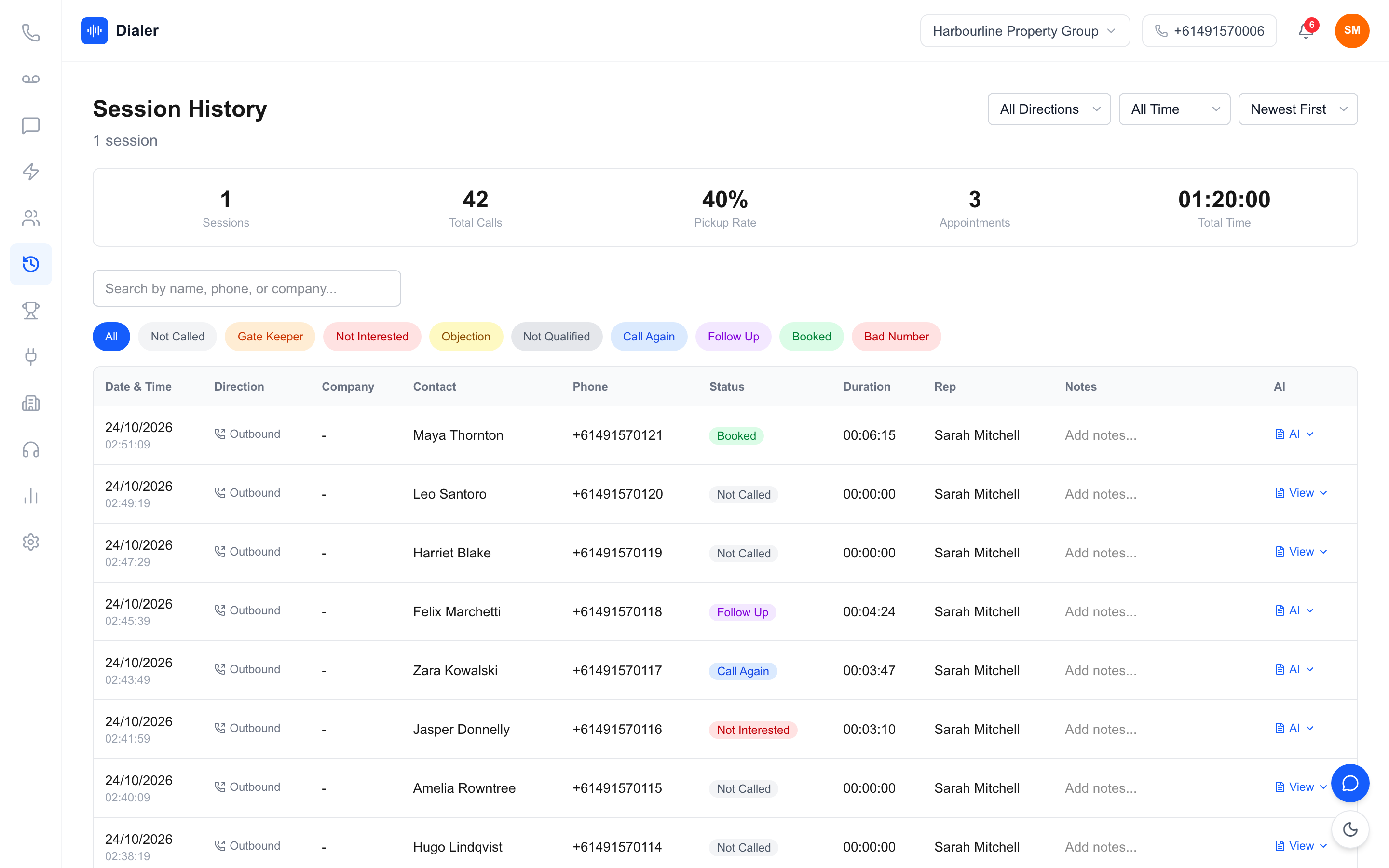
On any trial, ask: which contacts can I pull in, and by what filter? Which fields come across? What is written back after a call? Which number does the lead see? What happens to my data if I disconnect? Write the answers down for each vendor and compare them side by side. When you evaluate a CRM integrated power dialler Australia-based reps will use every day, the vendor that answers all five clearly, in writing, is usually the one that will still be easy to work with after launch.
Use a real, messy export
Do not test with a vendor's sample data. Export 50 real contacts from your CRM, including the awkward ones with two numbers or missing names, and see what the dialler makes of them. That single test tells you more than a feature table.
Compare the calling, not just the connection
An integration only matters if the calling itself is fast. Read how the Australian power dialler handles a calling session, or see how Veyce looks compared with Kixie if you are weighing a CRM-native option.
Start a trial with your own data
Start a free 3-day trial, counted from your first call, with 100 calling minutes and no credit card, bring in a real list from your CRM by whichever route fits, and run one calling session. You will know quickly whether Veyce is the CRM integrated power dialler Australia teams like yours need.
Frequently asked questions
What is a CRM integrated power dialler?
It is a power dialler connected to your CRM so leads can move into the dialler and, ideally, call outcomes move back. The connection can be native inside the CRM, a direct API sync, a middle layer such as a shared Google Sheet, or simple file import and export. Ask vendors which of these they mean, because each creates a different working day for reps and managers.
Which CRMs does Veyce integrate with?
The integrations Veyce lists are Google Sheets, Google Docs and Google Calendar, and its Growth plan also names Airtable. Veyce has no GoHighLevel integration, but a team on GoHighLevel can export its contacts as a CSV and import them. Veyce does not offer a native Salesforce integration. For a CRM that is not listed, export a filtered view to CSV, Excel or a Google Sheet and import it. The Agency plan lists custom integrations, so contact Veyce if you need something specific.
Do I need a native CRM integration?
Not always. Native calling suits teams that spend all day inside one CRM. Teams that run focused calling blocks often prefer a dedicated power dialler with a direct sync or a spreadsheet route, because the calling screen is built for speed. Decide based on where your reps spend their time and what your CRM automations need to know after each call.
Does a CRM integration handle Do Not Call Register washing?
No. An integration moves data between systems; it does not wash numbers. If you make telemarketing calls, wash numbers through the Do Not Call Register or your data provider before calling. Veyce does not check numbers itself. It works with your wash: numbers the wash marks as registered are left out of PriceFinder imports, and the Delete DNCR Numbers button clears flagged leads.
How much does a CRM integrated power dialler cost in Australia?
Prices vary widely by vendor and seat count. Veyce publishes its prices: Solo $49 a month for one seat, Team $179 for four seats, Growth $449 for ten and Agency $1,099 for twenty-five, with calling minutes included and extra seats at $29. Its pricing lists all integrations on every plan. A free 3-day trial, counted from your first call, includes 100 calling minutes with no credit card.