An outbound sales dialler only pays for itself when it runs a plan, not just a list. Most teams buy one, load a spreadsheet, call every number once, and then wonder why the list "dried up" after a week. The leads did not dry up. Most of them simply never answered the first call, and nobody called them again at a different time, from the same number, with a text in between.
This guide is about that plan: the call cadence. It covers how many attempts to make, how far apart to space them, when to text instead of call, how to rotate calling times across Australian time zones, and when to stop and recycle a lead. It then shows how to run the whole cadence inside an outbound sales dialler using lists, call outcomes and callbacks, so it happens every day without a manager chasing it.
What an outbound sales dialler should run: the cadence
A dialler removes the typing and waiting between calls. A cadence decides who gets called, when, and what happens after each attempt. Teams that only use the first half get faster at reaching voicemail.
Dials versus touches
A dial is one attempt to call one number. A touch is any contact attempt the prospect could notice: a call, a missed call from a number they recognise, a text, or a callback they return. Counting touches per lead, rather than dials per hour, changes how you judge a list. A list that "did not work" after one dial per lead has barely been tested.
Why one-and-done lists waste leads
People miss calls for ordinary reasons. They are driving, in a meeting, on site, or picking up children. A single attempt at 10am on a Tuesday only reaches the people who happen to be free at 10am on Tuesdays. Every lead you bought, generated or researched and then called once is a lead you paid for and did not really use.
The parts of a cadence
Every outbound cadence, however simple, has the same five parts:
- Attempts: how many times you will try a lead before pausing.
- Spacing: the gap between attempts, in hours or days.
- Channels: which attempts are calls and which are texts.
- Timing: which part of the day each attempt lands in, in the lead's local time.
- Exit rules: what ends the cadence: a booking, a clear no, a wrong number, or running out of attempts.
Write these down on one page before you touch the software. If you cannot explain your cadence in five lines, your reps will not follow it.
Designing your outbound cadence
There is no single correct cadence. A warm inbound enquiry deserves a faster, tighter sequence than a cold list of businesses. The steps below give a starting point you can adjust once you see your own numbers.
How many attempts and how far apart
For warm leads, such as a form fill or a callback request, the first call should happen as soon as you can, ideally the same hour, followed by a second attempt later that day and a third the next day. For cold or researched lists, spread four to six attempts over two to three weeks so you are persistent without being a nuisance. Whatever you choose, make the spacing wider as attempts go on: early attempts close together, later ones further apart.
Mixing calls and texts
A short text after a missed call often gets a reply when another call would not, because it lets the prospect answer in their own time. Keep it plain: who you are, why you called, and a simple question they can answer in one line. Send it from the same number you called from, so the missed call and the text line up on their phone. Do not text every attempt. One or two texts across a cadence is usually enough.
Time-of-day and time-zone rotation
Rotate each attempt into a different part of the day: one mid-morning, one early afternoon, one late afternoon. Always work in the lead's local time, not yours. A list that covers Perth and Sydney needs different blocks, and permitted telemarketing calling hours are set in the recipient's local time under the telemarketing industry standard. Check those hours, and your own obligations, before you build blocks around them.
When to stop and recycle
End the cadence on a booking, a clear "not interested", a wrong number or the final attempt. Leads that ran out of attempts without a clear answer are not dead; park them and recycle them into a fresh cadence in 60 to 90 days with a new reason to call. Remove anyone who asks not to be contacted again, and keep your list washed against the Do Not Call Register through the official washing process before each new campaign.
Running the cadence inside your outbound sales dialler
Once the cadence is on paper, the outbound sales dialler is what makes it happen every day. You do not need a complex sequence engine; lists, outcomes and callbacks cover most of it.
Building lists by cadence stage
Split your leads by where they are in the cadence: new, attempted once, attempted twice and so on, plus callbacks due today. Each calling block then works one stage. Reps start a session on "attempt 2, afternoon" and the dialler moves through it lead by lead, instead of reps hunting through a master spreadsheet for who to call next.
Outcomes that drive the next step
Every call should end with an outcome, and every outcome should map to a next step. "No answer" moves the lead to the next attempt. "Call again" or "follow up" sets a dated callback. "Booked" ends the cadence and hands over to whoever runs the meeting. "Not interested" and "wrong number" exit the lead. Keep the outcome list short, six or fewer, so reps use it without thinking.
Callbacks and hand-offs
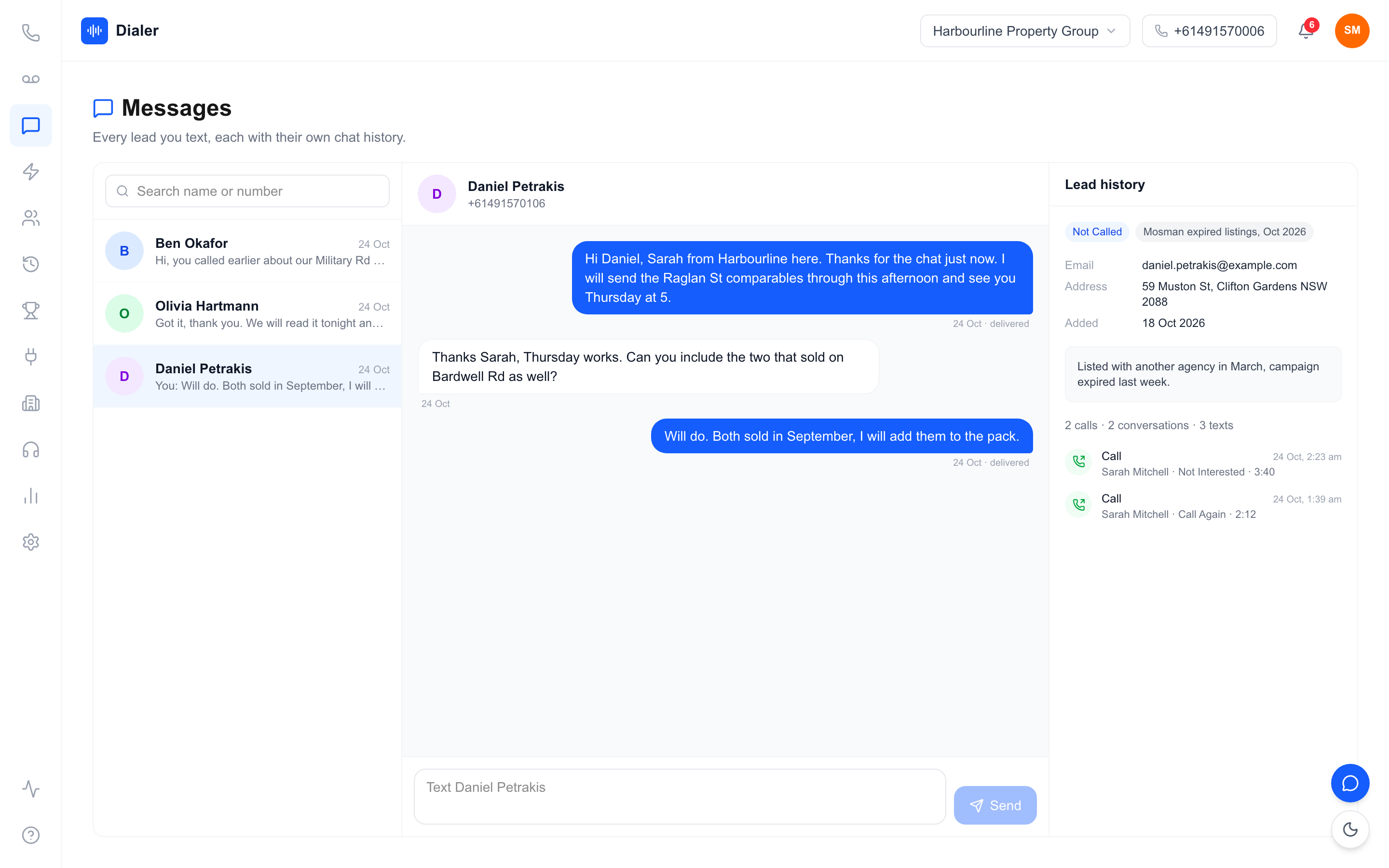
A callback is a promise. If a prospect says "call me Thursday after two", that attempt should jump the queue on Thursday afternoon, ahead of new leads. When a different rep takes the callback, they need the notes, the outcome and ideally a summary of the last conversation in front of them before the phone rings, or the prospect has to start again.
Reading the cadence's results: a worked example
This is a labelled worked example, not a benchmark. Assume a cold list of 200 leads, a 20% chance that any one attempt is answered, and that each attempt is independent of the last. After one attempt you would expect about 40 conversations. After four attempts, the share of leads reached at least once is 1 minus 0.8 to the power of 4, or about 59%, which is roughly 118 conversations from the same 200 leads. Your answer rate will differ, and real attempts are not fully independent, so measure your own: track the share of leads reached by attempt number. If attempts five and six rarely produce a conversation, shorten the cadence.
Veyce: an outbound sales dialler for Australian teams
Veyce is a power dialler built for Australian outbound teams, and it handles the pieces a cadence depends on: one consistent number, clear outcomes and a record of every touch. See how it fits on the Veyce power dialler for Australian teams page.
Calling and numbers
Your team gets one dedicated Australian number included, and Veyce can assign a rep their own Australian number on request. Prospects see the same local number on every attempt and can call or text it back. In Power Dialler mode, each rep calls one lead at a time and the next lead comes up as soon as a call ends.
Texts, outcomes and summaries
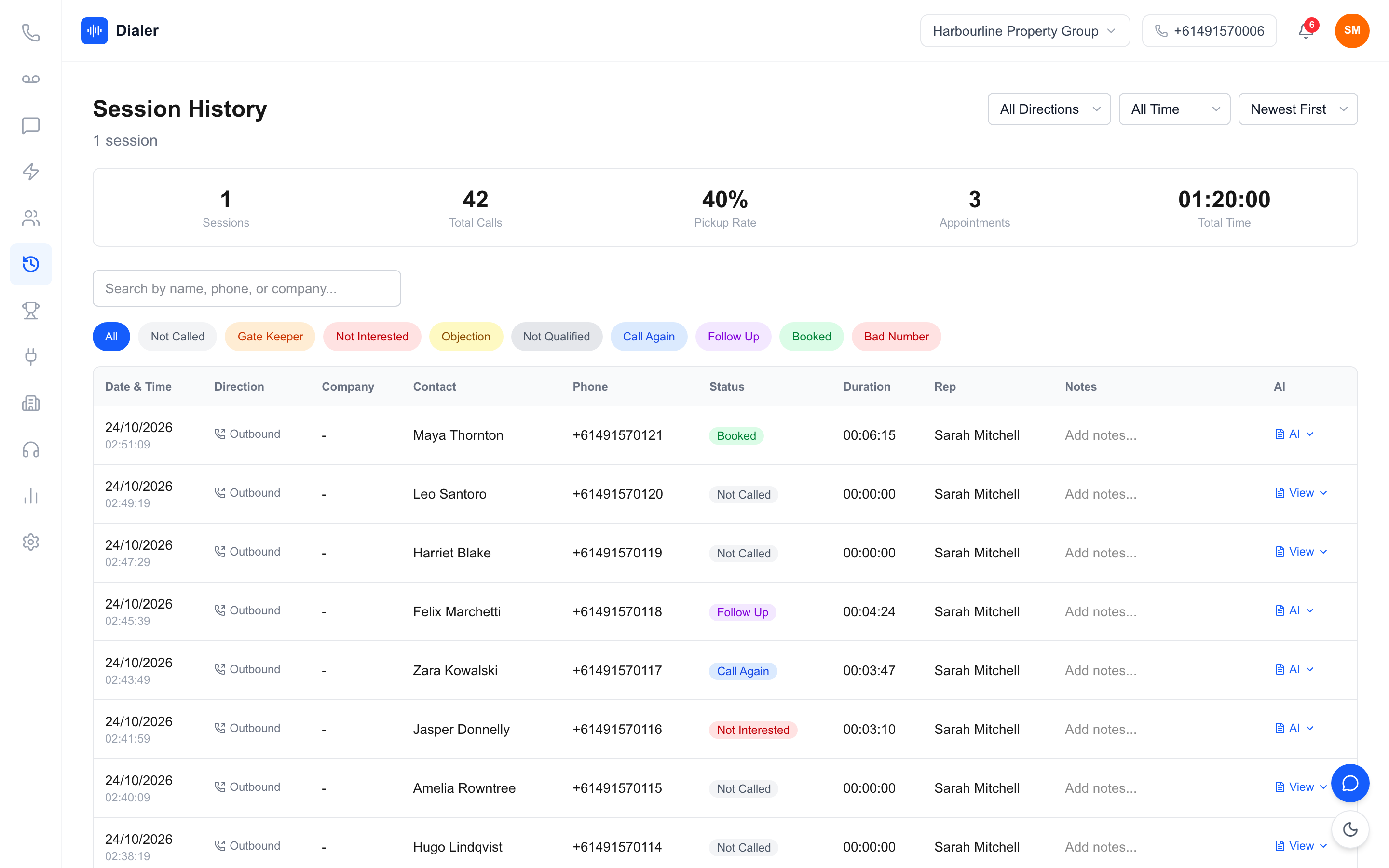
Reps can text from the team number through the SMS inbox, so the missed-call text in your cadence goes out from the number the prospect just saw. Session history records each call's outcome, such as Booked, Follow Up or Call Again. Calls can be recorded, and AI transcription and summaries arrive after each recorded call, so whoever takes the next attempt can read what happened.
Lists, metrics and plans
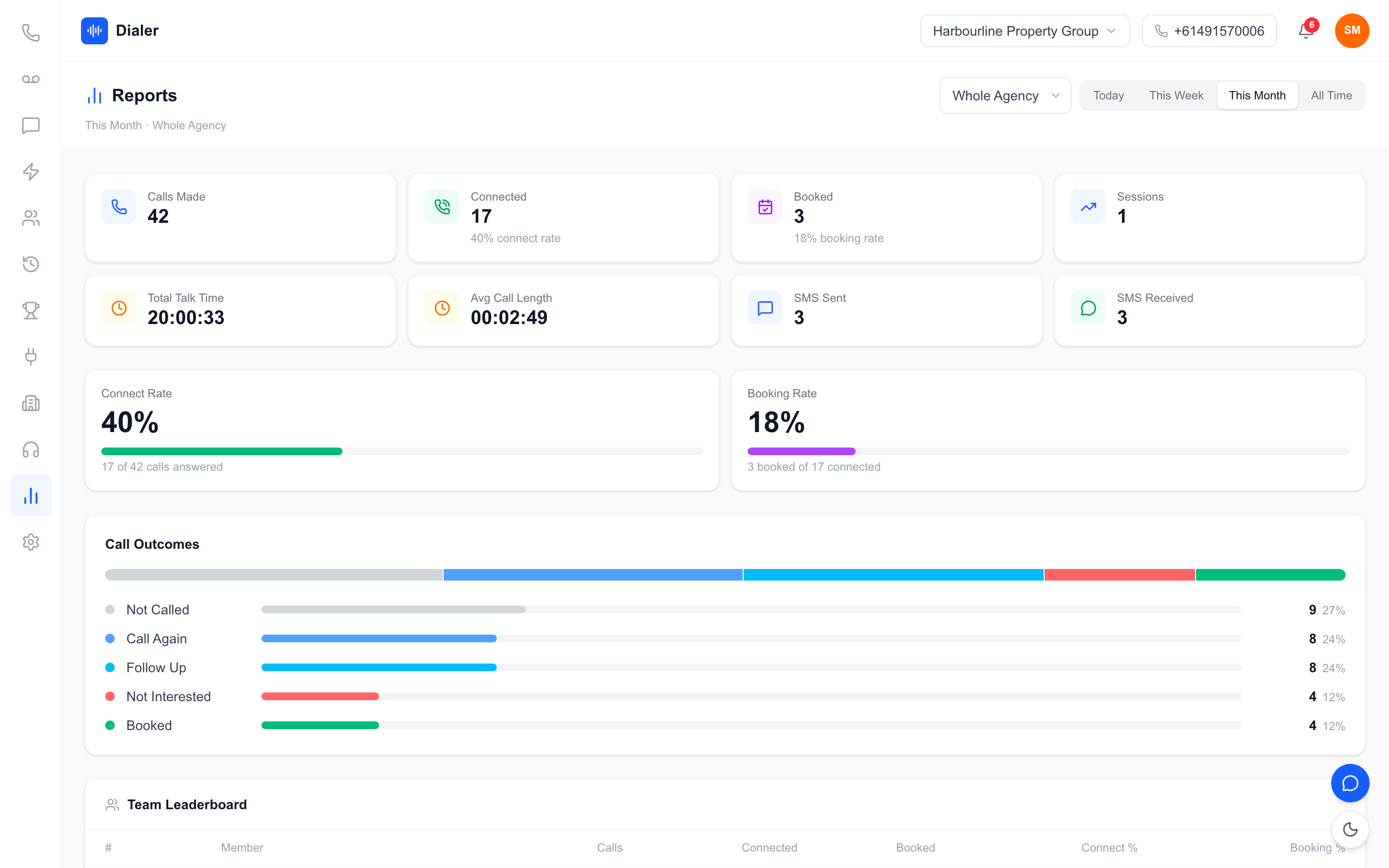
Veyce imports leads from spreadsheets, PDFs and photos using OCR and rule-based mapping, and can import rows from Google Sheets. It works with your own DNCR wash: numbers the wash marks as registered are left out of PriceFinder imports, and the Delete DNCR Numbers button clears flagged leads. Live session metrics and leaderboards show how each block went. Plans run from Solo at $49 a month to Agency at $1,099, with minutes included on every plan; the full breakdown is on the Veyce pricing page.
Conclusion: write the cadence, then let the dialler run it
Start small and measure by attempt
An outbound sales dialler makes calling faster, but the cadence is what turns a list into conversations. Start with four attempts, one or two texts and rotated calling times in the lead's local time. Track how many leads you reach by attempt number and adjust after two weeks. For the wider picture of running a dialler day to day, read our guide to choosing and running a dialler in Australia.
Try it on your own list
The quickest test is a real one. Veyce offers a free 3-day trial, counted from your first call, with 100 calling minutes and no card required, so you can load a list, run the first two attempts of your cadence and see the outcomes before you commit.
Frequently asked questions
What is an outbound sales dialler?
An outbound sales dialler is software that calls through a list of leads for your reps, so they stop typing numbers and waiting between calls. A power dialler starts the next call as soon as the rep finishes the last one. The best results come when the dialler runs a planned cadence, with set attempts, spacing and follow-up texts, rather than calling every number once and moving on to a new list.
How many times should you call a lead before giving up?
There is no fixed number, but one attempt is rarely enough. Many teams make three attempts over about two days for warm enquiries and four to six attempts over two to three weeks for cold lists, rotating the time of day each time. Track how many leads you reach by attempt number. If the last attempts almost never produce a conversation, shorten the cadence and recycle those leads later.
Should I text leads as well as calling them?
One or two short texts across a cadence usually help, especially straight after a missed call. A text lets the prospect reply in their own time and explains why an unfamiliar number rang. Send it from the same number you called from, keep it to a line or two, and include a simple question. Avoid texting after every attempt, which can feel like pressure rather than follow-up.
What time of day is best for outbound sales calls?
It depends on who you call, so rotate rather than guess. Put each attempt in a different part of the day, such as mid-morning, early afternoon and late afternoon, and always plan in the lead's local time. Stay inside the permitted telemarketing calling hours on the Do Not Call Register website. After a few weeks, your outcome data will show which blocks produce the most conversations for your list.
Can I try an outbound sales dialler before buying one?
Yes, and you should test it on a real list rather than a demo. Veyce's free trial runs for 3 days from your first call, with 100 calling minutes and no card required. Use the trial to run the first two attempts of your cadence: import the list, set your outcomes, send a missed-call text from the team number and check whether the session history shows you who to call next.