Cloud based power dialler software runs in a web browser instead of on office phone hardware, which changes where and how a sales team can call. A rep in Hobart, a manager in Adelaide and a part-timer working from home in Geelong can all run the same calling session, from the same list and the same Australian number, with nothing more than a laptop, a headset and an internet connection.
That freedom brings its own questions. What does each rep actually need at their desk? How do you keep a distributed team calling at the right times across Australian time zones? How do you see what is happening without standing behind anyone? And what should you check about security when your calls and recordings live in the cloud? This guide answers those questions for Australian teams setting up remote or hybrid calling.
What cloud based means for a power dialler
"Cloud" gets attached to almost every software product. For a power dialler it has a specific, practical meaning: the dialling, the numbers, the recordings and the reports all run on the provider's systems, and your team reaches them through a browser.
Browser instead of hardware
Older outbound setups needed desk phones, a phone system in a cupboard and someone who knew how to configure it. Cloud based power dialler software replaces that with a browser tab. The rep logs in, picks a list and starts calling; audio runs through the computer and headset. There is no box to buy, no handset to ship to a new hire, and nothing to move when the office does.
No telco account or SIP trunk to manage
With some cloud tools you still have to bring your own phone carrier, set up a SIP trunk or connect a separate calling account and pay it separately. A fully managed cloud dialler includes the numbers and calling minutes in the plan, so there is one bill and one place to go when something does not work. Check which model a product uses before you compare prices, because the cheaper licence is not always the cheaper setup.
Updates and access
Because the software lives on the provider's side, updates arrive without anyone installing them, and every rep is on the same version. Access is controlled by logins rather than by who sits near which phone, so adding a rep is a matter of inviting them, and removing access when someone leaves takes effect straight away.
What each rep needs at their desk
The software is the easy part. Most call-quality problems on cloud based power dialler software come from the rep's setup, not the platform, and they are cheap to fix.
A computer and a current browser
Any reasonably recent laptop or desktop will do. Keep the browser up to date, close the tabs that are streaming video, and allow microphone access for the dialler when the browser asks. Reps who share a computer with family members should have their own browser profile so their login and microphone settings stay put.
A good headset
A wired or reliable wireless headset with a microphone close to the mouth makes more difference to how a rep sounds than anything else. Laptop speakers and built-in microphones pick up room echo and keyboard noise, and prospects notice. A noise-cancelling microphone is worth the extra cost for anyone working from a busy house.
A stable internet connection
Voice calls need a steady connection more than a fast one. A wired connection to the router is the most reliable option; on Wi-Fi, sit close to the router and avoid large uploads or downloads during calling blocks. If a rep's calls regularly drop or sound robotic, test their connection at the time they call, not at midnight.
A quiet space
Background noise travels. A spare room, a closed door or even a corner away from the kitchen helps. Agree a simple rule for remote reps: if the space is not quiet enough to take a call, it is a good time for wrap-up and admin rather than dialling. Start a free 7-day Veyce trial with 50 calling minutes included.
Running a distributed calling team in the cloud
Once everyone can call from anywhere, the management questions change. You lose the energy of a shared floor and gain flexibility, so routines and visibility do the work the room used to do.
Time zones across Australia
A distributed team often spans time zones, and so do its lists. Plan calling blocks in the lead's local time, not the rep's: a Melbourne rep calling Perth in their 9am will ring people at 6am or 7am local time. Permitted telemarketing calling hours are set in the recipient's local time by the telemarketing industry standard, so check them and your own obligations before you build the schedule.
Visibility without hovering
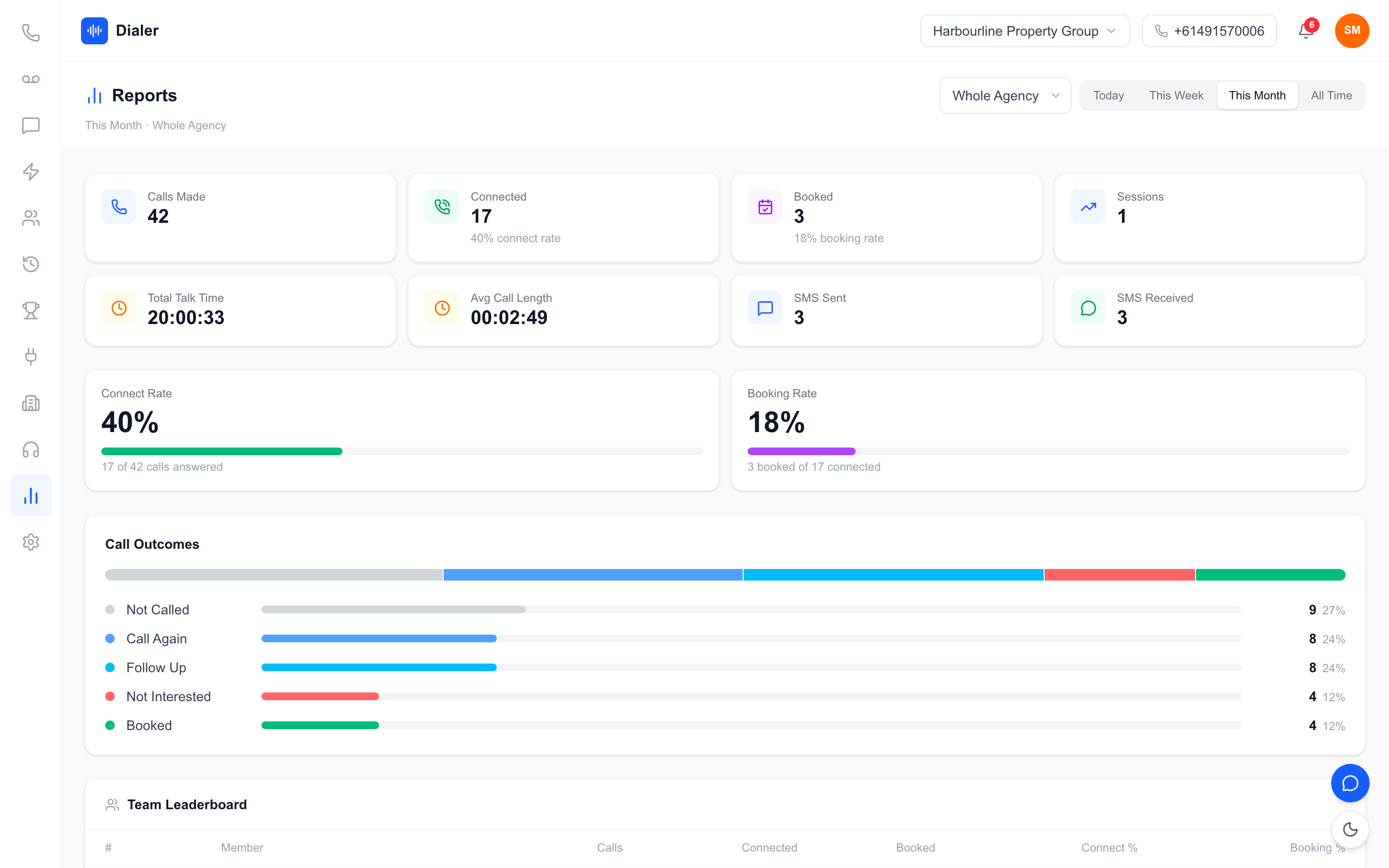
Remote managers cannot walk the floor, so use what the software already records. Live session metrics show who is calling now, reports show conversations and bookings by rep over the week, and a leaderboard gives remote reps some of the friendly competition of an office. Agree what you will look at, and how often, so reps do not feel watched every minute.
Security habits for cloud tools
Cloud tools are only as secure as the habits around them. Give every rep their own login and never share one. Remove access the day someone leaves. Use strong passwords, and keep admin rights with one or two people. Ask any provider how data is encrypted in transit, how one organisation's data is kept separate from another's, and where recordings are stored, and read the answers on their security page before you sign up.
A shared rhythm for remote reps
A short daily check-in before the first block, shared session times and a weekly review of a few calls help a remote team feel like a team. Keep the shared list washed against the Do Not Call Register through the official washing process so every rep, wherever they sit, works from the same clean data.
Veyce: cloud based power dialler software for Australian teams
Veyce is a fully managed, cloud based power dialler for Australian sales teams. It runs in the browser, and the numbers and calling minutes are included in every plan. The Veyce power dialler for Australian teams page has the full tour.
Numbers and calling from the browser
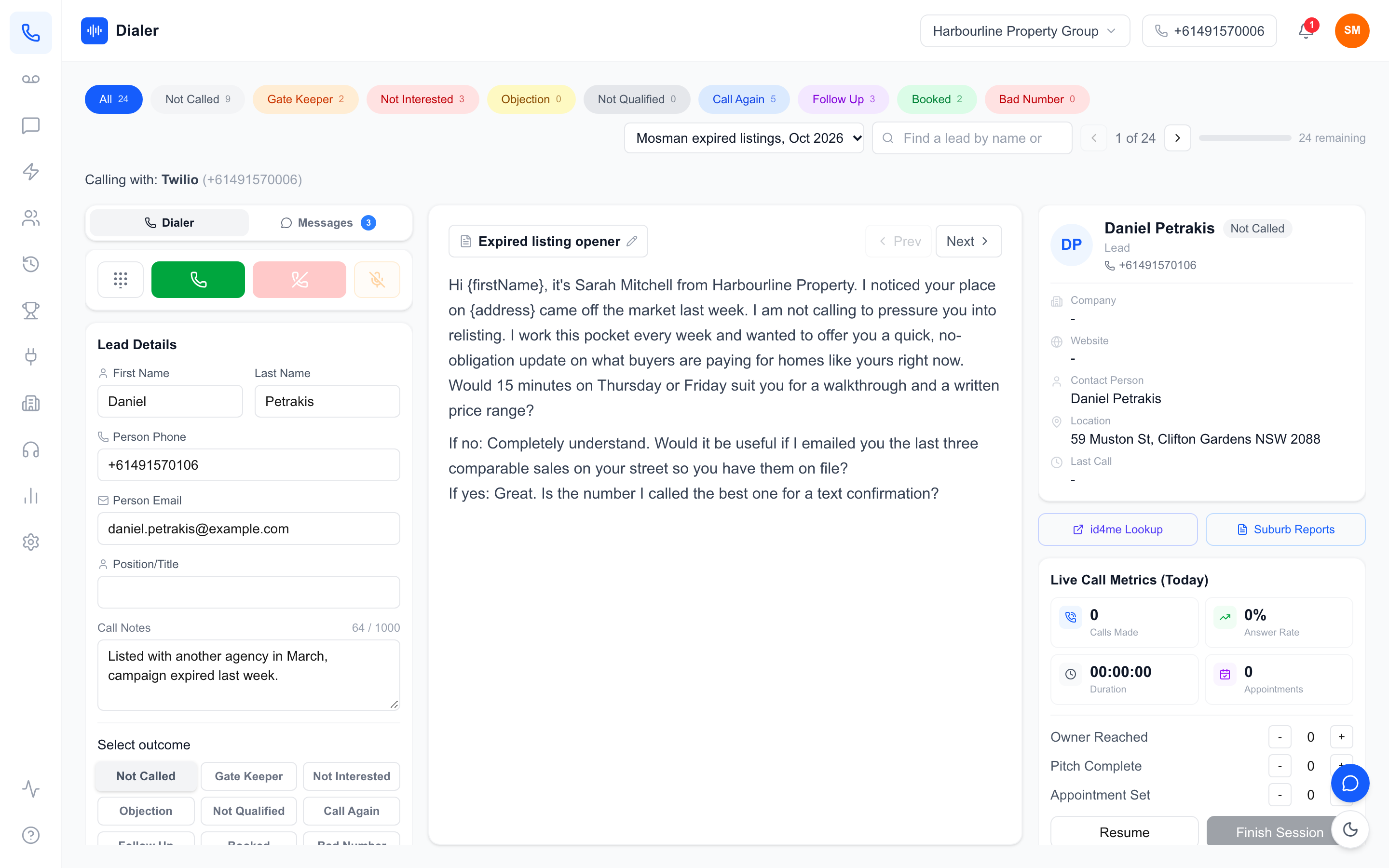
Your team gets one dedicated Australian number included, and Veyce can assign a rep their own Australian number on request. You do not need your own Twilio or carrier account, a SIP trunk or any hardware. In Power Dialler mode, each rep calls one lead at a time and the next lead comes up as soon as a call ends. Reps text from the team number through the SMS inbox.
Recordings, summaries and remote visibility
Calls can be recorded, and AI transcription and summaries are produced after each recorded call. Live session metrics, reports and leaderboards give remote managers a view of every rep's sessions. Veyce's security page explains that data between your browser and Veyce is encrypted with TLS 1.2 or higher and that each organisation can only reach its own leads, calls and recordings.
Lists, scripts and plans
Leads import from spreadsheets, PDFs and photos using OCR and rule-based mapping, or straight from Google Sheets. Calling scripts can be loaded from Google Docs, and syncing again after an edit gives every rep the new version. Veyce works with your own DNCR wash: numbers the wash marks as registered are left out of PriceFinder imports, and the Delete DNCR Numbers button clears flagged leads. Plans start at $49 a month for Solo, with Team at $179 for 4 seats; see Veyce's plans and what each includes.
Conclusion: the cloud removes the hardware, not the habits
Set up the desk, then the routine
Cloud based power dialler software lets a team call from anywhere with a browser, a headset and a steady connection. The work that remains is human: a quiet space, calling blocks in the lead's local time, sensible security habits and a shared rhythm that keeps remote reps connected. For a step-by-step look at choosing a tool, read our guide on what to check before buying a power dialer.
Try it from wherever your team works
Veyce offers a free 3-day trial, counted from your first call, with 100 calling minutes and no card required. The trial covers one seat: log in from wherever you work, run a short session and see how it sounds and what the manager can see.
Frequently asked questions
What is cloud based power dialler software?
It is a power dialler that runs on the provider's systems and is used through a web browser. Reps log in, pick a list and call through their computer and headset, and the next lead dials as soon as a call ends. Numbers, recordings and reports live in the cloud, so the team can call from the office, from home or from different cities without desk phones or a phone system to maintain.
What equipment do I need for a cloud power dialler?
Each rep needs a reasonably recent computer with an up-to-date browser, a headset with a microphone close to the mouth, and a stable internet connection, ideally wired to the router. A quiet space matters as much as the equipment. You do not need desk phones or a phone system, and with a fully managed dialler you do not need your own carrier account or SIP trunk either.
Is cloud based power dialler software secure?
It can be, but check rather than assume. Ask how data is encrypted between the browser and the provider, how one organisation's data is kept separate from another's, and where recordings are stored, then read the provider's security page. Your own habits matter too: one login per rep, strong passwords, admin rights for only one or two people, and access removed as soon as someone leaves.
Can a remote sales team share one phone number?
Yes. With a cloud dialler, every rep can call and text from the same team number wherever they are, and callbacks reach the team rather than one person's mobile. That keeps the relationship with the business. Veyce includes one dedicated Australian number for the team and can assign a rep their own Australian number on request, which suits senior reps who manage their own accounts.
How do I manage calling hours for a team in different states?
Plan calling blocks around the lead's local time rather than the rep's, because permitted telemarketing calling hours apply in the recipient's time zone. A rep in Melbourne starting at 9am would reach Perth leads two or three hours earlier in their day. Check the hours on the Do Not Call Register website, then build separate blocks for each time zone your lists cover.