A LeadConnector dialler integration is what GoHighLevel users look for when their pipeline is full but their reps are still dialling contacts one tap at a time. GoHighLevel, which runs on the LeadConnector platform, is excellent at capturing leads, running automations and nurturing contacts. Sitting down with a list of 200 contacts and calling through them quickly is a different job, and that is where a dedicated power dialler connected to LeadConnector earns its place.
This guide is for Australian businesses and agencies that run GoHighLevel. It explains what LeadConnector is, what a dialler integration should move in each direction, how to set your sub-account up so calling stays organised, and how Veyce's LeadConnector sync fits in. It also lists the questions to ask any vendor before you connect your CRM.
What LeadConnector is and why a dialler matters
LeadConnector and GoHighLevel
LeadConnector is the name behind GoHighLevel's platform, including its mobile app and its phone system, LC Phone. If you log in to a white-labelled agency CRM built on GoHighLevel, you are almost certainly using LeadConnector underneath. That is why dialler vendors often list "LeadConnector" and "GoHighLevel" side by side: they refer to the same system, and an integration with one is an integration with the other.
Where CRM calling slows down
A CRM's calling tools are built around the contact record: open the contact, tap call, log the result, go back to the list, open the next one. That is fine for a handful of follow-ups. For a dedicated calling block, the clicks between calls add up. Here is a worked example with stated assumptions: if each call takes 20 extra seconds of clicking and logging, a rep making 100 dials in a session loses over half an hour to navigation alone.
What a power dialler adds
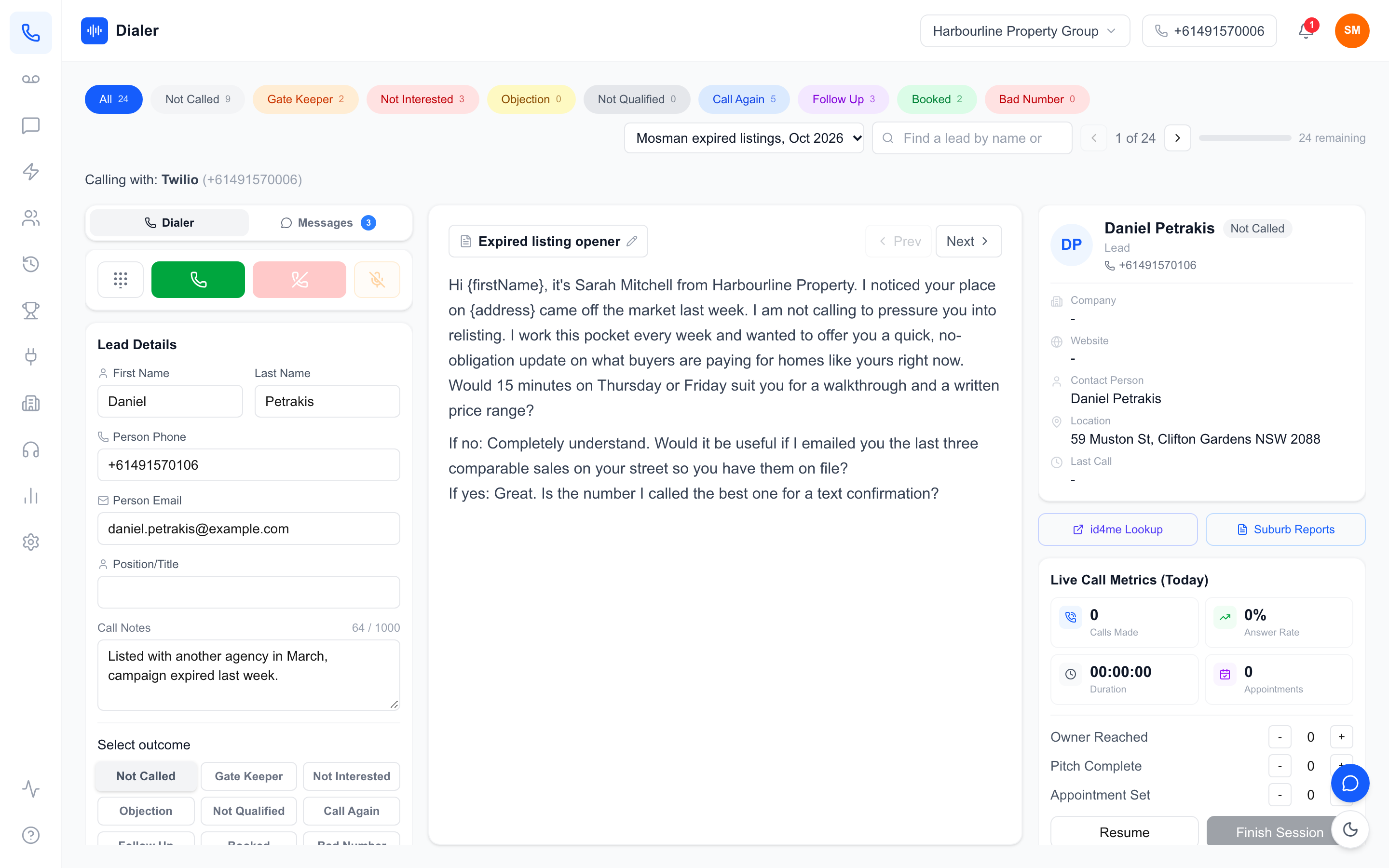
A power dialler queues the next lead automatically, shows the script and notes on one screen, and lets the rep log an outcome in a tap before moving on. Managers get live session numbers rather than waiting for CRM reports. Pairing it with LeadConnector means GoHighLevel stays the system of record while the dialler handles the calling block.
What a LeadConnector dialler integration should do
Leads in: from GoHighLevel to the dialler
The first job is getting the right contacts into the dialler without exports. A good LeadConnector dialler integration lets you choose which contacts come across, so a "New solar enquiry" or "Appraisal follow-up" group can become a calling list in a few steps. Check whether the vendor pulls tags, custom fields and notes as well as names and numbers, because that context matters on the call.
Outcomes out: from the dialler back to the CRM
The second job is keeping the CRM current. Ask exactly what is written back after a call: a note, a tag for the outcome, a task for a callback, or nothing at all. If outcomes stay only in the dialler, your GoHighLevel automations cannot react to them, and your team ends up updating two systems by hand.
Phone numbers and caller ID
Decide which number your leads see. Some teams call through LC Phone numbers they already own; others prefer the dialler's own number. Whichever you choose, keep caller ID consistent, so a lead who calls back reaches someone who knows why they were called.
Reporting across both systems
Decide up front which system answers which question. GoHighLevel is usually best for pipeline value, conversion by stage and automation performance. The dialler is usually best for activity: dials per session, connect rates, talk time and which rep booked what. Trying to rebuild dialler activity reports inside the CRM, or pipeline reports inside the dialler, tends to produce two half-finished dashboards. Pick an owner for each report and keep it there.
Setting up GoHighLevel for smooth calling
Use tags or smart lists as calling queues
Before connecting anything, decide how a contact becomes "ready to call". Tags such as "call-today" or smart lists built on pipeline stage work well. The dialler then works from a clean queue instead of the whole database, and reps never call a contact who has already booked.
Map your outcomes to pipeline stages
Write down the call outcomes your team uses, such as booked, callback, not interested and wrong number, and decide what each should do in GoHighLevel. A booked call might move an opportunity to "Appointment set" and trigger a confirmation SMS. Agreeing this first stops the integration from creating a mess of inconsistent tags.
Keep sub-accounts separate
Agencies running several client sub-accounts should connect each one on its own, with its own Location ID. Never pool leads from different clients into one calling list. It confuses reporting, and it risks calling a client's customers on behalf of the wrong business.
Respect calling rules for every sub-account
Marketing calls in Australia are subject to the Do Not Call Register and telemarketing industry rules on calling times, which the ACMA's telemarketing guidance explains. Wash cold contacts before they reach a calling queue, and keep consent records with the contact in GoHighLevel. A dialler integration moves data around; it does not change your obligations.
Veyce: LeadConnector sync in an Australian power dialler
Connecting GoHighLevel
Veyce is a power dialler for Australian sales teams, and LeadConnector (GoHighLevel) is one of the integrations it lists alongside Google Sheets, Google Docs and Google Calendar. An admin connects a GoHighLevel sub-account under Integrations with a GoHighLevel API key and the sub-account's Location ID, and leads can then be pulled in from LeadConnector into Veyce lead lists. If your GoHighLevel workflow depends on a particular field or write-back, test it during the free trial, which runs 3 days from your first call and includes 100 calling minutes, with a handful of contacts before you roll it out.
What reps get on screen
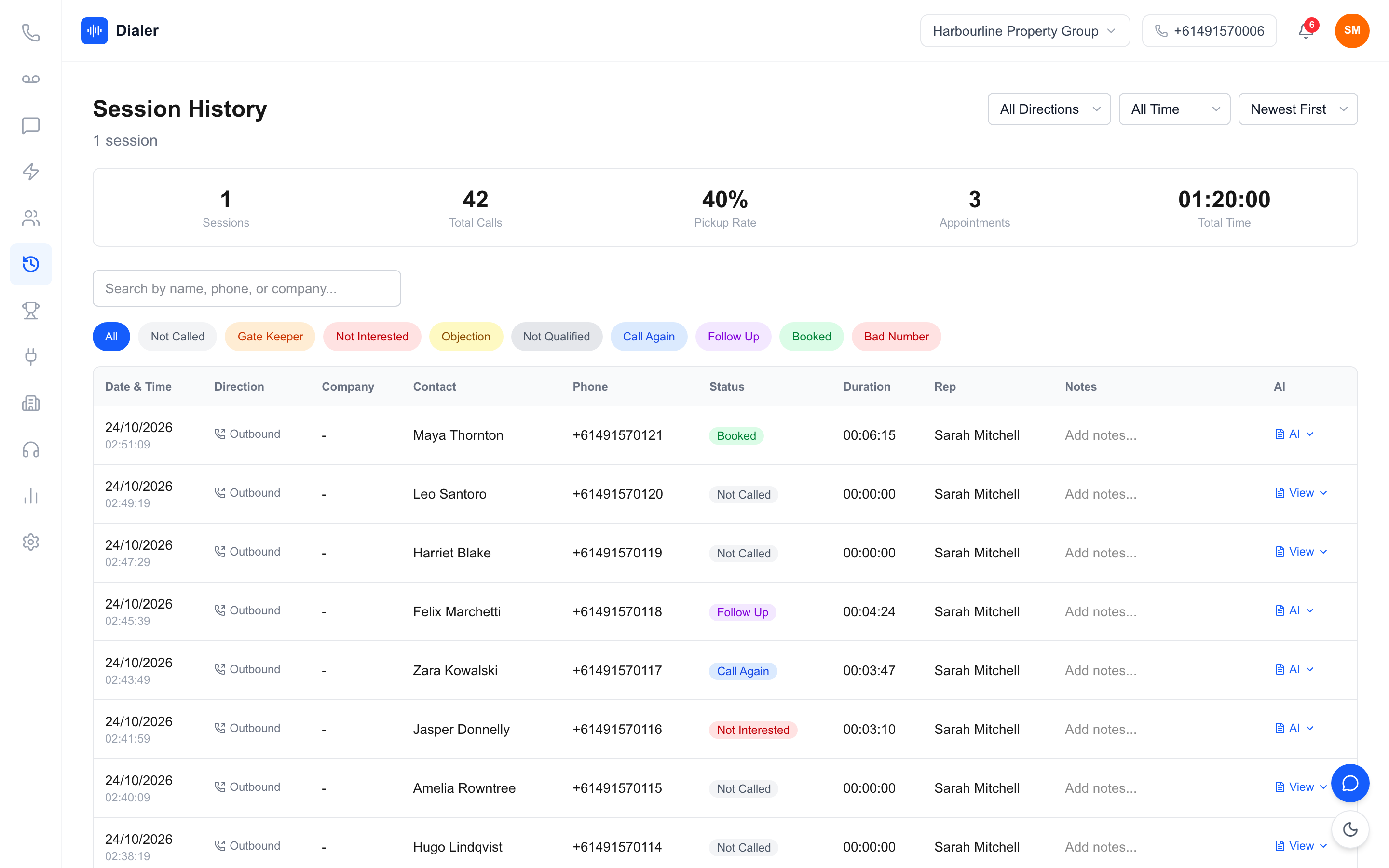
In Power Dialler mode, reps call one lead at a time from your team's dedicated Australian number, with the lead's details, notes and script on one screen. The script panel can sync a calling script from a Google Doc. Every recorded call gets an AI transcript and summary after the call, and managers see live session metrics and a team leaderboard. Veyce assigns a rep their own Australian number on request.
Which plans list GoHighLevel
Veyce's pricing lists all integrations on every plan. The Growth plan ($449 a month, 10 seats, 1,000 minutes) names Airtable, GoHighLevel and calendar sync on its plan card, and the Agency plan ($1,099 a month, 25 seats) adds white-label branding and multi-org management, which suits agencies running several sub-accounts. See Veyce's pricing for the current detail.
Choosing and rolling out a LeadConnector dialler integration
Questions to ask any vendor
Before you connect, ask: which contacts can be pulled in, and by what filter? Which fields come across? What, if anything, is written back after a call? Which phone number do leads see? What happens to the data if you disconnect? Clear, specific answers are a good sign; vague ones usually mean a CSV export dressed up as an integration. Ask for a short live demo on a test sub-account rather than a slide, and bring a real contact record with your usual tags and custom fields so you can see what survives the trip.
Start with one queue
Connect one sub-account, pull in one tagged group of contacts, and run a single calling session. Check that the right contacts arrived, that notes and fields made sense on the rep's screen, and that outcomes ended up where you expected. Then expand to the next queue or the next rep. Agencies should repeat the same test for each client sub-account rather than assuming one working connection means they all work, because fields, tags and pipelines usually differ from client to client. Keep a one-page note for each sub-account that records its Location ID, which tags feed the calling queue and who owns the connection.
See how the calling side works
If you want to understand the dialler half of the setup, read how the power dialler for Australian teams works, or see how a managed power dialler removes the telco setup that usually slows teams down.
Test it with your own GoHighLevel account
Start a free 3-day trial (counted from your first call, with 100 calling minutes and no credit card), connect a GoHighLevel sub-account, and call a small tagged group of real contacts. You will know within one session whether the LeadConnector dialler integration fits your workflow.
Frequently asked questions
What is a LeadConnector dialler integration?
It is a connection between a dialler and LeadConnector, the platform behind GoHighLevel, so contacts can move into the dialler without manual exports. Depending on the vendor, it may also write call outcomes back to the CRM. In Veyce, an admin connects a GoHighLevel sub-account with an API key and Location ID, and leads can then be pulled in from LeadConnector into Veyce lead lists.
Is LeadConnector the same as GoHighLevel?
For integration purposes, yes. LeadConnector is the name behind GoHighLevel's platform, including its mobile app and its LC Phone system, and white-labelled agency CRMs built on GoHighLevel run on it too. That is why vendors often list both names together. If a dialler integrates with LeadConnector, it is connecting to your GoHighLevel account and its sub-accounts.
Which Veyce plan includes GoHighLevel sync?
Veyce's pricing lists all integrations on every plan, and the Growth plan card names Airtable, GoHighLevel and calendar sync specifically. Growth is $449 a month with 10 seats and 1,000 minutes. Agency, at $1,099 a month with 25 seats, adds white-label branding and multi-org management for agencies. Check the pricing page for the current detail before you choose.
Do I still need GoHighLevel if I use a power dialler?
Usually yes. GoHighLevel stays the place where leads are captured, nurtured and automated, while the power dialler handles focused calling blocks. Most teams keep GoHighLevel as the system of record and use the dialler to work tagged queues faster, with live session metrics, scripts on screen and AI summaries of recorded calls after each call.
Can I try Veyce with my GoHighLevel account before paying?
Yes. Veyce's free trial runs for 3 days from your first call, includes 100 calling minutes and needs no credit card. Each trial call ends after 7 minutes. Connect one GoHighLevel sub-account, pull a small tagged group of contacts into a list, and run a short calling session. Check that the right contacts arrived, that their details make sense on screen, and that the workflow suits your team before rolling it out more widely.