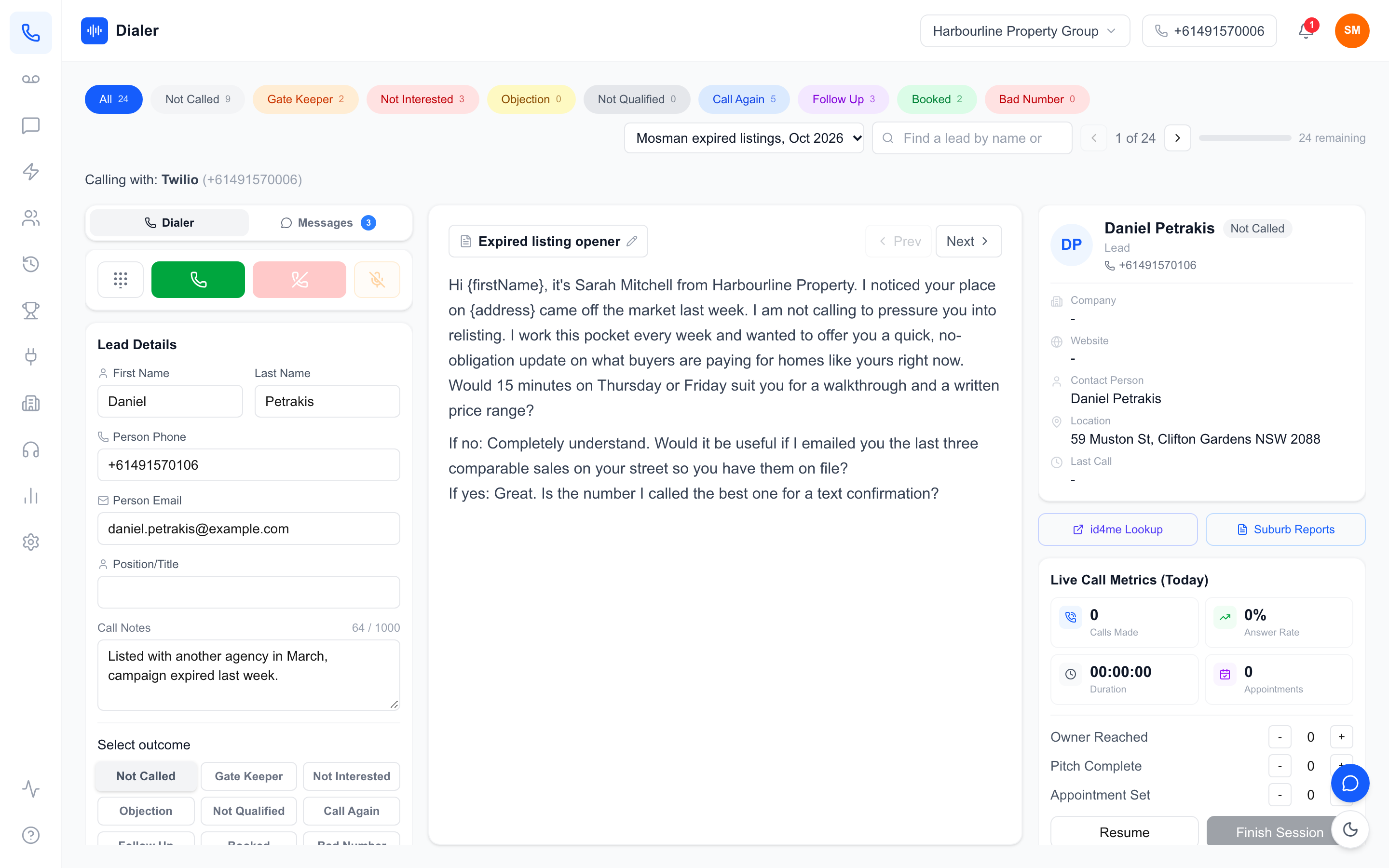
An outbound dialler with call recording puts the call, the recording and the result on one record, the moment the call ends. That sounds like a small detail until the day a customer disputes what a rep said, a lead complains about being called, or a new rep inherits a list and needs to know what has already happened. On those days, a recording sitting in a separate app, or not made at all, costs real time.
This guide is about where call recording should live for an Australian outbound team, and why it belongs inside the dialler rather than beside it. It covers what a complete call record contains, how recordings help when something goes wrong, and how recording works in Veyce. For recording law, we point to the sources and recommend getting advice, because the rules differ around the country.
Why an outbound dialler with call recording beats a separate recorder
One record per call
When the dialler places the call, it already knows the lead, the rep, the number used, the time and the duration. If it records the call too, the recording attaches to that record automatically. A separate recorder, whether a phone system add-on or a desktop app, produces audio files that someone has to match back to leads by time stamp and phone number. At a few calls a day that is tedious; at a few hundred it does not happen.
No gaps from forgotten steps
Anything a rep has to remember to do will be skipped on a busy day. With an outbound dialler with call recording switched on, every call through the team number is recorded without the rep doing anything. The gaps that remain are calls placed outside the dialler entirely, which is a team rule to enforce, not a software setting.
Fewer tools to pay for and manage
A dialler, a recorder, a transcription app and a CRM plug-in to stitch them together is four subscriptions, four sets of logins and four places for data to leak or go missing. Folding recording into the dialler reduces both the bill and the admin. Price the whole stack you have today against one tool that does the lot before deciding it costs more.
What to test in a trial
Before you commit to any outbound dialler with call recording, run a short test with real calls. Make ten calls through it and check four things. Does every call appear with a recording attached, without anyone pressing record? Is the audio clear on both sides, including on a laptop microphone? Can you find a specific call from last Tuesday in under a minute? And can a second team member open the same record and play it? If any answer is no, you have found the gap that will cost you later, before you have paid for it.
What a complete outbound call record should contain
The basics
Every call record should show the lead, the rep who called, the number called from, the date and time, the duration, and an outcome chosen from a list your team agrees on (booked, callback, not interested, wrong number and so on). Without a consistent outcome, recordings are hard to find later, however good the audio.
The recording, transcript and summary
The recording is the source of truth. A transcript makes it searchable and quotable, and a short summary makes a day of calls scannable. Together they let a manager find the two calls worth hearing out of fifty in a few minutes. Our guide to AI call summaries for sales teams explains how summaries are used for review.
History across calls and texts
Outbound teams rarely close on the first call. The record that matters is the lead's whole history: every call, every outcome, every text and every note, in order. Look for an outbound dialler with call recording that shows that history in one place, so the next rep can catch up before they dial.
Notes and next steps that match the recording
A recording tells you what was said; a note tells the next person what to do about it. Ask reps to add a one-line next step after each meaningful call (callback Thursday after 4pm, send the price sheet, speak to the partner) and to keep it consistent with what the recording shows. When notes and recordings disagree, the recording wins, and the note gets fixed. Over time, managers who spot-check a few calls a week against their notes find that note quality rises on its own.
Using recordings when something goes wrong
Settling "that's not what I was told"
Price disputes, missed promises and misunderstandings are where recordings pay for themselves. Rather than weighing one person's memory against another's, play the recording, or search the transcript for the moment the price came up. Confirm exact words against the audio, since transcripts can mishear figures.
Responding to a complaint about a call
If someone complains about being called, you need to show quickly what happened: when each call was made, who made it, what was said, and how the list was prepared. Do Not Call Register rules for telemarketing calls are explained on the Do Not Call Register industry FAQs, and our DNCR compliance guide for Australian businesses walks through the basics. Recordings help you answer a complaint accurately; they do not replace getting the rules right in the first place.
Recording consent
Recording a phone call in Australia can be covered by the federal Telecommunications (Interception and Access) Act 1979 and by state and territory surveillance or listening devices laws, which differ. Many businesses tell the person at the start of each call that it is recorded. This is general information: get legal advice on what your reps should say, and put the agreed line in the script.
Veyce: an outbound dialler with call recording built in
How recording works
Veyce's Australian power dialler records calls once recording is switched on in Settings. Calls made through your team's dedicated Australian number are recorded and stored in your Veyce account, with a playback link on each call. Only signed-in members of your organisation can play them. If a rep warm or cold transfers a live call to a teammate, the teammate's side is logged and recorded too. Calls placed from a rep's own phone, if you allow that option, are not recorded.
After each call ends
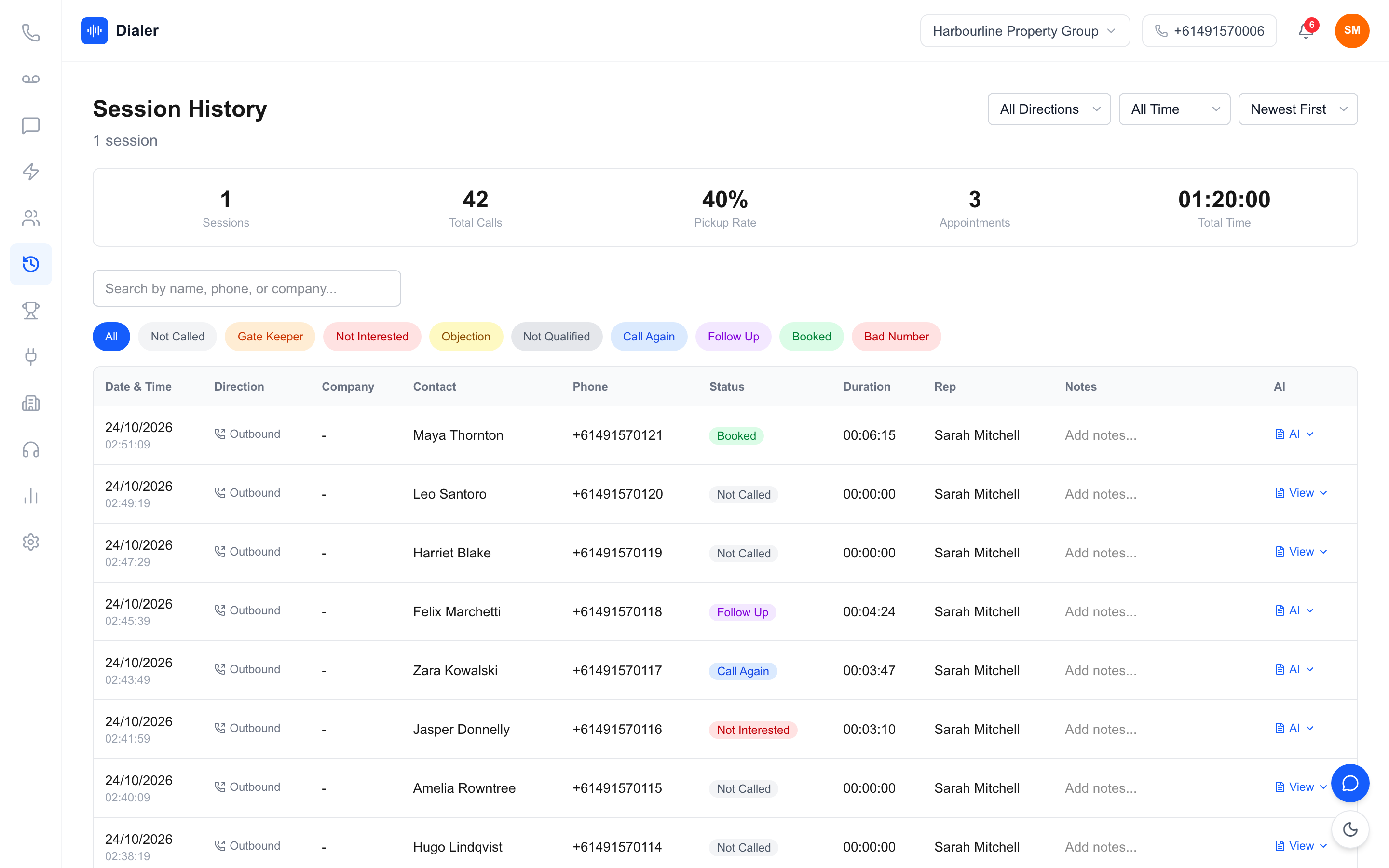
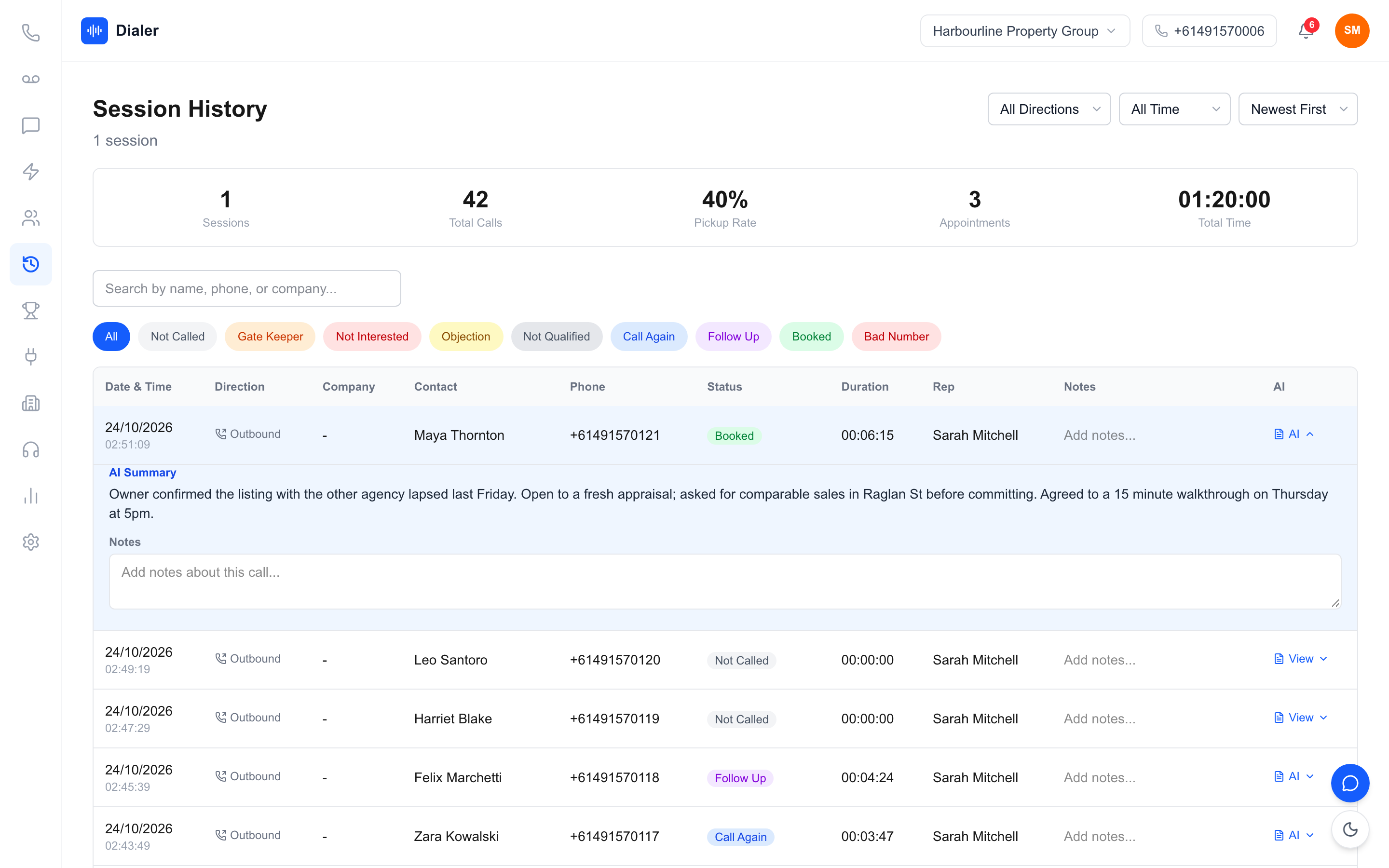
Once a recorded call finishes, Veyce transcribes it and adds a two or three sentence AI summary, usually within a minute or two. Transcription happens only after the call and only on recorded calls. The recording, transcript and summary sit on the call in session history, and the lead's calls, outcomes and summaries also appear beside their texts in Messages.
The complaint response pack, and pricing
One click on a lead downloads a PDF with every call in the lead's local time, the result, the rep, the duration, the recording link and whether the call was inside calling hours, plus every text both ways and the list's recorded DNCR wash date. Veyce records the date your team washed the list; it does not wash lists itself. Recording, transcripts and summaries are included on Team at $179 a month, Growth at $449 and Agency at $1,099 (Solo does not include call recording), as listed on the Veyce pricing page, and telco sales teams and other high-volume outbound teams use the same setup.
Put the recording where the calls are
An outbound dialler with call recording turns every call into a record you can stand behind: who called, when, what was said and what happened next. Keep the recording inside the dialler, agree on outcomes, get advice on your consent line, and make it a rule that sales calls go through the team number.
To try Veyce on your own list, start a 3-day Veyce trial, counted from your first call, with 100 calling minutes and no card, and test the dialler, lead import, scripts and session flow. Call recording with AI transcripts and summaries comes on the Team, Growth and Agency plans: switch recording on in Settings and open the first call record when it lands.
Frequently asked questions
What is an outbound dialler with call recording?
It is a dialler for outbound sales calls that records each call itself and attaches the recording to the call record, alongside the lead, the rep, the time, the duration and the outcome. Because the dialler placed the call, nobody has to match audio files to leads afterwards. Many also transcribe recorded calls and add a short summary once the call ends, so a manager can find the right call quickly.
Is it better to record calls in the dialler or with a separate tool?
For an outbound team, recording in the dialler is usually better. The recording lands on the right call automatically, reps have nothing extra to remember, and you pay for and manage one tool instead of several. A separate recorder can work for a small team with low call volumes, but someone has to match recordings back to leads by time and number, and that job tends to stop happening.
Are transferred calls recorded in Veyce?
Yes, when recording is on. If a rep transfers a live call to a teammate, either warm (staying on to introduce them) or cold (handing over while the lead hears hold music), the teammate's side of the call is logged and recorded too. That keeps the lead's history complete across both reps. Calls a rep places from their own phone, where that option is allowed, are not recorded or transcribed.
Can call recordings help with a Do Not Call complaint?
They can help you answer one accurately. A recording and call log show when each call happened, who made it and what was said, and Veyce's complaint response pack also lists the list's recorded DNCR wash date. Veyce records that date but does not wash lists itself. Recordings do not replace following the rules, which the Do Not Call Register explains in its industry FAQs at donotcall.gov.au.
Does Veyce charge extra for call recording?
No. Call recording with AI transcripts and summaries is included on the Team, Growth and Agency plans: Team at $179 a month, Growth at $449 and Agency at $1,099, each with seats and calling minutes included. Solo, at $49 a month, does not include call recording. Recording is switched on in Settings. The free 3-day trial, counted from your first call, includes 100 calling minutes and does not ask for a credit card, so you can test the dialler, lead import, scripts and session flow on your own list. Recording is not part of the trial.