If your sales team spends more time punching in phone numbers than actually talking to prospects, an auto dialer is the obvious fix. But "auto dialer" is a broad label. It covers everything from simple click-to-call tools through to aggressive predictive systems that dial three numbers for every available rep. In Australia, the difference matters, because some of those approaches will put you on the wrong side of the ACMA.
This guide is written for Australian outbound sales teams: what an auto dialer actually is, how the different types work, what the law allows here, and which features are worth paying for. If you're comparing the best auto dialer software Australia has on offer, this is the groundwork that makes the comparison meaningful.
What is an auto dialer?
An auto dialer is software that works through a list of phone numbers and places calls on behalf of your reps, so they spend their time in conversations instead of on data entry. At its simplest, it loads the next number, dials it, and connects the rep when someone answers. At the more complex end, it can dial several numbers at once and route whichever call connects first to a free agent.
For outbound teams (solar installers chasing quote requests, real estate agents prospecting a suburb, insurance brokers working through renewals) the maths is straightforward. Manual dialling burns a large share of a rep's day on ringing phones, wrong numbers, voicemail and the seconds between calls. Automating the dialling itself doesn't make anyone a better salesperson, but it gives them far more attempts per hour, and attempts are the raw material every sale starts from.
The term "auto dialer Australia" also carries a local meaning. Australian teams need local numbers that prospects will actually answer, calling rules that match Australian law, and pricing in a structure that suits how local businesses buy software. A tool built for the US market, with US numbers and US compliance assumptions, is rarely a clean fit.
The three types of dialer: power, predictive and preview
Most dialling software falls into one of three modes, and choosing between them is the single most important decision you'll make.
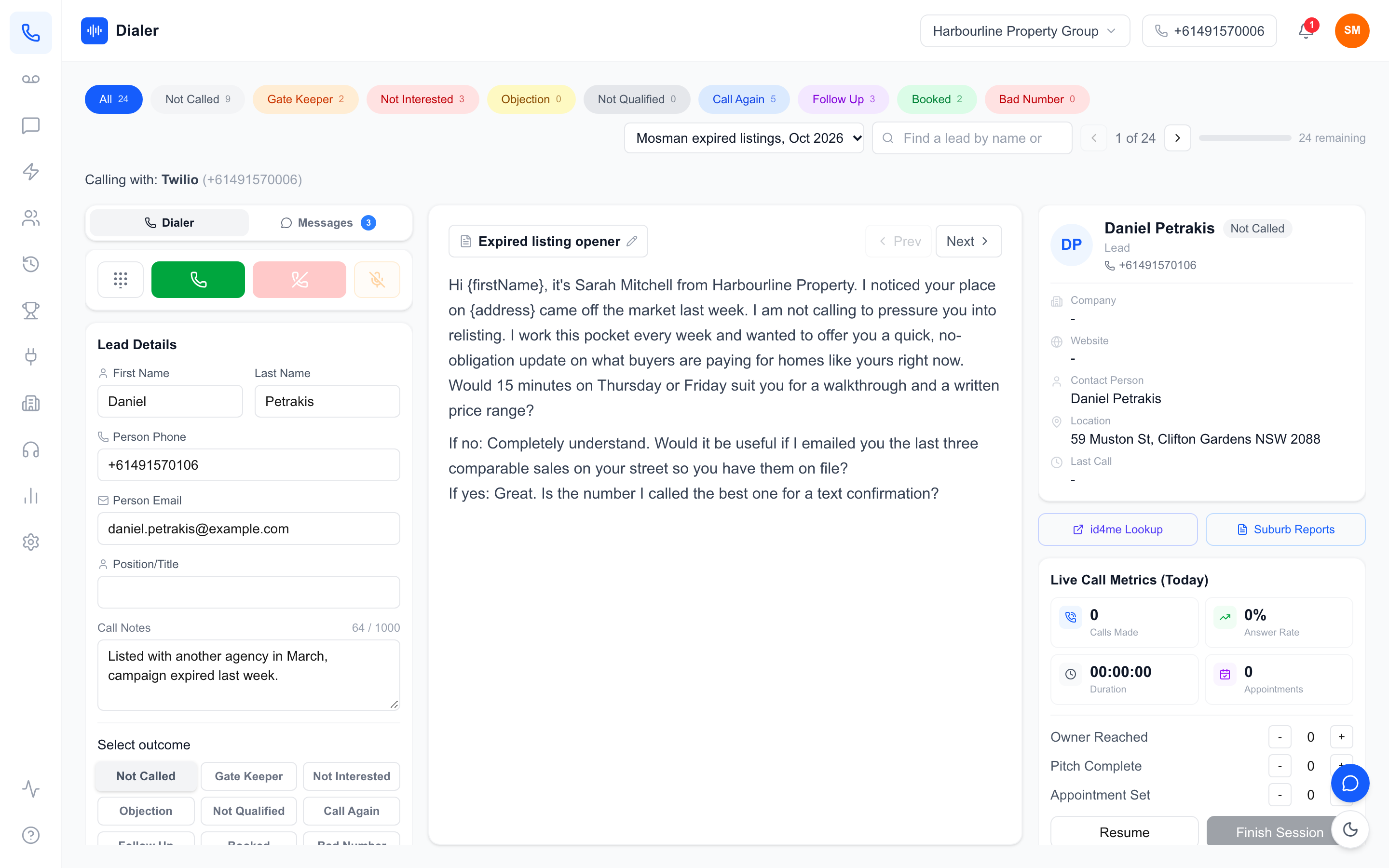
Power dialer. A power dialer calls one number at a time for each rep, moving to the next number the moment a call ends or goes unanswered. The rep is on the line for every call from the first ring. It's the simplest model and, for most small-to-mid-sized teams, the most productive: no wasted dialling time, and no call is ever placed that a rep isn't ready to take.
Predictive dialer. A predictive dialler uses algorithms to dial multiple numbers per rep, predicting when each rep will be free so a live answer is waiting for them. The problem is what happens when the prediction is wrong. If more people answer than there are reps available, the extra calls are abandoned: the prospect picks up to silence, a pause, or a hang-up. These "silent calls" are exactly what Australian telemarketing rules are designed to prevent. The ACMA takes abandoned and silent calls seriously, and a predictive system running hot on a small team can generate them constantly. Predictive dialling was built for very large call centres that can absorb the maths across hundreds of seats; for a team of four or ten reps, it's usually risk without reward.
Preview dialer. A preview dialler shows the rep the prospect's details first and lets them choose when to dial. It suits considered, research-heavy calls, but it's the slowest of the three, closer to organised manual dialling than true automation.
For most Australian sales teams, a power dialer is the sweet spot: genuine automation, a rep on every call, and no silent-call problem to manage.
What's legal in Australia
Outbound calling in Australia is regulated by the ACMA (the Australian Communications and Media Authority), and the rules apply whether you dial manually or with software. Two things matter most.
Calling hours. Telemarketing and sales calls can only be made during permitted hours, based on the recipient's local time, not yours. On weekdays that's 9am to 8pm, and on Saturdays 9am to 5pm. Sunday and public holiday calling is off the table for most sales activity. This has a practical wrinkle for national teams: when it's 9am in Sydney in summer, it's only 6am in Perth, so your dialler settings and your team's habits need to respect time zones, not just the clock on the wall.
The Do Not Call Register. The DNCR is a list of Australian numbers whose owners have opted out of telemarketing calls. Calling a registered number without a valid exemption can draw serious penalties, so washing your lists against the register is a non-negotiable step before any campaign. A wash is valid for 30 days: after that, the list needs to be washed again before you rely on it. Some exemptions exist (certain charities, government bodies and existing-consent relationships, for example), but if you're an ordinary commercial sales team, assume the register applies to you in full.
The practical takeaway: your dialler should make compliance easy (time-zone-aware calling and straightforward DNCR checking) rather than leaving it to each rep's memory.
Features to look for in an Australian auto dialer
Beyond the dialling itself, these are the features that separate a tool built for Australian teams from a generic one.
Local Australian numbers. Prospects answer calls from numbers they recognise. Look for dedicated Australian numbers for each rep, a local landline-style number or an Australian mobile number (+614), so outbound calls look like they come from a real person in Australia, not an overseas call centre.
DNCR checking tools. Your platform should let you screen lists against the Do Not Call Register as part of your workflow, so washing a list is a two-minute job rather than a separate project you keep putting off.
Call recording. Recordings are your quality control, your training library and your dispute evidence in one. Every call should be recorded and easy to find against the lead it belongs to.
Transcription and summaries. AI transcription turns recordings into searchable text, and AI summaries mean a manager can scan what happened on a call in seconds instead of listening to ten minutes of audio. This is where diallers have improved most in the last few years.
Easy lead import. Your lists live in spreadsheets, PDFs and CRM exports, sometimes even on paper. A good dialler takes leads in formats like CSV and XLSX, and the smarter ones can pull structured leads out of documents and images too.
Visibility for managers. Live session metrics (calls made, connections, talk time) plus simple team leaderboards keep a day's outbound effort visible without micromanagement.
And one pricing point: check whether you're paying per seat or per organisation. Per-seat pricing from US vendors adds up quickly; per-organisation pricing is often far better value for a growing team.
How Veyce fits
Veyce is a fully managed power dialer built for Australian outbound sales teams. In Power Dialler mode it dials one call at a time per rep, deliberately. There's no predictive mode, so there are no silent calls and no abandoned-call risk to manage: every call that connects has your rep already on the line.
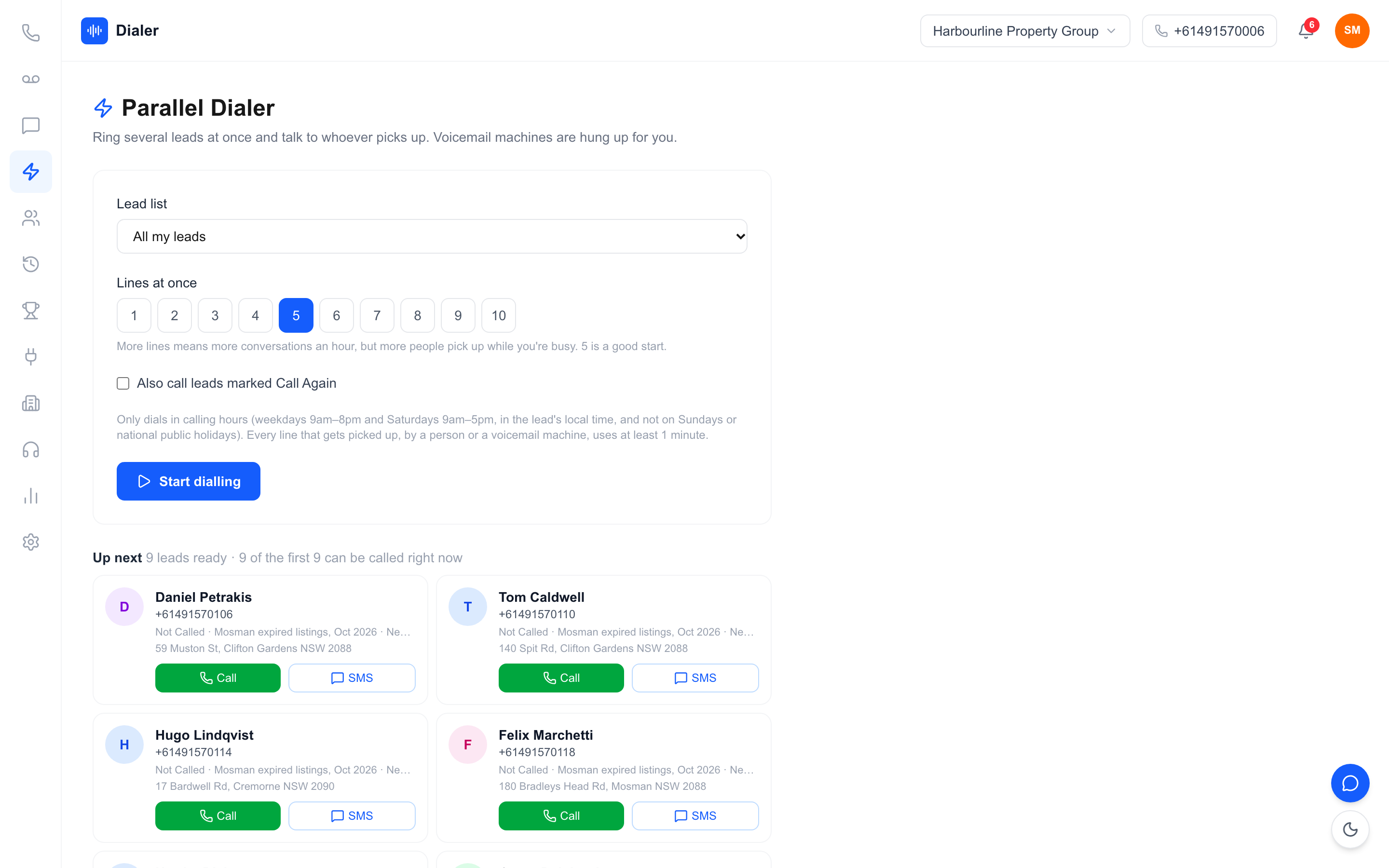
"Fully managed" is the part teams notice first. Your team gets a dedicated Australian number, and Veyce handles the telephony side entirely: no telco account, no Twilio setup, nothing to configure before your team can start calling. Reps can have their own number too, assigned on request.
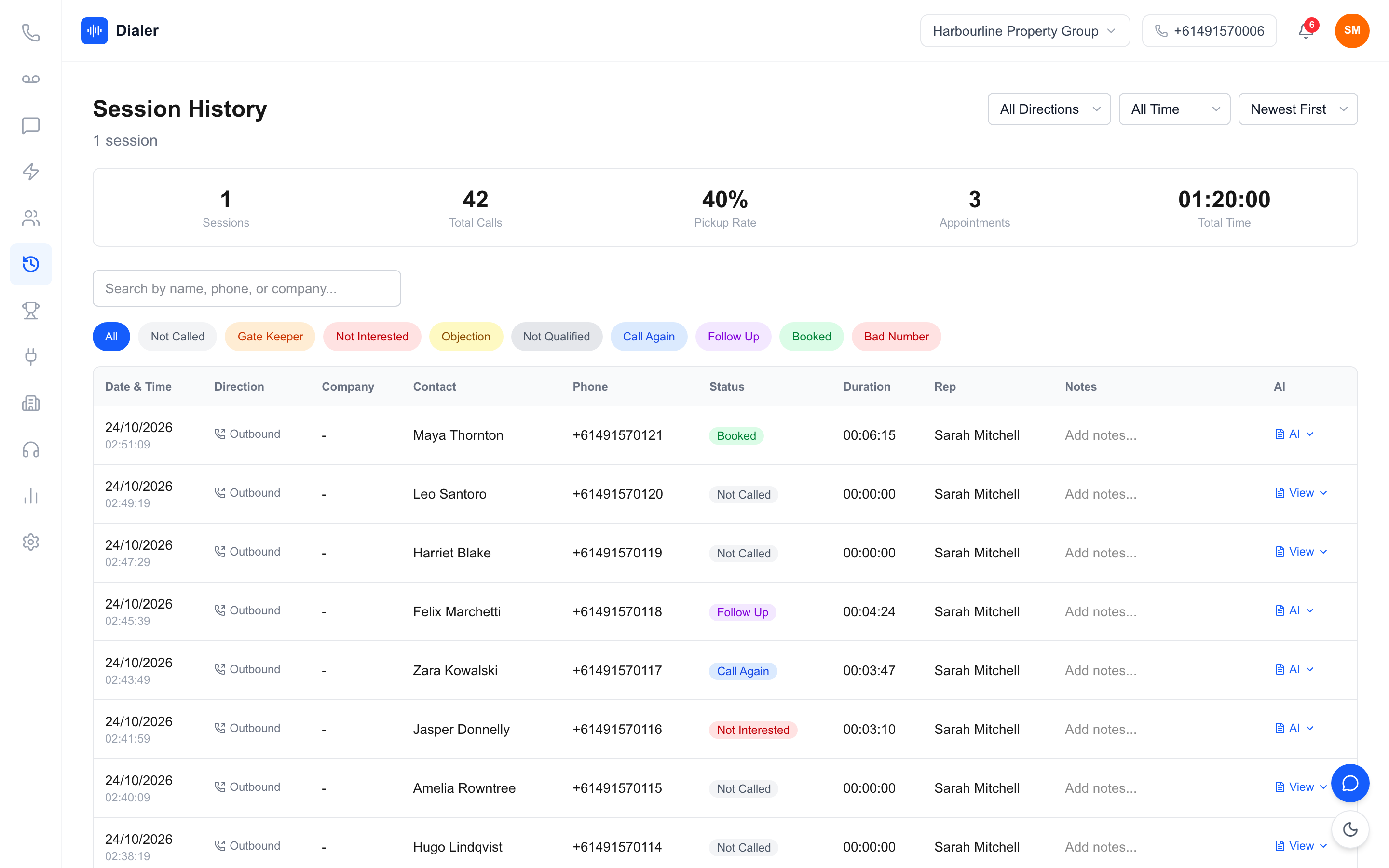
The feature set is built around the working day of an outbound team: AI call transcription and summaries on recorded calls, an SMS inbox for every rep so follow-up texts come from the same number as their calls, live session metrics, and a team leaderboard for a bit of healthy competition. Lead import is deliberately forgiving: CSV, XLSX, DOCX, PDF and image files all work, so even a photo of a paper list becomes structured, ready-to-call leads. There's a script panel that runs your team script or syncs one from Google Docs, lead import from Google Sheets, and DNCR tools that work with your wash: numbers the wash marks as registered are left out when you import a PriceFinder export, and the Delete DNCR Numbers button clears flagged leads from a list in one click.
Pricing is per organisation, not per seat: Solo is $49/month for one seat, Team is $179/month for four seats, Growth is $449/month for ten, and Agency is $1,099/month for 25, with extra seats at $29 and $0 setup. Solar, real estate and insurance teams are the core users. The full breakdown is on the pricing page, and if you want the wider market view first, our comparison of power dialer software in Australia covers the main alternatives side by side.
Try it on your own list
The fastest way to judge any dialler is to run your own leads through it for a week. Veyce offers a free 3-day trial, counted from your first call, with the Solo plan's features and 100 calling minutes: no credit card required, $0 setup, and your dedicated Australian number is provisioned for you. Import a washed list, clear anything it flagged, and see how many more conversations your day holds when the dialling takes care of itself.
Frequently asked questions
Is it legal to use an auto dialer in Australia?
Yes, provided you follow the ACMA rules: call only during permitted hours (weekdays 9am–8pm, Saturdays 9am–5pm, in the recipient's local time), respect the Do Not Call Register, and identify yourself and your business on every call. The tool is legal; how you use it is what matters.
What's the difference between a power dialer and a predictive dialer?
A power dialer calls one number at a time for each rep, so the rep is present for every call. A predictive dialler calls several numbers at once and routes answers to whoever is free, which can leave answered calls with no rep available: the silent-call problem Australian regulators target.
How often do I need to wash my lists against the Do Not Call Register?
A wash is valid for 30 days. If you're still calling a list after that window, wash it again before you dial.
Do I need my own phone numbers or a telco account?
With Veyce, no. Your team gets a dedicated Australian number as part of the service, fully managed, so there's no separate telco or Twilio account to set up or pay for. Each rep can have their own number too, assigned on request.
How much does an auto dialer cost in Australia?
It varies widely. US tools usually charge per seat, which climbs fast. Veyce charges per organisation: from $49/month for a solo operator up to $1,099/month for a 25-seat agency team, with no setup fee.