If you want to improve outbound sales call tracking, start with an uncomfortable question: if your best rep left tomorrow, could you tell who they called last week, what each person said and which leads are waiting on a callback? For most Australian sales teams the honest answer is "partly". Some of it sits in a CRM, some in a spreadsheet, some in a notebook and a lot of it in the rep's head.
This guide is about closing that gap without piling admin onto reps. It covers why call tracking breaks down, a four-step fix that works with any tools, what Veyce records for you, and how to turn the data into a short weekly routine. The aim is simple: every call ends up attached to a lead, an outcome and a date, and nobody has to remember to write it down later.
Why outbound sales call tracking breaks down
Call tracking rarely fails because a team does not care. It fails because tracking is a separate job from calling, and the separate job loses every time the phone gets busy.
Tracking that depends on memory
When a rep makes forty or sixty calls in a block, the details of call twelve are gone by call thirty. If the outcome is logged at the end of the day, it is logged from memory, and memory rounds everything off. "Spoke to the owner, call back Thursday after 2pm" becomes "follow up". The callback time is lost, and so is the reason the lead was warm.
Spreadsheets that drift from the phone
A spreadsheet log works for a week. Then someone sorts one column without the others, a second copy appears on someone's desktop, and the sheet stops matching what actually happened on the phone. Because the spreadsheet does not know a call took place, it cannot prompt anyone to fill it in. The phone system knows a call happened but not what came of it. Neither record is complete on its own.
Outcomes nobody agreed on
One rep writes "NI", another writes "not keen", a third writes "maybe later". When you try to count how many conversations ended in a booking, you cannot, because the labels do not line up. Free-text outcomes feel flexible, but they make every report a manual clean-up job.
How to improve outbound sales call tracking in four steps
These steps work whether you use a dialler, a CRM or a plain phone. The principle behind all of them is to capture the record at the moment the call ends, in a fixed format, attached to the lead.
Define a short outcome list
Pick eight or nine outcomes that cover nearly every call and agree on what each one means. A typical list: Booked, Follow Up, Call Again, Objection, Gate Keeper, Not Interested, Not Qualified and Bad Number, plus Not Called for leads nobody has touched. Write one line defining each, for example "Call Again: no conversation yet, try a different time" versus "Follow Up: had a conversation, agreed a next step". The distinction matters because it tells you which leads are warm.
Log the outcome at the moment the call ends
The outcome should be one click, made before the next number dials. If logging takes longer than ten seconds, reps will batch it, and batching is where accuracy goes. A notes field for the one detail worth keeping (a callback time, a decision maker's name, the objection in their words) is enough. Long notes are rarely read.
Tie every call to a lead and a session
A call record with no lead attached is a number in a log. A call record attached to a lead tells you the history of that relationship: when it was first called, how many attempts it took, and what happened each time. Grouping calls into sessions (one sitting at the desk, one calling block) shows you how a rep's day actually went, not just the total.
Keep notes and recordings next to the call
When a manager wants to know why a promising lead went cold, the notes, the recording and any summary should sit on the same call record, not in three systems. If you record calls, make sure you understand the consent rules that apply in your state and to your business before you switch recording on. For a deeper look at reviewing calls without replaying them, see our guide to AI call summaries for sales teams.
Veyce: call tracking built into the dialler
Veyce is a power dialler for Australian sales teams, and tracking is part of the calling screen rather than a second job. Here is what it records and where you find it.
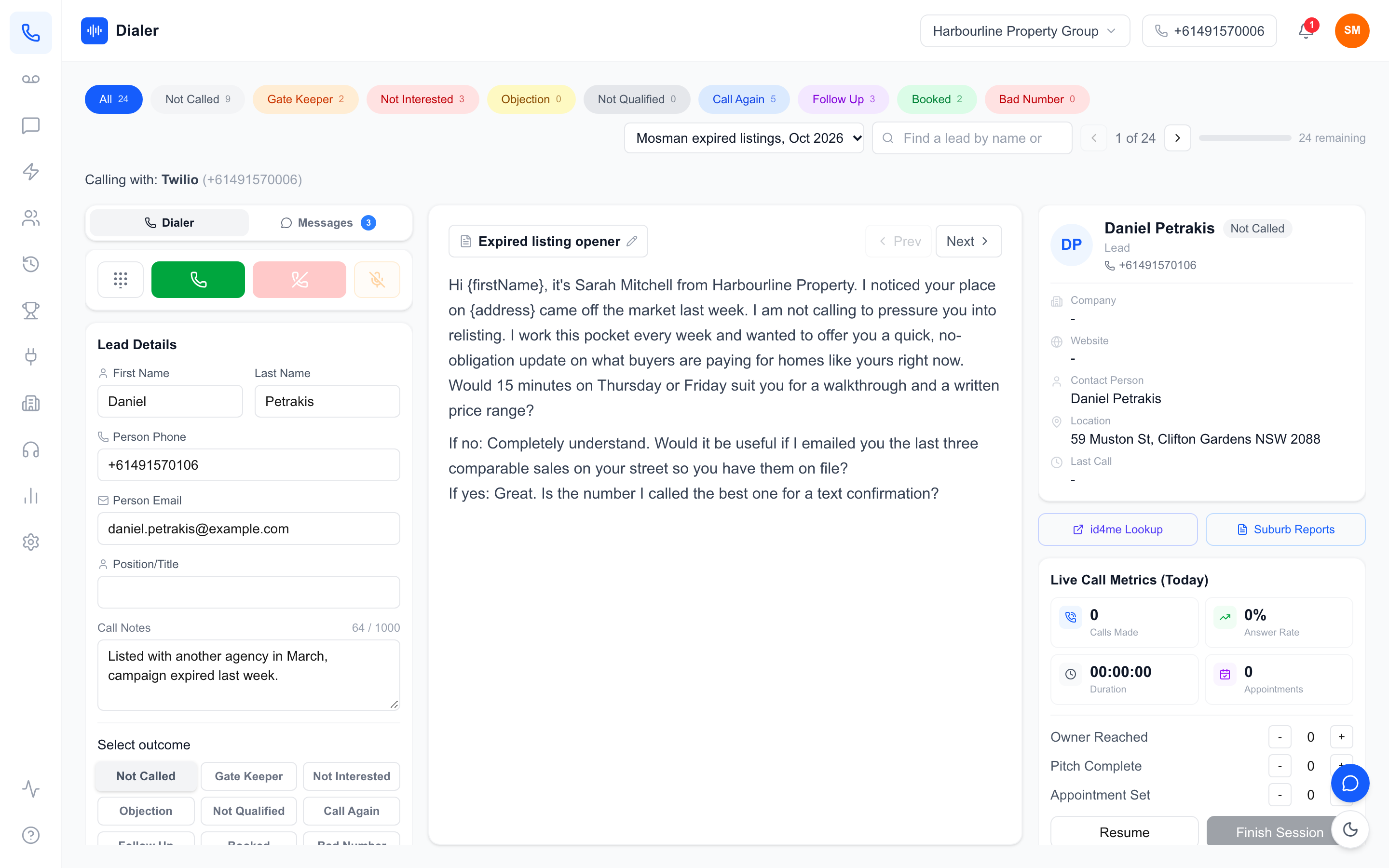
Outcomes and notes on every call
After each call the rep picks an outcome from the list above and can add a note. The outcome updates the lead's status, so the leads list always shows where each contact stands. If your team uses different words, an owner can rename and reorder the outcomes in Settings, and the new labels flow through to the dialler and reports.
Session History
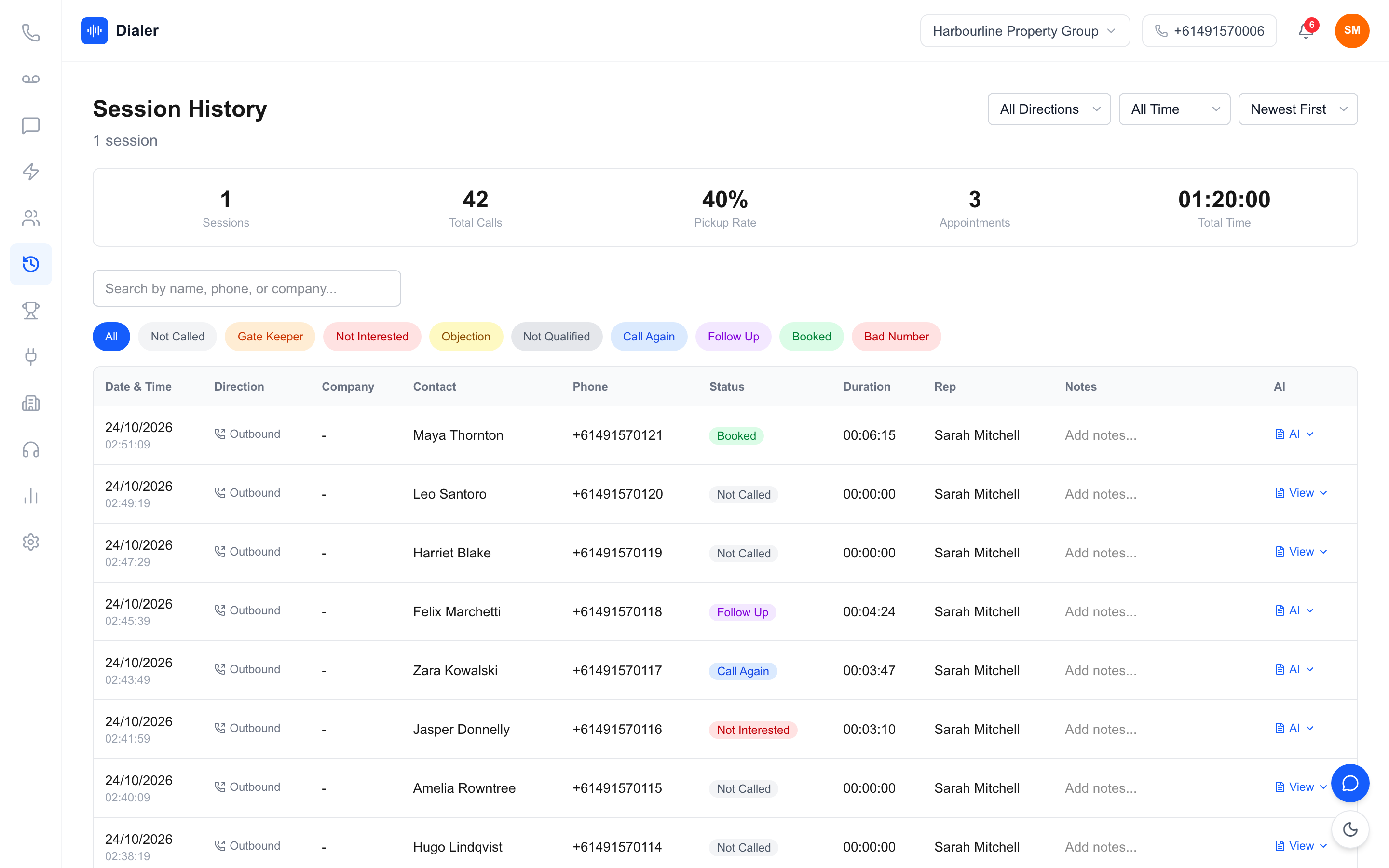
Every calling session is saved. Session History shows the sessions, total calls, pickup rate, appointments and total time for the range you pick (today, this week, this month or all time), and you can filter by direction and by outcome. Each call row shows the company, contact, phone number, outcome, duration and notes.
Reports for the whole team or one rep
The Reports page shows calls made, connected calls with a connect rate, bookings with a booking rate, sessions, total talk time, average call length, and SMS sent and received. A call outcomes chart shows the mix of results, and a team leaderboard ranks reps by bookings and calls. Switch from Whole Agency to a single member to see one rep's numbers. Our guide to choosing a power dialler in Australia covers what else to check in a tool.
Recordings, transcripts and AI summaries
For calls made through your Veyce number with recording turned on (call recording comes on the Team, Growth and Agency plans), the call record holds the recording, a transcript and an AI summary, produced after the call ends. Summaries are for recorded calls only; there is no live transcription during the call.
Using your tracking data each week
Good tracking earns its keep in the weekly review, and when reps see the data being used, logging quality improves on its own. Here is a routine that takes about twenty minutes for a small team.
A weekly 20-minute review (worked example)
The figures below are a worked example, not Veyce data or an industry benchmark. Assume a three-rep team over one week: 600 calls made, 150 connected, 12 booked. That is a 25% connect rate (150 / 600) and an 8% booking rate (12 / 150). In the review, look at three things in order: did each rep do their planned calling blocks, did connect rate move (a list or timing question), and did booking rate move (a conversation question). If connect rate dropped to 18% the next week, check the list source and call times before blaming the reps.
Clean the list while you are there
Open the Bad Number and Not Qualified outcomes and remove or fix those leads, so next week's calling time goes to real prospects. If you call Australian numbers for telemarketing, wash your list against the Do Not Call Register first; the washing process is explained by the register. Veyce works with your wash: numbers the wash marks as registered are left out of PriceFinder imports, and the Delete DNCR Numbers button clears flagged leads.
What to leave out
Do not track what you will not act on. A dozen custom fields per call will be filled in badly. Outcome, note, duration and the recording (where you have consent) cover nearly every question a manager asks.
Conclusion: tracking that runs itself
To improve outbound sales call tracking, make the record a by-product of the call: one agreed outcome list, logged in a click, attached to the lead and the session, reviewed weekly. Once the tracking runs itself, your weekly conversation shifts from "what happened?" to "what do we change?".
If you want to see this working on your own list, the Veyce power dialler for Australian teams logs outcomes, sessions and reports as your reps call. Plans and seat counts are on the Veyce pricing page, and Veyce's free trial runs for 3 days from your first call, with 100 calling minutes and no card.
Frequently asked questions
What is the easiest way to improve outbound sales call tracking?
Make logging part of the call itself. Use a fixed list of outcomes, ask reps to pick one the moment each call ends, and keep a short notes field for callback times or names. When the outcome is one click inside the dialler, reps log accurately because it takes less effort than skipping it. End-of-day logging from memory is the main reason call records drift, so remove the need for it rather than reminding people.
Which call outcomes should an outbound sales team track?
Most teams cover nearly every call with eight or nine outcomes: Booked, Follow Up, Call Again, Objection, Gate Keeper, Not Interested, Not Qualified and Bad Number, plus Not Called for untouched leads. The key is a one-line definition for each so reps use them the same way. Separating Follow Up (a conversation with an agreed next step) from Call Again (no conversation yet) is what lets you spot warm leads quickly.
Can I track outbound calls in a spreadsheet?
You can for a small list, but spreadsheets drift. They do not know a call happened, so nothing prompts anyone to update them, and copies multiply. A dialler that saves the outcome, duration and notes with the lead removes that gap. If you keep a spreadsheet as your source list, a tool that syncs with Google Sheets lets you keep it without re-typing results by hand at the end of each day.
Does Veyce record and summarise every call?
Veyce records calls made through your Veyce number when recording is turned on (call recording comes on the Team, Growth and Agency plans), and the call record then holds the recording, a transcript and an AI summary produced after the call ends. Calls without recording still get their outcome, duration and notes logged. There is no live transcription during the call. Before recording, check the consent rules that apply to your business and the states you call into.
How often should managers review call tracking data?
Weekly suits most outbound teams. A fixed 20-minute review is enough to check whether planned calling blocks happened, whether connect rate moved and whether booking rate moved. Daily checks are useful for live session numbers during a calling block, but weekly trends are steadier because one bad list or one quiet afternoon can swing a single day. Use the same session to clean bad numbers from the list.